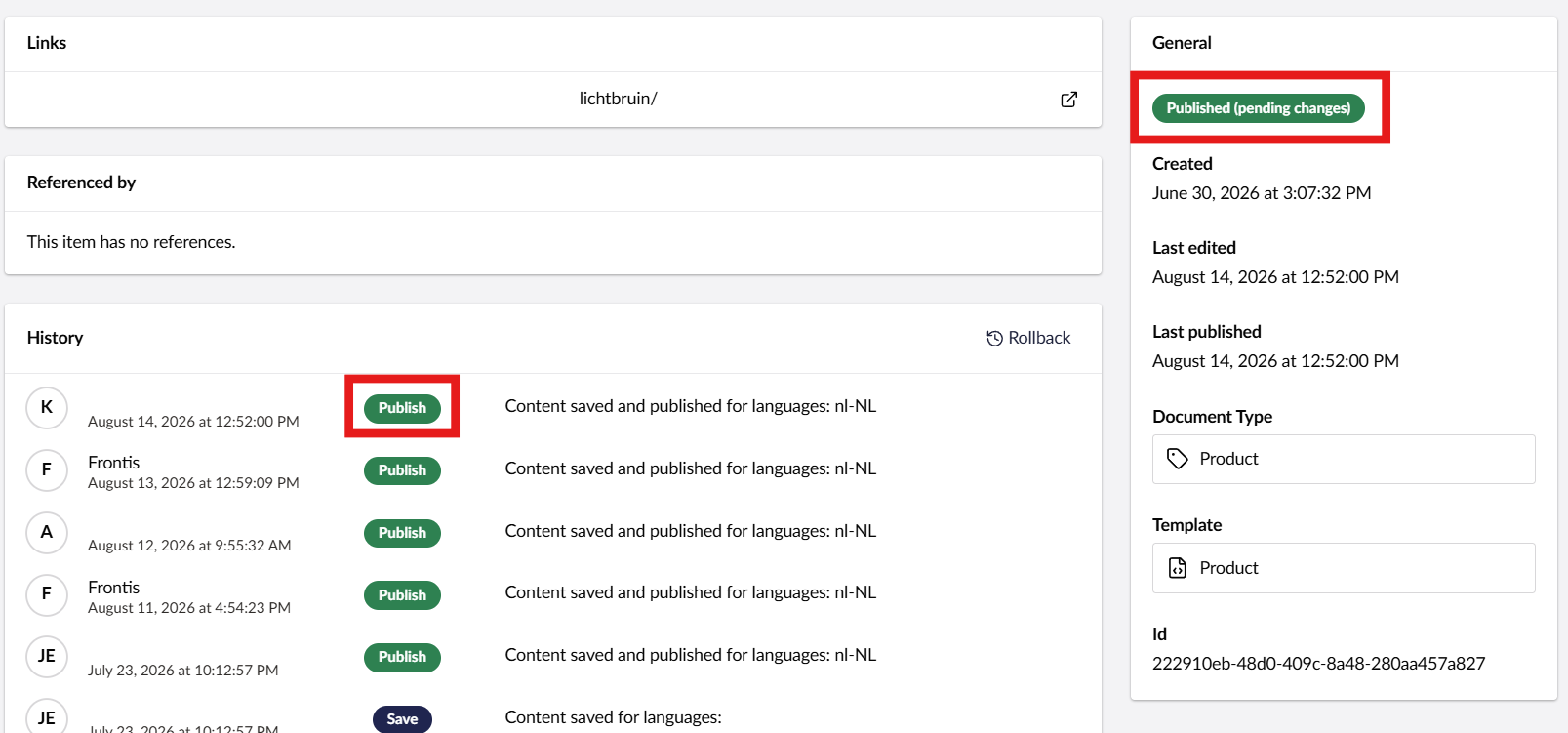
We are using Umbraco 17 and have built a large synchronization process for a client that automatically imports nodes every night.
During this synchronization, we perform a save and publish action via code. This seems to work correctly, and we can also see the publish action in the node’s history.
However, the node does not get the status “Published”, but instead remains “Published (pending changes)”. There is no open draft, and it is not a case where only a save action was performed; the most recent action in the history is actually a publish action.
What makes this even more interesting is that if we perform another save followed by a publish action via code on a node with the status “Published (pending changes)”, the status still remains “Published (pending changes)”.
However, if we perform the same actions through the UI in the backoffice, the status changes to “Published” as expected. So it seems that the backoffice publishes a clean version of the node, while our programmatic approach does not.
My specific questions are:
What causes the “Published (pending changes)” status in Umbraco 17?
How can we programmatically ensure that a node gets the “Published” status after publishing?
Using the IContentService, we first perform a save action, followed by a publish. Publishing is optional in our business logic, but I can confirm that in this particular case, a publish is indeed being performed.
// Batched save
_contentService.Save(contents.Values);

foreach (var content in contents.Values)
{
    PublishIfNeccessary(content);
}
Then the following action:
private void PublishIfNeccessary(IContent content)
{
    // Try fetching published content
    var publishedContent = _publishedContentCache.GetById(false, content.Key);
    if (publishedContent == null)
    {
         // If not found, it means the content is currently unpublished, so keep it unpublished
        return;
    }

    if (!ProductRoutingHelper.HasValidUrl(publishedContent))
    {
        return;
    }

    var publishResult = _contentService.Publish(content, ["*"]);
}
Maybe I should make my question a bit more specific. I can’t find any information on what exactly triggers the “Pending Changes” status.
Ideally, we would like to run a one-time action programmatically to address the underlying cause and change the status of all affected nodes to “Published” in one go.
We are experiencing exactly the same problem. Even when we do something like:
foreach (IContent product in allProducts) { _contentService.Publish(product, ["*"]); }
All products are set to “pending changes”. We do not use a blocklist. In our case, they are Commerce products. They do have a number of actions during the Save process, but even disabling these actions does not help.
Have you happened to find a solution yet?
Dave
ps. If we press the “Save & Publish” button in the CMS everything works… It’s just when we publish in code. But we don’t want to publish 98.000+ products by hand
Hi @DynamicDave, it sounds like something to create an issue for — I did a fast search but was not able to find one on this particular topic, so you may help me by linking to it?
One of the properties we filled before the save and publish was a BlockList. And when we updated the property with our own (valid) Json it was still marked as ‘dirty’. This was because of the formatting.
If you use a different json formatting then the ‘default umbraco’ formatting, the CMS first checks the propertie and looks at its value. This is the ‘base’. Then, during Save & Publish, the value is formatted internally. So the value can be exactly the same but because of the formatting it’s still ‘different’.
We now have a “BlockValueNormalizer” interface that changes the value of the property to the formatting Umbraco wants and when we now Save & Publish everything works and no Pending Changes anymore.