Pete0000
February 4, 2026, 11:25am
1
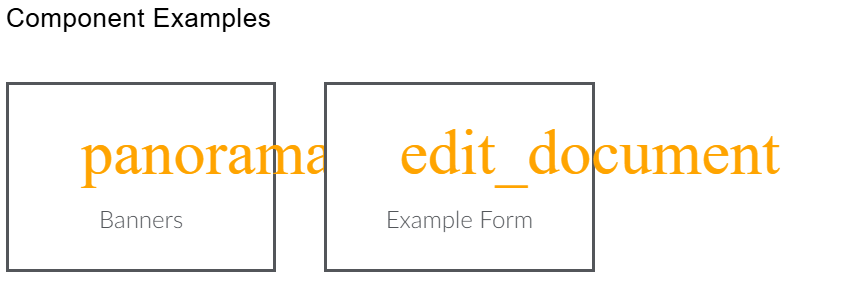
Hi, I’m using umbraco block preview to view content in the back end and everything works ok, but when I try to preview components with google font material symbols, they don’t render properly:
In the network tab, I can see it’s loading the stylesheet properly
But it doesn’t seem to download any of the woff files - just the umbraco lato fonts
I had a look at creating a umbraco-package.json but it didn’t seem to work (or I didn’t convert the example package.json from this question properly)
How can I get the back end to download the fonts?
mistyn8
February 4, 2026, 1:58pm
2
Similar question re fonts and backoffice??
Hello @mistyn8 - thanks for that link. Worked a charm.
For reference this is what I did
Structure:
App_Plugins (Folder)
SM.BackOfficeLoader (Folder)
index.js
umbraco-package.json
index.js
export const onInit = () => {
let styleEl = document.createElement('style');
styleEl.setAttribute("type", "text/css");
styleEl.innerHTML = `@font-face {
font-family: "Gilroy";
src: url('/assets/fonts/GilroyW05-Regular.woff2') format('woff2');
font-weight…
and on discord for blocks…
Discord is great for playing games and chilling with friends, or even building a worldwide community. Customize your own space to talk, play, and hang out.
(if you aren’t on discord)BlockGrid Preview not picking up fonts Umbraco #help-with-umbraco
Pete0000
February 4, 2026, 2:52pm
3
Perfect, thanks. I was able to add the font to the back end using the umbraco-package from the first link
system
March 6, 2026, 2:52pm
4
This topic was automatically closed 30 days after the last reply. New replies are no longer allowed.