I have a site I’ve migrated from v13.9.2 up to v16.2.0 and everything appears to work ok apart from creating files under media. If I attempt to create a new File and save I get an error “Value cannot be null (Parameter ‘source’)“. Looking at the browser console it appears to throw this from /umbraco/management/api/v1/media/validate, and from the Umbraco logs/examining the source code it’s falling over in the Umbraco.Infrastructure/PropertyEditors/FileUploadPropertyValueEditor.cs IsAllowedInDataTypeConfiguration static method where it attempts to access fileUploadConfiguration.FileExtensions.Any(), so looks like the FileExtensions object is null where it shouldn’t be?
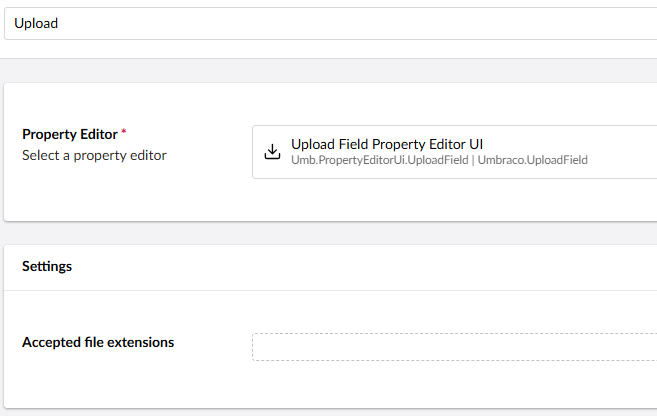
Although I am able to create images with no problem, it’s only the File option that is broken. I’m wondering if something is somehow missing database-side as a result of the upgrade? I’ve checked the Upload data type and there are no custom extensions configured there, everything is set as the defaults.
Wondering if anyone has experienced anything similar or could suggest anything I could check?
We also had this issue. Turns out after the upgrade the allowed file extensions for file upload were incorrect, so you should check those.
After that we also had this issue, so might be worth checking that too.
Hi Maud, thanks for your reply/help. When you say check file extensions do you mean in the upload datatype? The list in there is empty (and was on v13) so presumably it just uses the defaults?
Not entirely sure why I needed to but I’ve added pdf, docx and doc as valid extensions, saved and now it works. Also corrected the list views as per your other link, good spot. Thanks for your help.