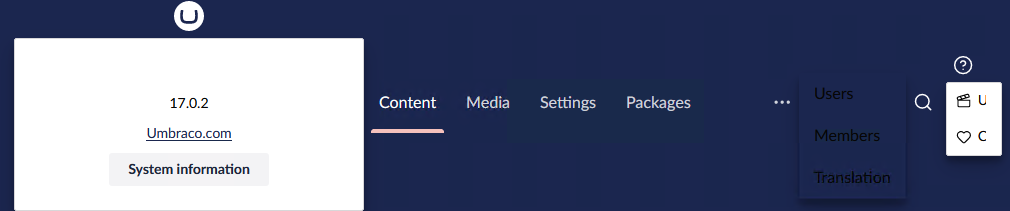
Windows 2012 r2 with IIS. Installed DotNet 10. Packaged V16 and v17 with command prompt, with Visual Studio 2026, deployed with both DotNet and Visual Studio. The window still looks like this.
Hosting Umbraco in IIS | CMS | Umbraco Documentation
Though as the site is serving… likely you’ve got all that, so sorry for telling you to suck eggs.
Also could be related to Upgrading to v17-rc2; No physical template file was found for template - Umbraco community forum
I tried with v16.
I tried with v17.
Using Dot.Net
Using Dot.net deploy
Visual Studio 2026 dotnet 10.
Windows 2012 r2 with dot net 10
Hey @MaioliDavide, welcome to the forum!
Do you have any JavaScript errors or 40x 5xx errors in the console?
I just want to note that Windows 2012-r2 has reached end of support in 2023, so as a server it’s no longer supported for Umbraco either. Probably should still work, @JasonElkin has asked the correct questions here, but it might not for much longer.
I debated flagging that but the platform itself is still supported in ASP.NET Core 10  and although I’m sure Umbraco can’t say it’s officially supported I’m not aware of any tech in use that means it shouldn’t run.
I may have to test the theory…
This look is what you get when you run a slightly older version of Firefox, and some versions of Safari, though. I wonder if that is the real culprit. Those earlier versions were missing the Popover API that the Backoffice uses specifically for that logo “system information” thingy.
1 Like
That might explain it.
@MaioliDavide are you looking at the website from the server itself? I don’t think that any browsers that run on Windows Server 2012 R2 actually support the Popover API.
1 Like
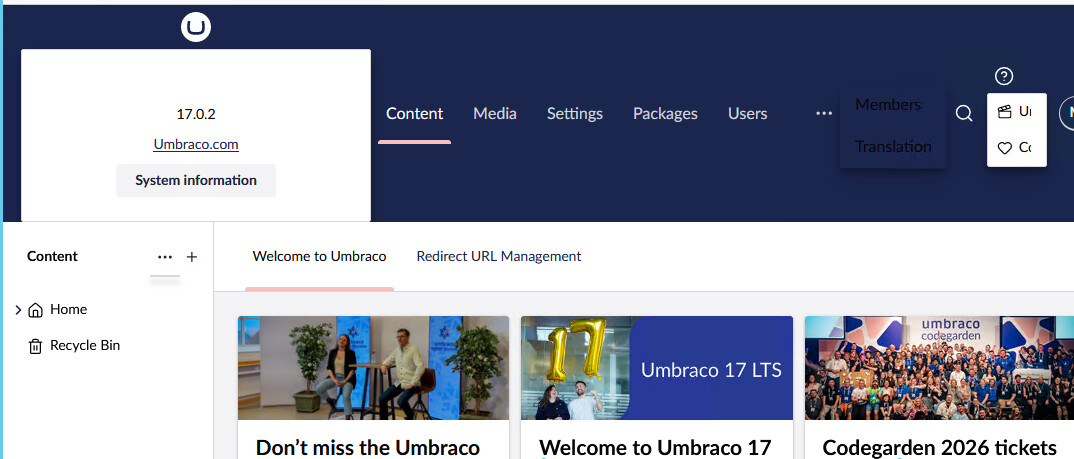
I don’t see any errors. The front end works fine, but in the back office everything is moved to the bottom and I can’t see the buttons. They’re hidden.
Dot.Net 10 is supported by Windows 2012 R2.
1 Like
Ho provato con Mozilla, Chrome, Edge, sia da dentro che da fuori. Il sito di test è pubblico
Firefox 115.61 64 bit .
You’re right, I removed dot.net and installed everything. After deploying, I’m using it externally and everything works. Internal browsers see the operating system as Windows 8.1 and not Windows Server, disabling many features. Thanks for your help.
You’re right, I removed dot.net and installed everything. Thanks for your help.
2 Likes
thanks @JasonElkin
1 Like
This topic was automatically closed 30 days after the last reply. New replies are no longer allowed.