This has been confusing me for a few days now! First the complexity of trees and now the routing of the views 
I’ve managed to get this to work by lots of faffing about, here’s the key points:
- set the entity type of the
treeItem to the same entityType set in your workspace which is the linking code.
- in the manifest make sure you have the workspace as a
kind routable:
{
  type: "workspace",
  kind: "routable",
  alias: WORKSPACE_ALIAS,
  name: "Example Workspace",
  api: () => import("./workspace.context"),
  meta: {
    entityType: 'example-entity'
  }
}
Then in the actual workspace make sure that you extend from UmbSubmittableWorkspaceContextBase (maybe you don’t have to, IDK!) and then define your routes in the constructor. Rather than trying to pick out everything I’ll just paste my entire TS file below. I can also share the example project in its raw form if that’s helpful.
I’m not sure if I’m confusing the whole context vs workspace ideology here, but this works for me so hopefully can help and is on the right lines!
import { UMB_WORKSPACE_CONTEXT } from "@umbraco-cms/backoffice/workspace";
import { UmbSubmittableWorkspaceContextBase } from "@umbraco-cms/backoffice/workspace";
import { UmbControllerHost } from "@umbraco-cms/backoffice/controller-api";
import { UmbContextToken } from "@umbraco-cms/backoffice/context-api";
import { UmbStringState, UmbObjectState } from "@umbraco-cms/backoffice/observable-api";
import { UmbPathPattern } from "@umbraco-cms/backoffice/router";
import { SECTION_ENTITY, WORKSPACE_ALIAS, CONTEXT_ALIAS } from "./types";

// Define your workspace path patterns
// This should match the section pathname from your manifest (new-section)
// and the entityType (example-entity from SECTION_ENTITY)
const SECTION_WORKSPACE_PATH = '/section/new-section/workspace/example-entity';

export const EDIT_SECTION_ITEM_PATH_PATTERN = new UmbPathPattern<{ unique: string }>(
  'edit/:unique',
  SECTION_WORKSPACE_PATH
);

export const CREATE_SECTION_ITEM_PATH_PATTERN = new UmbPathPattern<{
  parentEntityType: string;
  parentUnique: string | null;
}>(
  'create/parent/:parentEntityType/:parentUnique',
  SECTION_WORKSPACE_PATH
);

// Define your data model type
interface SectionItemModel {
  unique: string;
  name?: string;
  // Add other properties as needed
}

export default class ExampleWorkspace extends UmbSubmittableWorkspaceContextBase<SectionItemModel> {
  #unique = new UmbStringState<string | null>(null);
  readonly unique = this.#unique.asObservable();

  #data = new UmbObjectState<SectionItemModel | undefined>(undefined);
  readonly data = this.#data.asObservable();

  constructor(host: UmbControllerHost) {
    super(host, WORKSPACE_ALIAS);
    console.log("[ExampleWorkspace] Constructor");

    this.provideContext(SECTION_CONTEXT_TOKEN, this);

    // Set up routes with setup callbacks
    // The setup callback will be called EVERY TIME the route is matched,
    // even when navigating between different items of the same entityType
    this.routes.setRoutes([
      {
        path: EDIT_SECTION_ITEM_PATH_PATTERN.toString(),
        component: () => import('./workspace.element'),
        setup: async (_component, info) => {
          console.log("[ExampleWorkspace] Edit route setup callback fired");
          const unique = info.match.params.unique;
          console.log("[ExampleWorkspace] Loading unique:", unique);
          await this.load(unique);
        },
      },
      {
        path: CREATE_SECTION_ITEM_PATH_PATTERN.toString(),
        component: () => import('./workspace.element'),
        setup: async (_component, info) => {
          console.log("[ExampleWorkspace] Create route setup callback fired");
          const parentEntityType = info.match.params.parentEntityType;
          const parentUnique = info.match.params.parentUnique === 'null' ? null : info.match.params.parentUnique;
          await this.createScaffold({ entityType: parentEntityType, unique: parentUnique });
        },
      },
    ]);
  }

  /**
   * Load data for the given unique identifier
   * This is called every time a different tree item is selected
   */
  async load(unique: string): Promise<void> {
    console.log("[ExampleWorkspace] Loading data for unique:", unique);

    // Update the unique
    this.#unique.setValue(unique);
    this.setIsNew(false);


    // Go off and fetch the data somehow, setup with mock data for now so we don't need api
    const mockData: SectionItemModel = {
      unique,
      name: `Item ${unique}`,
    };
    this.#data.setValue(mockData);
  }

  /**
   * Create a new scaffold for creating an item
   */
  async createScaffold(parent: { entityType: string; unique: string | null }): Promise<void> {
    console.log("[ExampleWorkspace] Creating scaffold under parent:", parent);

    this.setIsNew(true);

    // Just some filler code to make a new item...
    const newUnique = 'new-' + Math.random().toString(36).substring(7);
    this.#unique.setValue(newUnique);

    const scaffoldData: SectionItemModel = {
      unique: newUnique,
      name: '',
    };
    this.#data.setValue(scaffoldData);
  }

  // Required by UmbSubmittableWorkspaceContextBase
  getUnique(): string | null {
    return this.#unique.getValue();
  }

  getEntityType(): string {
    return SECTION_ENTITY;
  }

  getData(): SectionItemModel | undefined {
    return this.#data.getValue();
  }

  // This is called when the workspace is submitted (e.g., save button clicked)
  protected async submit(): Promise<void> {
    console.log("[ExampleWorkspace] Submitting data");
    const data = this.getData();
    if (!data) {
      throw new Error('No data to submit');
    }

    // blah blah save logic

    console.log("[ExampleWorkspace] Would save:", data);
  }
}

export const SECTION_CONTEXT_TOKEN = new UmbContextToken<ExampleWorkspace>(
  CONTEXT_ALIAS,
);

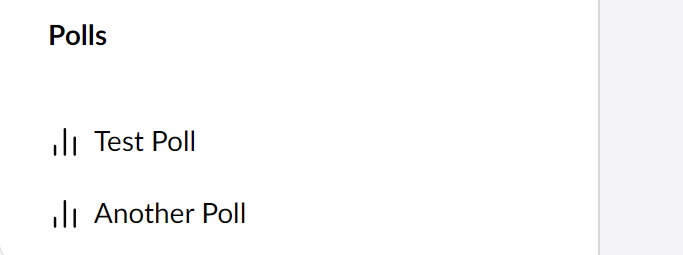

 , just can’t figure out how the menu hooks up the workspace
 really doing my head in!