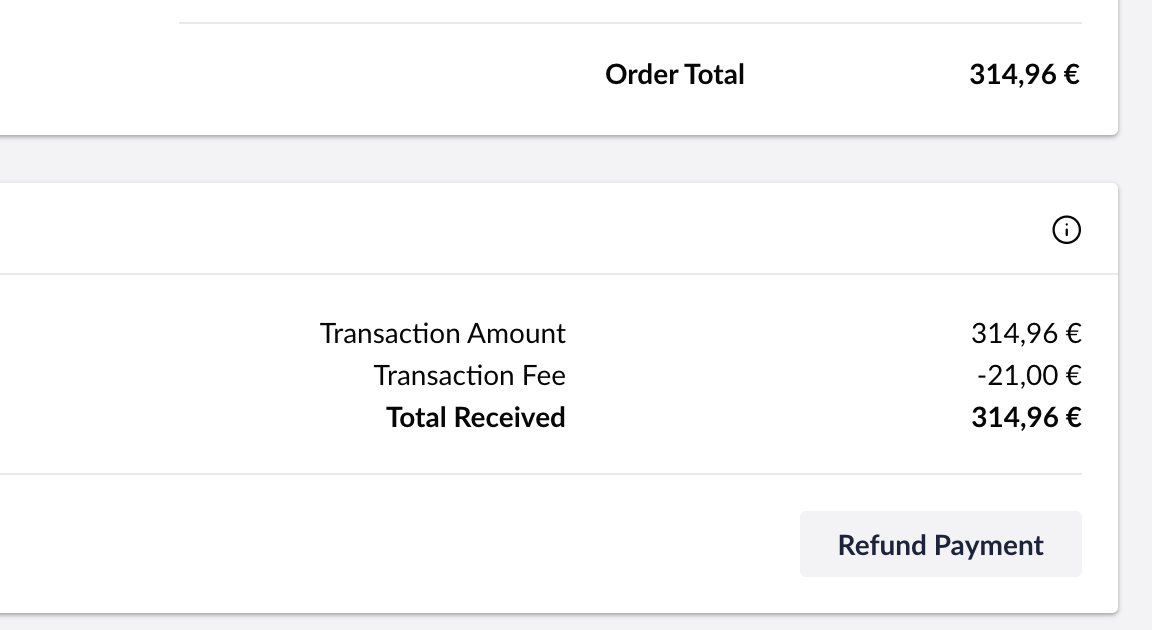
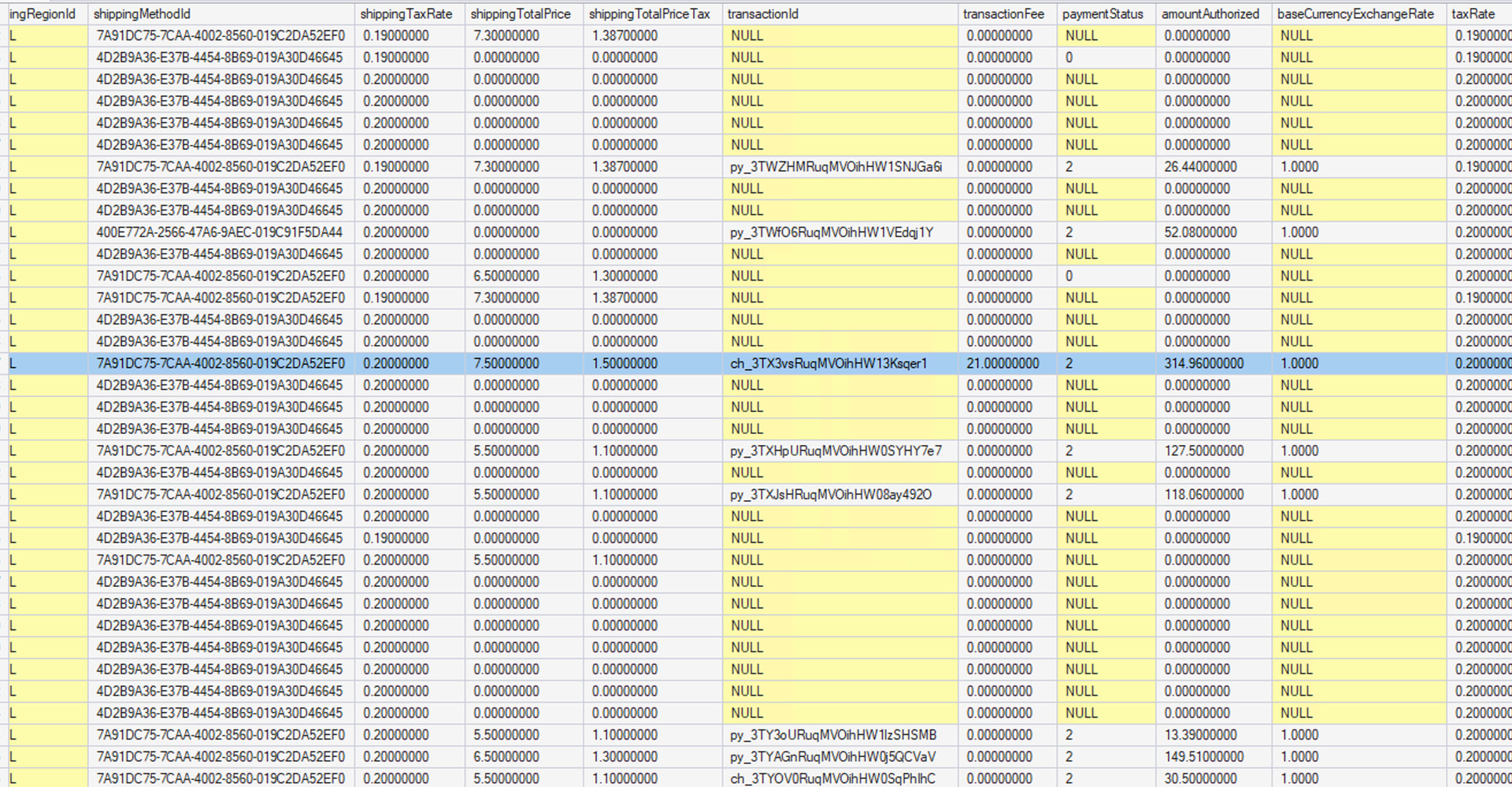
We have an order where the payment breakdown in the backoffice shows an unexpected Transaction Fee:
Transaction Amount: €314.96
Transaction Fee: −€21.00
Total Received: €314.96
Looking at the order totals, the math reveals the €21 is actually being charged to the customer:
Products subtotal: €237.47
Shipping: €7.50
Payment via Stripe: €0.00 (line item shows zero)
Net Total: €265.97 ← should be €244.97 if the payment fee is truly zero
TAX: €48.99
Order Total: €314.96 ✓ (matches Stripe)
So €21 is silently included in the Net Total despite the payment method line showing €0.00. The customer was charged
it.
In our checkout view we call TryCalculateFeeAsync to display the fee during payment method selection:
var fee = await item.PaymentMethod.TryCalculateFeeAsync(currentOrder);
We cannot find where this fee is configured, the payment method has no Prices tab, and we checked the Stripe payment
provider source which never sets TransactionFee. We also confirmed in Stripe’s dashboard that their actual processing
fee was €4.97 (not €21).
Questions:
What does TryCalculateFeeAsync read from to calculate the fee, where is it configured?
Where in the backoffice can we find and remove this €21 payment method fee?
Why does the order line show €0.00 for the payment method when €21 is clearly included in the total?
In addition to what @justin-nevitech has suggested. Would you please check on the code side as well. Look for methods FetchPaymentStatusAsync or ProcessCallbackAsync as UI in the image might be populated by the TransactionInfo object returned by the Payment Provider. The implementation would have the field which is setting the TransactionFee, which would help in finding from where that value is coming from.
Also check for custom event handler or calculator which may be intercepting the checkout process. Or you can do a global solution search for 21, IPriceAdjuster, OrderCalculatingNotification, etc. If it can give any clue.
Thanks for your replies !
We did some investigation based on the suggestions here. Here’s what we found and ruled out:
Checked and eliminated:
No custom IPriceAdjuster implementations in our codebase
No OrderCalculatingNotification handlers
Our custom shipping provider (ShippingProviderBase) — TaxRate.Value returns 0.20 (confirmed by debugging), so the tax calculation is correct.
Shipping and its tax are not stored in the transaction fee field anyway.
Payment method in backoffice shows €0.00 fee configured
Stripe logs — the €21.00 does not appear anywhere in Stripe. No charge, no log entry, nothing.
The net total (265.97€) is exactly 21€ more than the sum of the visible line items (237.47 + 7.50 + 0.00 = 244.97€). So the €21 is being added
to the order at the total level but is not surfacing as any visible line item — shipping, payment, or otherwise. It also carries 0% tax
(removing it from the net total gives 244.97€, and 244.97 × 20% ≈ 48.99€, which matches the TAX line exactly).
We confirmed it’s not in Stripe at all — Transaction Amount and Total Received both show 314.96€ with no corresponding entry in Stripe logs. So it’s purely a Commerce-side figure.
Has anyone seen Commerce inject a zero-tax order-level adjustment that doesn’t correspond to any configured line item? We have no custom
IPriceAdjuster or OrderCalculatingNotification in our codebase, so we’re wondering if this is something Commerce itself generates in certain conditions — perhaps during order finalization or a payment callback.
Have you tried completely ruling out the payment and shipping provider by using the out of the box Invoice and Zero payment providers alongside the basic (fixed/dynamic rate) shipping provider? That would at least rule those out.
Are you able to recreate this locally or does this happen only in production?
I can’t reproduce unfortunately. This happen only on prod and only once. As it’s not open-source difficult to debug or to know how Commerce does the calculation of that fee.
Without you being able to replicate this locally, I think you may find this hard to get to the bottom of. If you can recreate it, it may be worth raising an issue on the Umbraco Commerce Issue Tracker if it’s not relating to your custom code or shipping provider.