I have been trying to use the UUI css package in a frontend web component but I cannot make it work. The CSS from the library is not being loaded and I can’t figure out how to do it or why it’s failing.
I’ll paste here just extracts of different parts of the code. Please let me know if you need more details.
I’m loading the package in my dependencies like:
package.json
{
   "dependencies": {
      "@umbraco-ui/uui": "^1.13.0",
      "@umbraco-ui/uui-css": "^1.13.0"
   }
}
index.ts
export { UToursEditor } from './UToursEditor.js';
uToursEditor.ts
import '@umbraco-ui/uui';
import '@umbraco-ui/uui-css/dist/uui-css.css';

@customElement('utours-editor')
export class UToursEditor extends UmbLitElement {
    // functions and stuff

    render(){
           return html`
      <div class="uui-text uui-font">
        <uui-modal-container>
          <uui-modal-sidebar size="large">
            <div class="container uui-font uui-text">
                <div class="header">
                  <h1>
                    <uui-icon name="umb-tour" class="header-icon"></uui-icon>
                    uTours Visual Editor
                  </h1>
                  <div class="button-group">
                    <uui-button @click=${this.#refreshTours} look="secondary" color="default">
                      <uui-icon name="refresh"></uui-icon>
                      Refresh
                    </uui-button>
                  </div>
                </div>

          // more things here....

    }
}
As per the docs, I’m using the uui-text and uui-font classes. But even the css variables in some custom css are not used.
I have something like:
 static styles = [
    css`
      .container {
        background-color: var(--uui-color-surface);
        padding: var(--uui-size-space-5);
        font-family: var(--uui-font-family);
        color: var(--uui-color-text);
        min-height: 100vh;
      }
Those —uui variables cannot be used in the frontend.
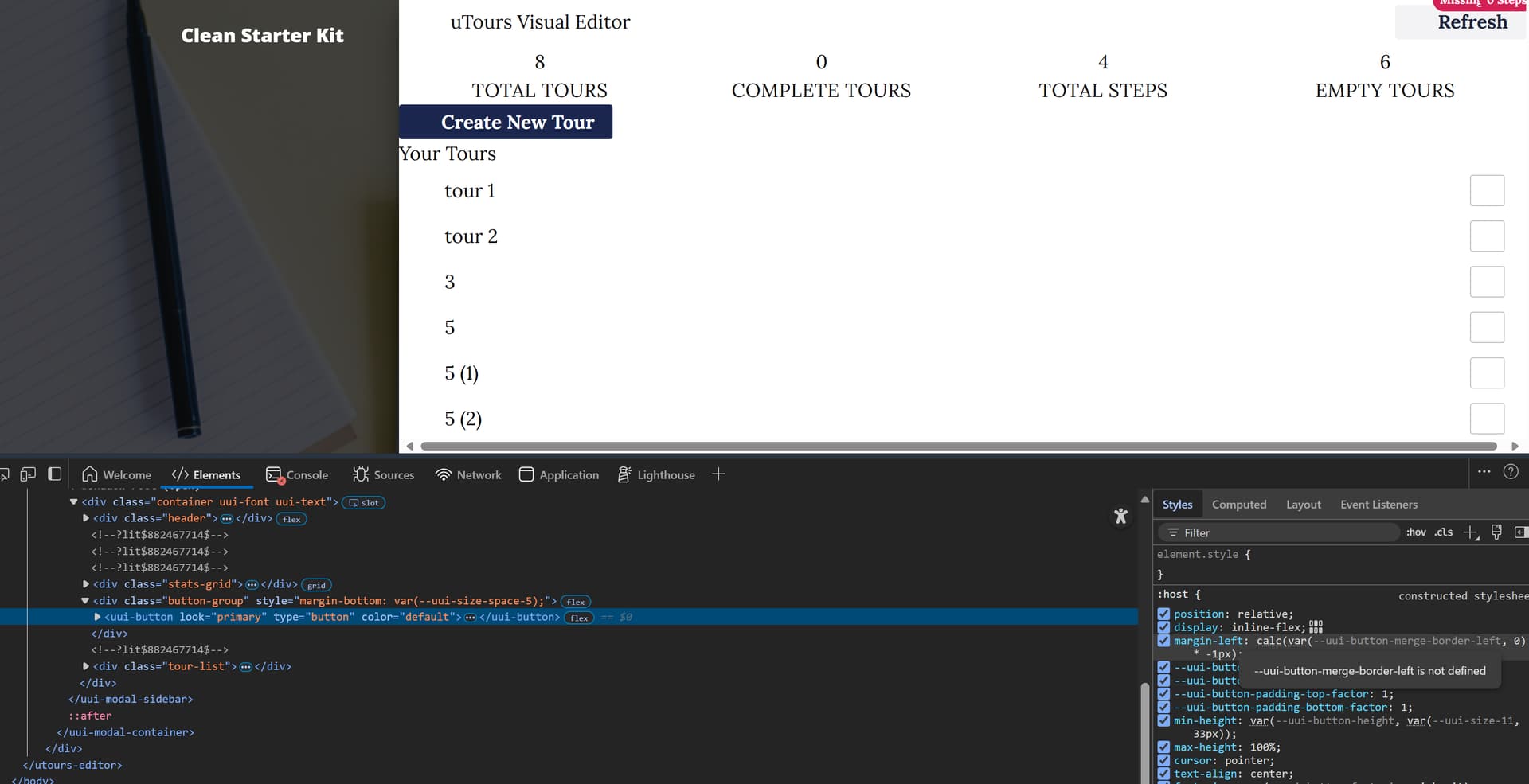
In the following screenshot you can see that the uui-button and uui-icon seems to be rendering fine in terms of layout but they don’t have styles.
I have tried Copilot and keeps going around in circles. If AI cannot make it work nothing can 