The main highlights for this release are:
- Much improved search in the launcher
- Show workspace views next to the content or pop them out
- A progress indicator for media uploads
- A welcome wizard for new users
- [Entertainment] A gaming service (The arcade) that games can integrate to work with leaderboards across users
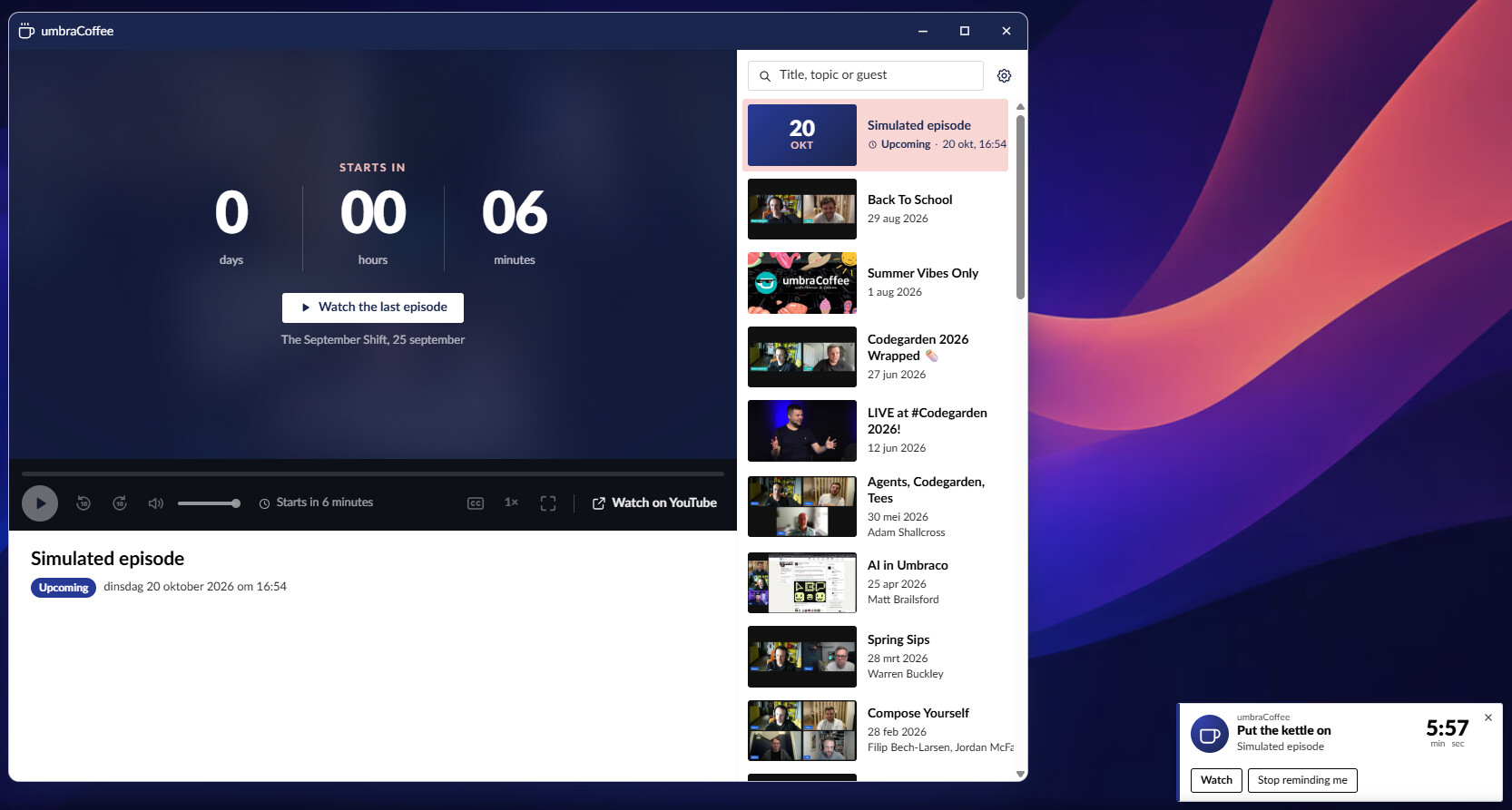
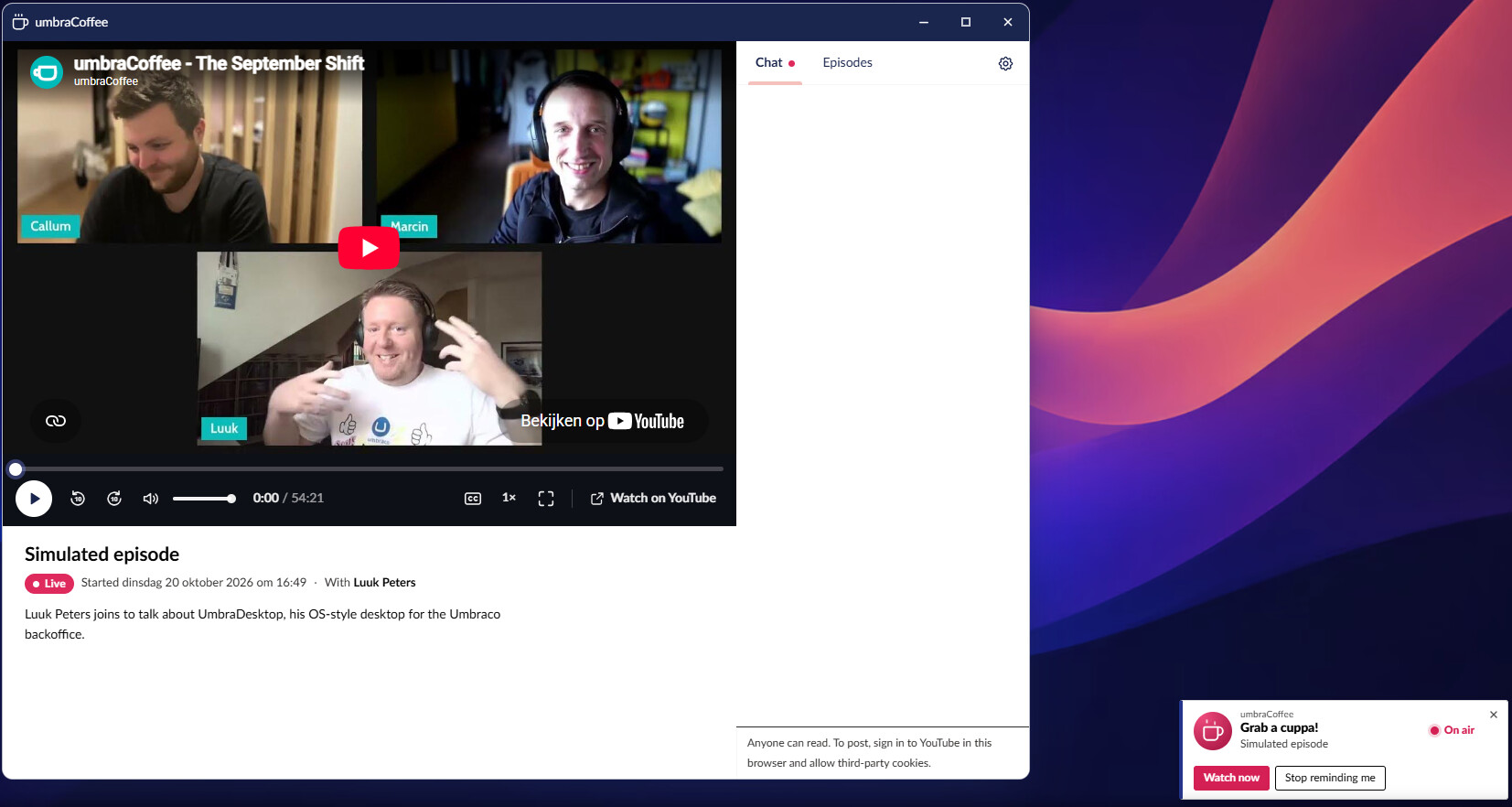
- [Entertainment] An UmbraCoffee app where you can see previous episodes AND that can notify you when a new episode is about to start!
NEW! Better search in the launcher.
The you tried the search bar that is on the launcher, it would open the default Umbraco search popup. Not bad perse, but I meant two things:
- You could not search for apps (you needed to go to the ‘all apps view’ first)
- You were taken out of the context of the launcher in favour of a new window.
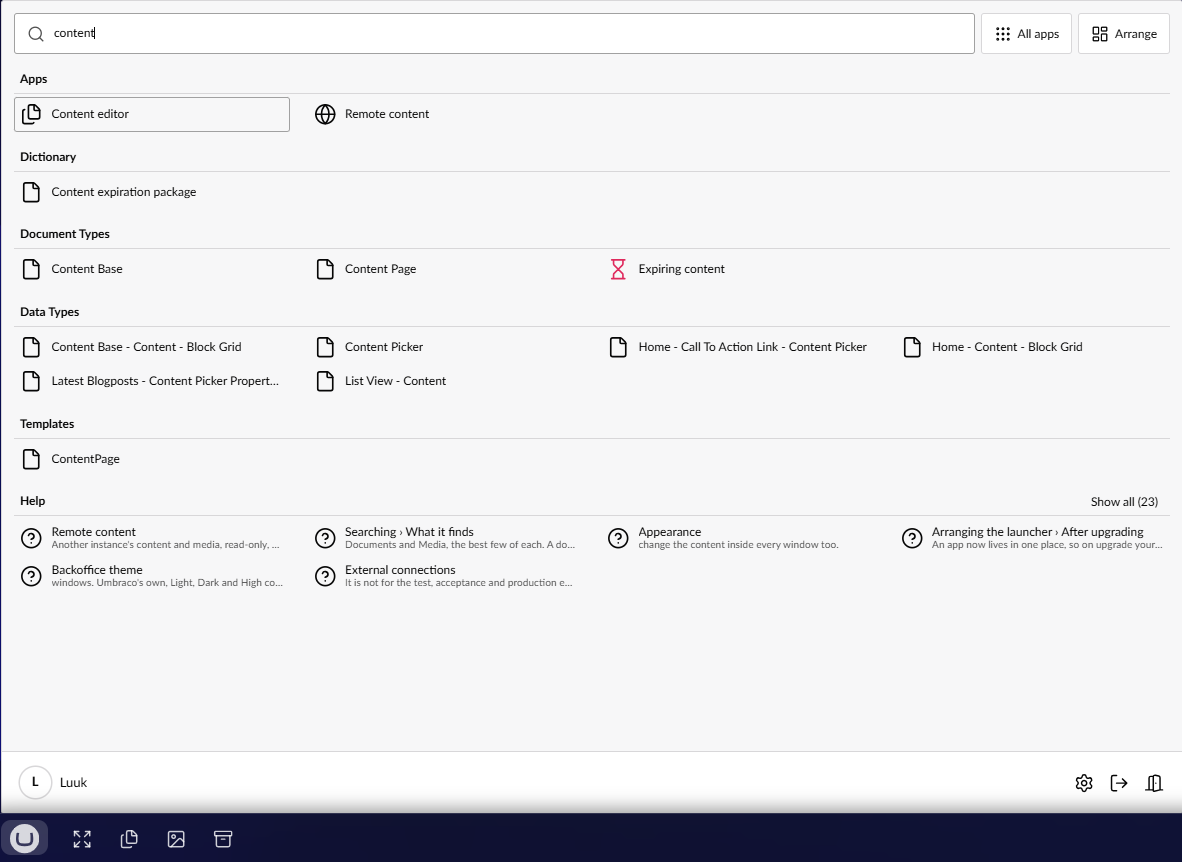
This has been fixed in this release. The search will now open directly in the launcher like most OS’. It will show the search result by category, apps first.
NEW! Show workspace views next to the content!
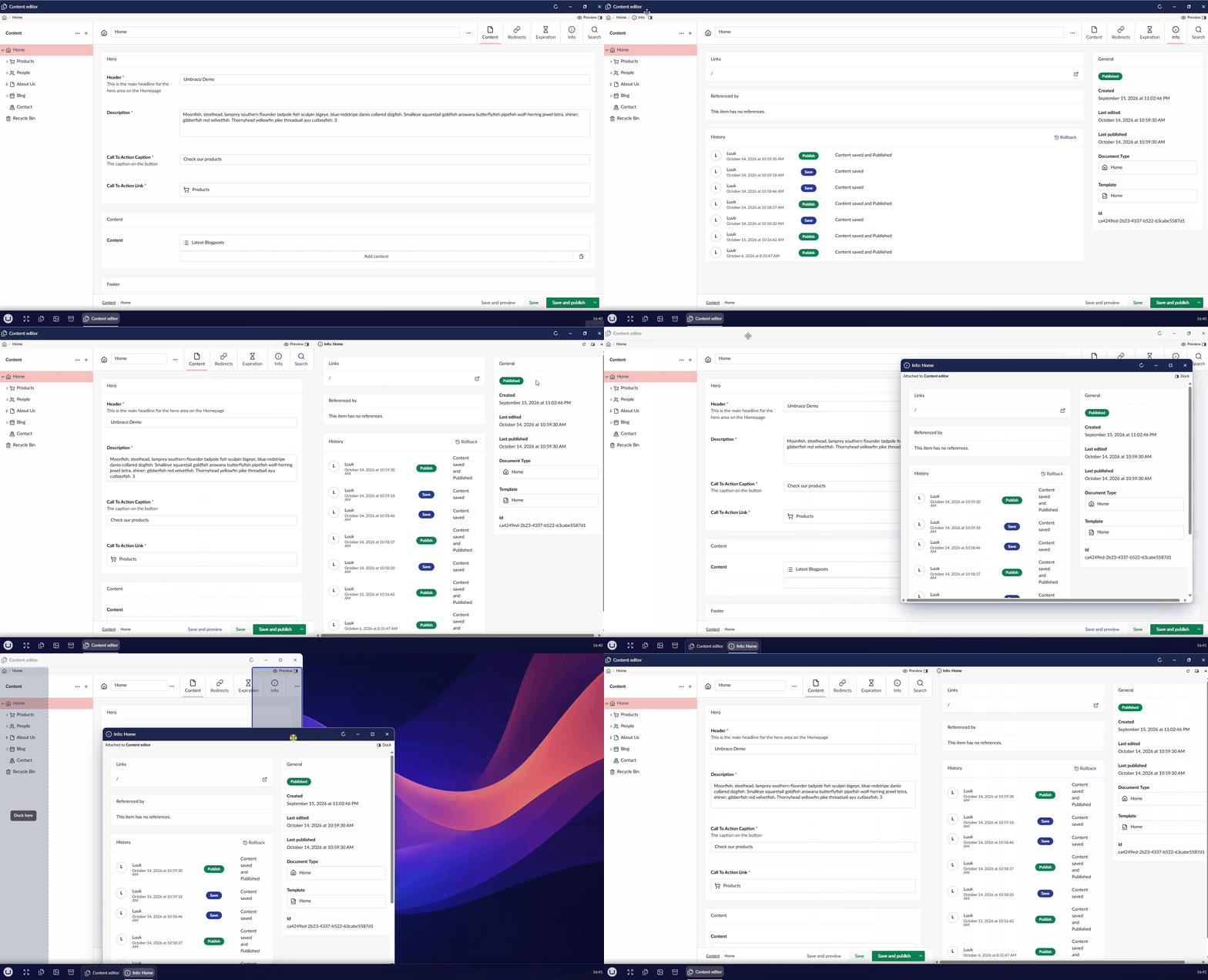
Most workspace views can now be opened in a pane next to the content. In the example I used info, which isn’t that interresting, but there are a lot of workspace views that could be interresting to be visible next to the content you are actively working on. This uses the concept of a ‘linked’ pane or window that was introduced in 17.3.0, so that also means that you can detach the workspace view into a seperate, linked window.
NEW! Welcome wizard
New users now get a one-time wizard to set a few things:
- The desktop language
- The theme and backoffice theme (light/dark/high contrast)
- Start in the desktop on boot
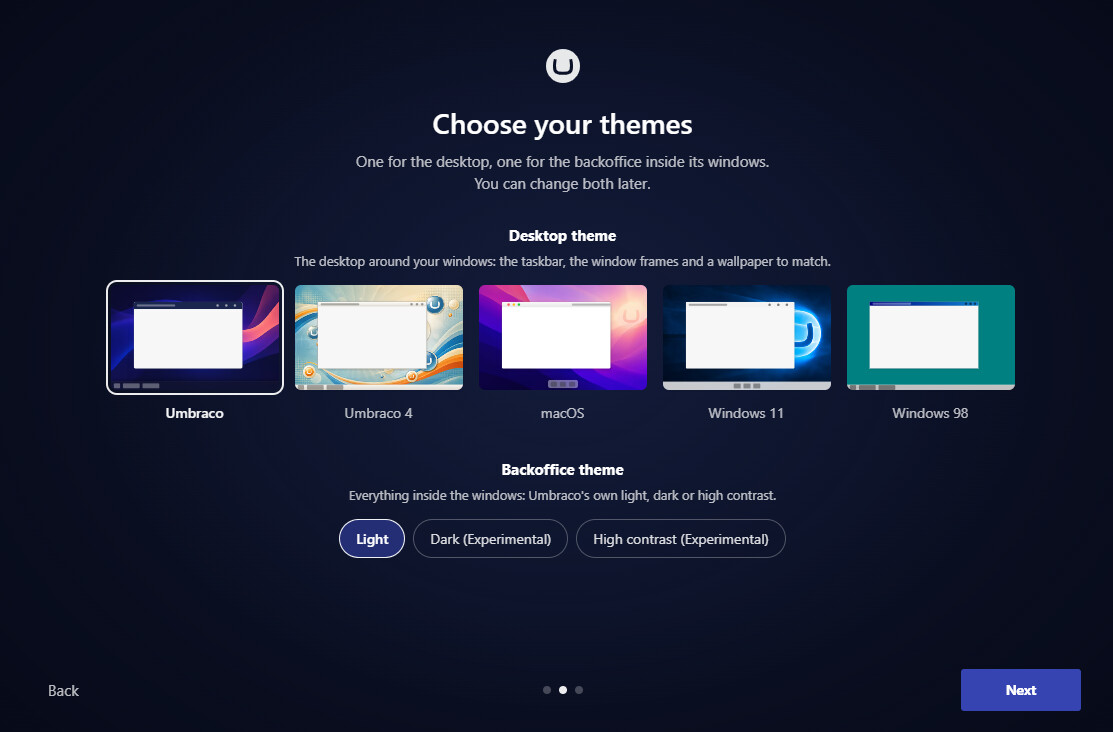
It has sensible defaults, so if you just click ‘next, next, next’, it will work without issues.
NEW! Progress indication where applicable
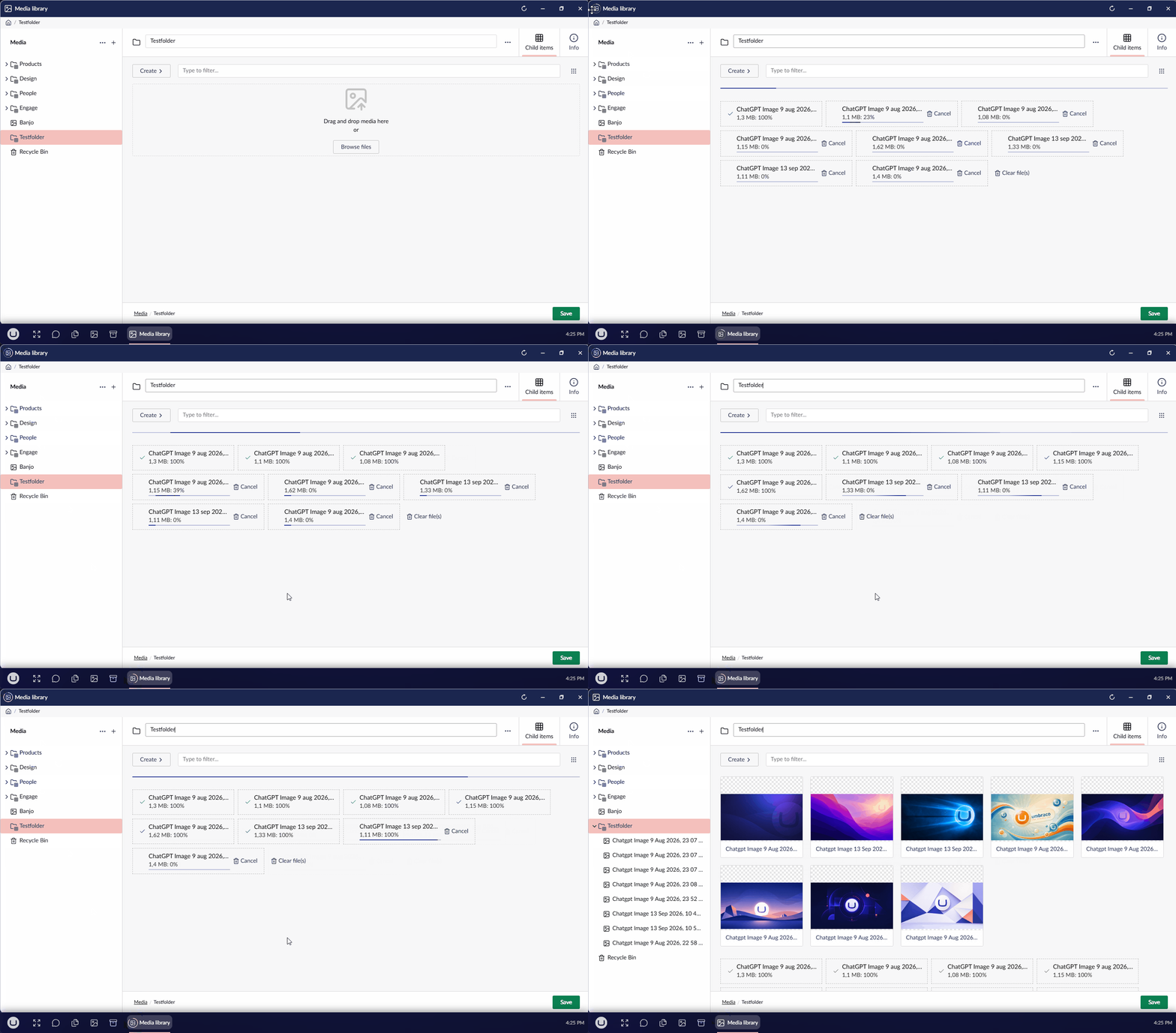
When you have a long-running task, the progress will be shown on the taskbar and on the icon of the window. Currently, this only works with uploading media.
NEW! [Entertainment addon] A gaming service for persistent scoring and leaderboards.
A new Nuget package is created called Umbraco.Community.UmbraDesktop.Services.Arcade. You won’t install this manually, but any add-on package can use this package to implement support for the ‘Arcade’, a gaming hub where you can see stats and leaderboards of the games that support it.
You can decide if you want to have your gaming scores visible to any other users in the Umbraco instance or not. These scores are persistent. You’ll even get a notification when you have a highscore in a game that was beaten by someone else! Minesweeper, snake and solitaire implement this package.
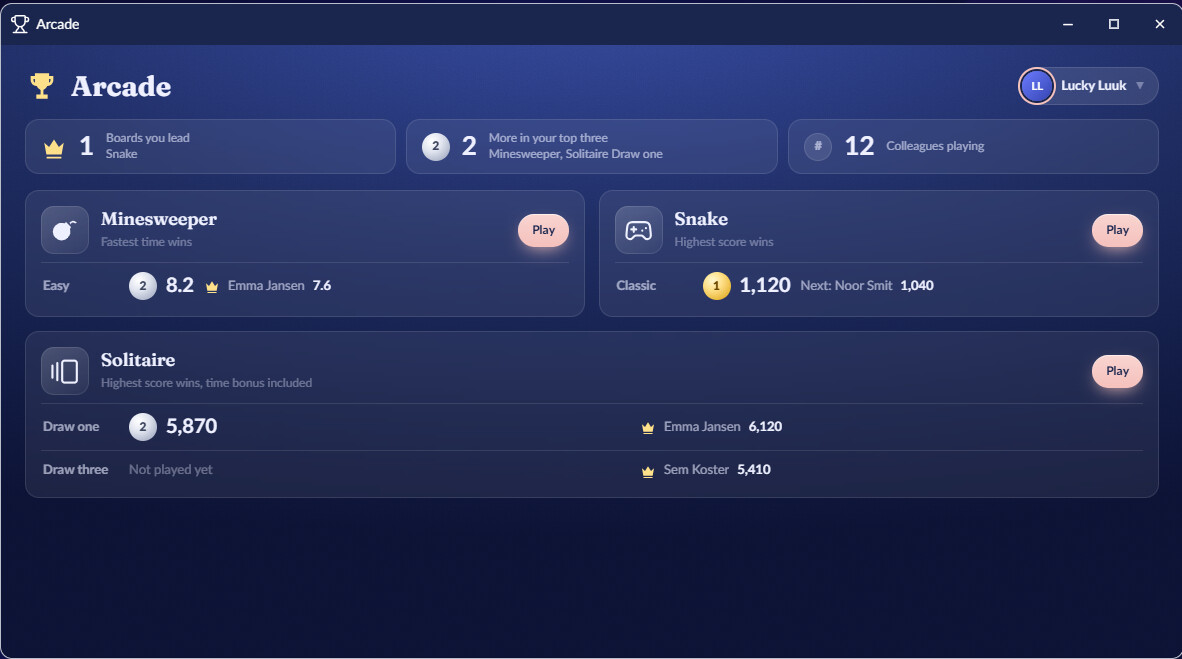
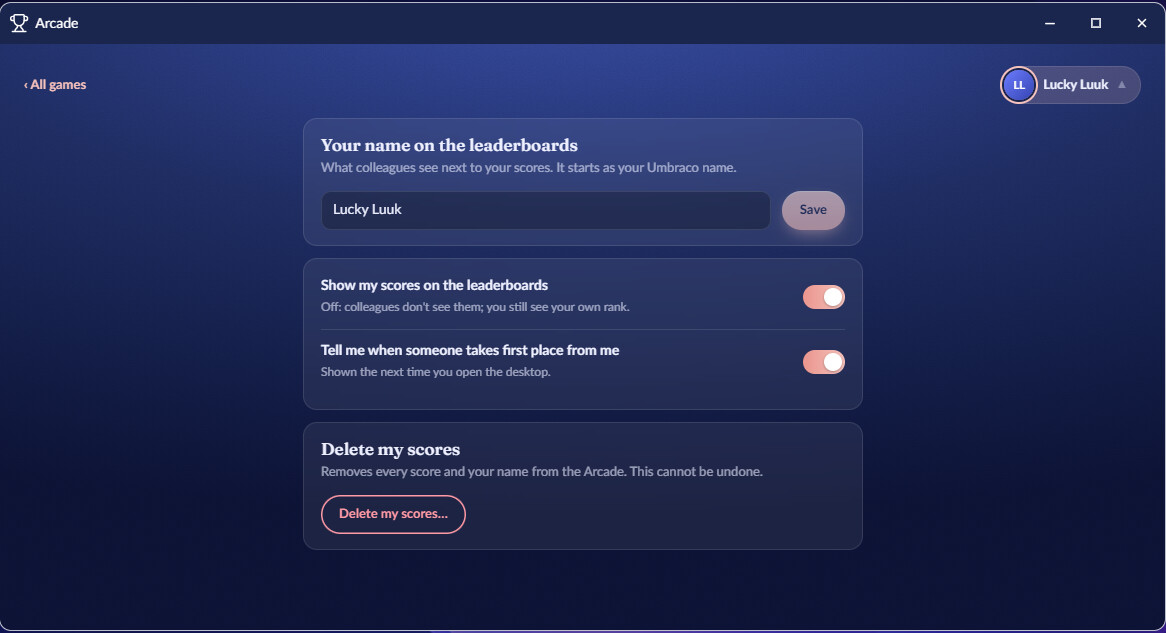
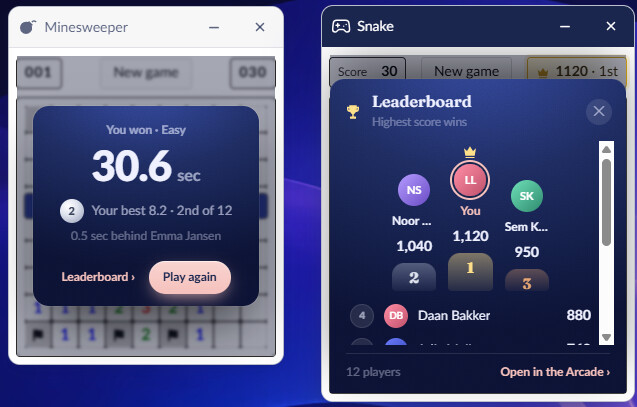
NEW! [Entertainment addon] The entertainment addon now has an UmbraCoffee app.
This will allow you to watch all UmbraCoffee episodes from the app. But it will also notify you when the next episode is about to begin and when the episode actually begins. You can do the live chat via the app as well. The notifications can be disabled in the settings of the app and in the settings of UmbraDesktop.
Small changes
- External packages can now bring their own settings for in the ‘settings’ of UmbraDesktop. The first example is the settings for the screensaver of the accessories package.
- The default ‘Umbraco’ theme felt a bit rough, so it was cleaned up with small touchups to colors and fonts.
- The ‘snap’ outline when you want to snap a window has been vastly improved visually. On certain brackground you would not see the outline before this change.