This release has a lot of small improvements and quality of life changes that make working with the UmbraDesktop much more enjoyable.
NEW! Window snapping
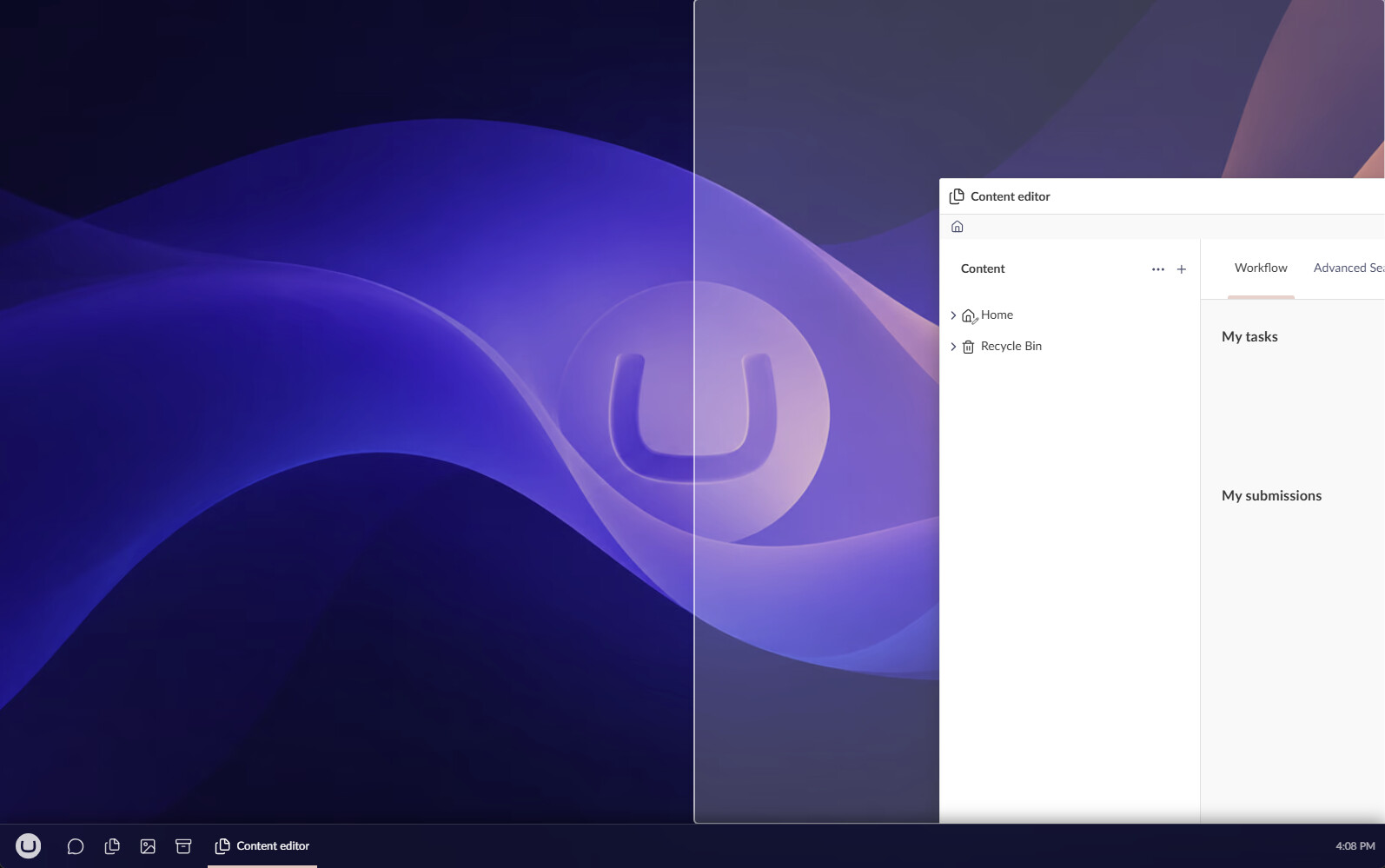
Window snapping is now a thing! You can drag any window to the top, left or right edges of the screen and it will snap it there. It remembers it’s previous state, so if you unsnap, it will return to it’s previous size
NEW! Boot directly into the desktop mode + loading screens
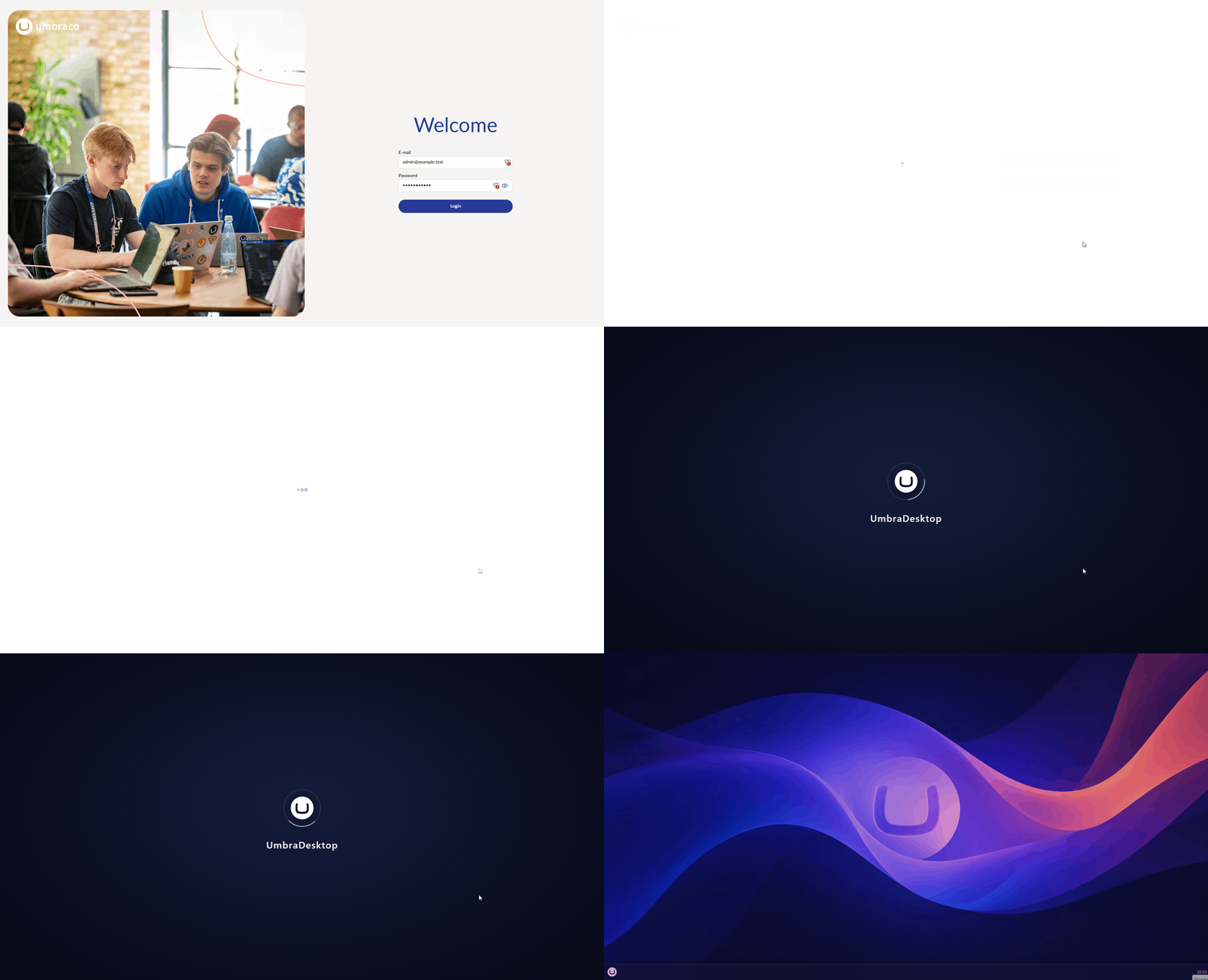
A setting was added where you can specifiy that you want to directly boot into desktop mode after login. It will now display the most awesome splashscreen with a loader. I liked the loading animation that much, that I also used it for when the content of a window is loading 
NEW! Install Umbraco as an app!
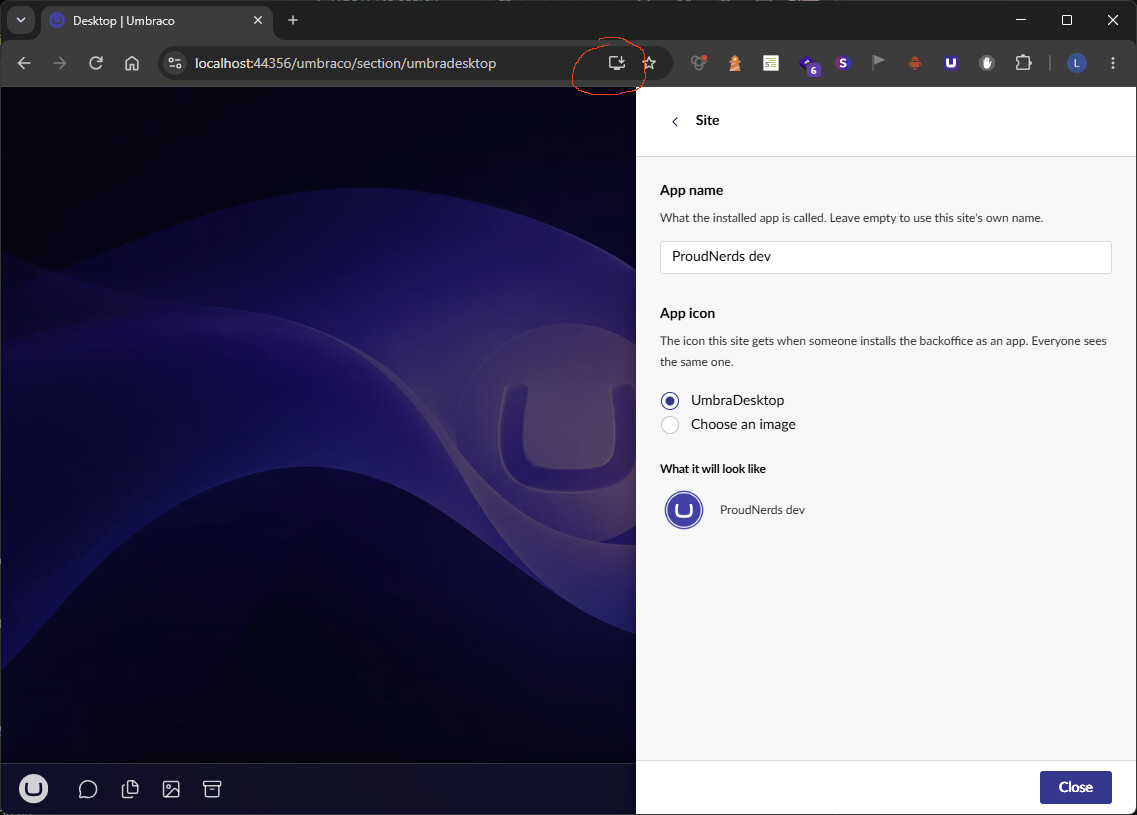
A manifest definition was added that identifies the desktop as a web app. Most browsers will give you an option to install it as an app. You can specify the Name of the app and a custom icon if desired. This makes sure that if you have multiple Umbraco instances with UmbraDesktop, you can easily identify them by name and/or icon.
NEW! Language and region
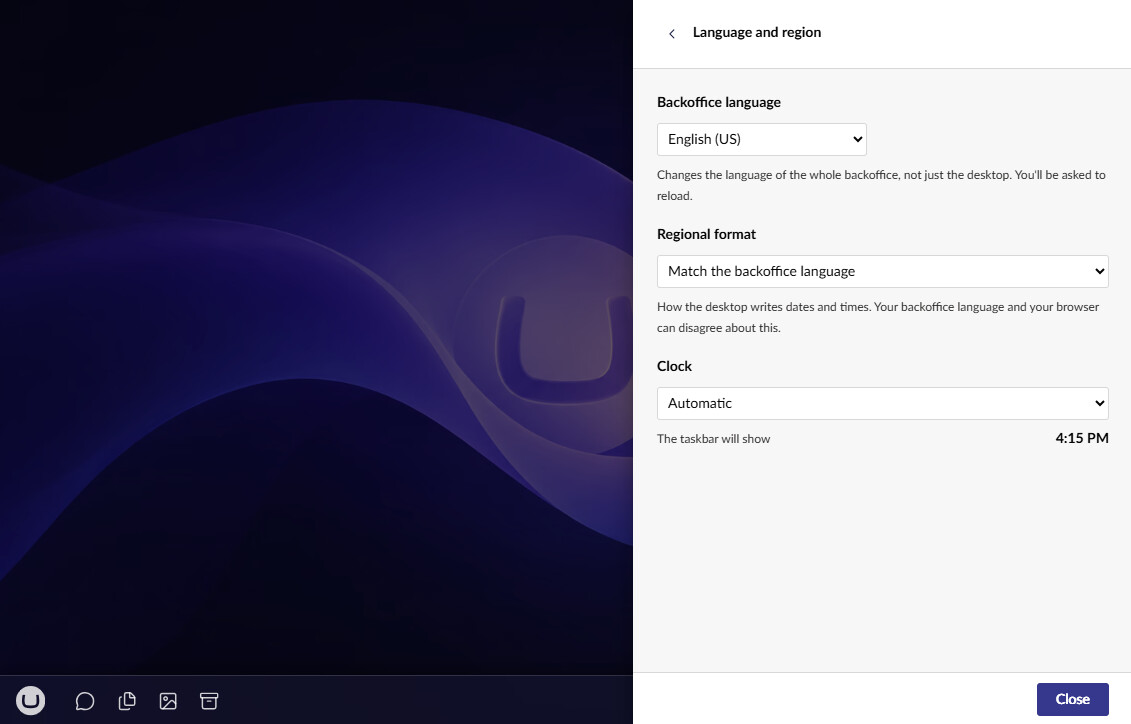
You can now set the regional format on how dates and times are written. The default is the culture of the backoffice, but because the default backoffice is en-US with a 12h clock you can now change that. Currently, this only effects the clock, but in the future this could mean more things. You can also directly change the backoffice language for you from this please instead of having to go to the user section (which you don’t always have access to).
NEW! A ‘breadcrumb’ bar
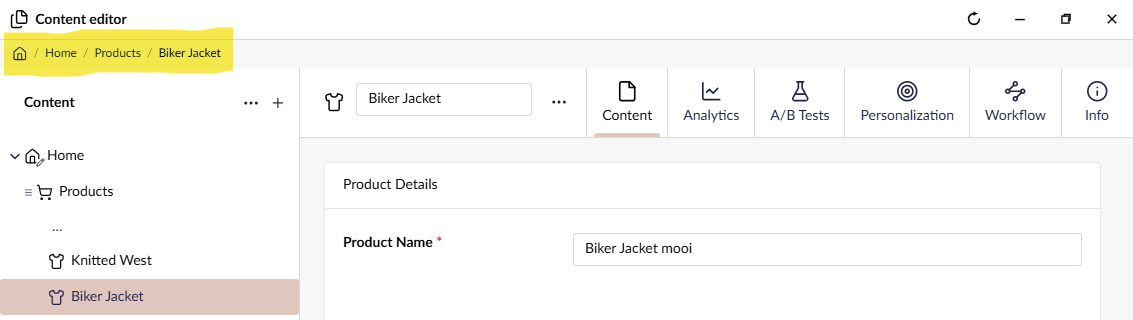
Each window that has a path (any window with a sidebar, like the content editor or media editor) now has a breadcrumb bar at the top. Previously it was almost impossible to get back to the root of a section and view the dashboards. This takes care of that.
NEW! Taskbar settings
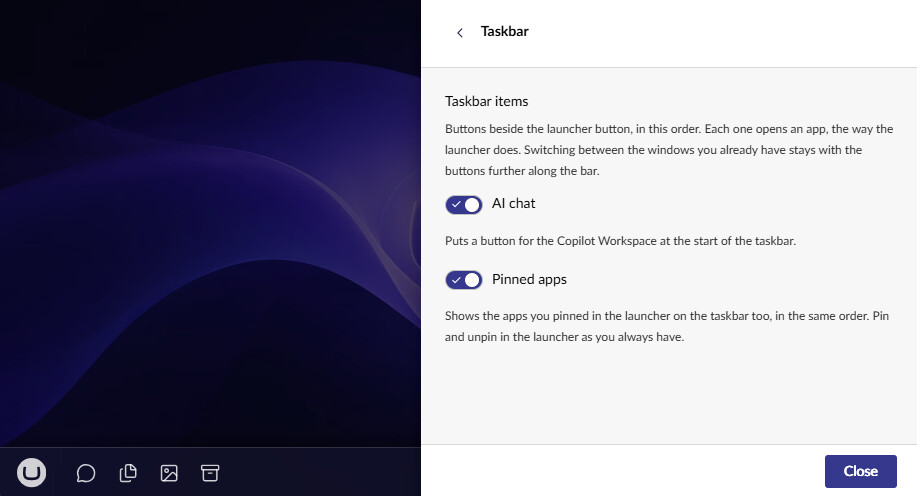
The taskbar/dock now has two settings the influence the presence of two sets of icons:
- If you have the Umbraco AI CoPilot workspace installed, it will now show a chat icon from where you can open the CoPilot window. This is explicitly limited to a single window.
- Your pinned ‘apps’ now also appear on the taskbar/dock as well as in the launcher.
Both these are enabled by default.
UPDATE! Styling and appearance
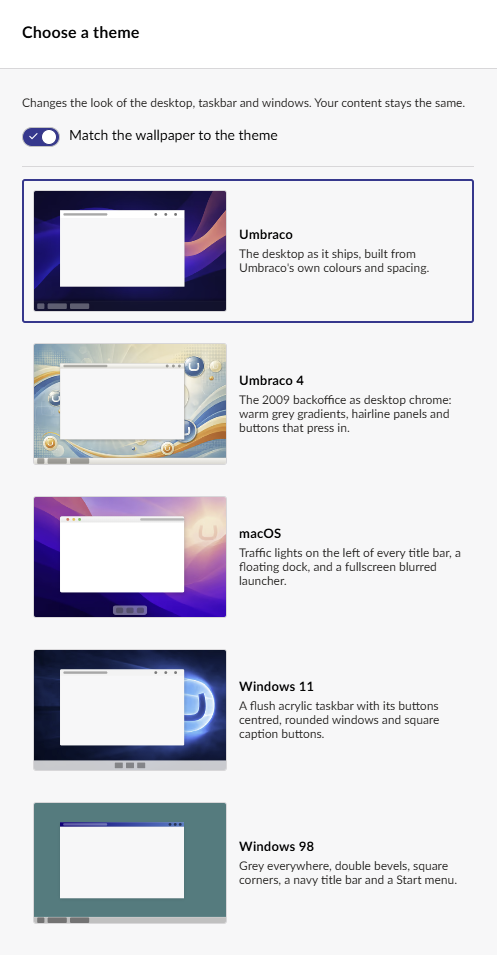
The styling and theming options have been reworked to be much more faithful in reflecting what you’d get. Each theme now has an attached background image and you can choose to match the background to the theme if you want to. Picking a custom background automatically disabled this setting to prevent accidental overrides.
You can now also set the Umbraco theme (light/dark/high contrast) directly from the desktop settings instead of the default user menu, making it more convenient.
UPDATE! Settings reworked
The settings menu had an overhaul and now consist of multiple categories. This was needed because of the increase of settings. I’m considering making the settings a proper window, but for now it’s still a modal.
EXPERIMENTAL! Connect to other environments
I’ve added an experimental feature where you can connect to other environments. This is a very first test on how we can work with different Umbraco instances in one desktop.
In the settings, you can add multiple instances. You need to create an API user per target environment and provide that when adding the instance in UmbraDesktop. The API key is written away as securely as possible the same way Umbraco does it and you cannot retreive it anymore after it’s saved.
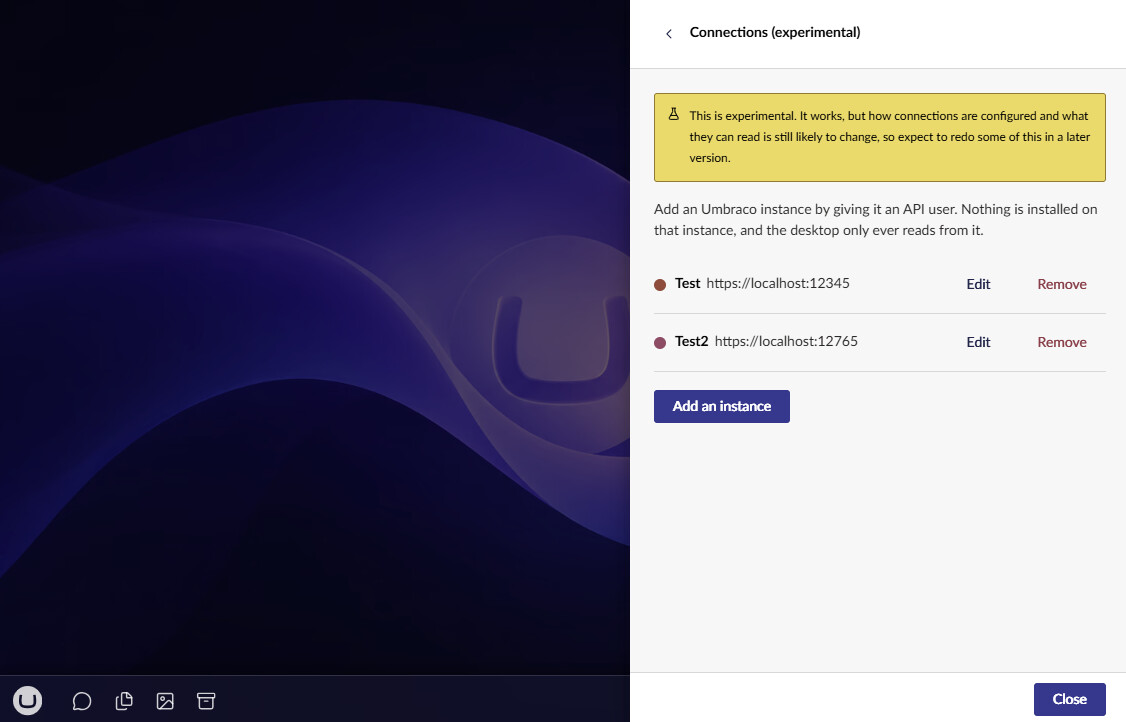
Once you have at least one additional environment setup, an experimental section is added to the launcher with an ‘Connection status’ app. This for now will show the run state the Umbraco version and the runtime mode.
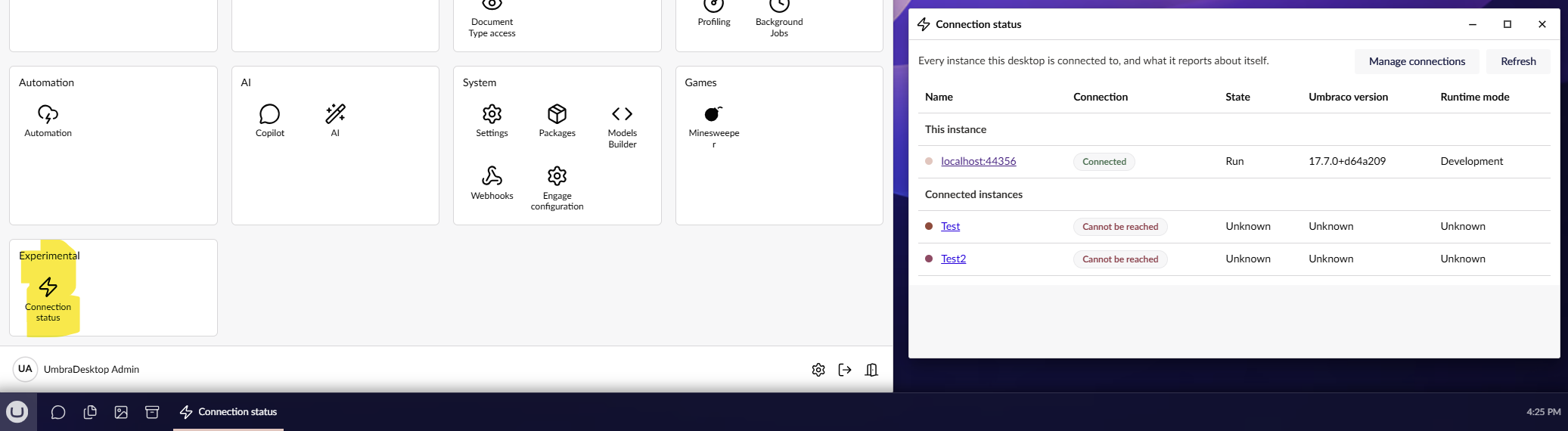
Like I said, this is a first step and kind of a proof of concept on what we can do. Don’t expect full editing of multiple environments though, that is practically impossible. But for instance a health check dashboard, or dragging and dropping media between environments could be in the cards.