But the site crashed with a 500-error and I get no information in the logs. I’ve tried this setup on my local machine as well to try it out and get a 500 error there too (with no specific logs neither in IIS-logs or umbraco logs).
Can you run it locally in kestrel, like using dotnet run? Usually that will tell you. There are some nuances in the required settings that are not always in the docs.
As Luuk notes, you could run it locally, setting ASPNETCORE_ENVIRONMENT=Production - I usually just add something to my launchSettings.json, for example:
Thank you for your snippet. I tried it out, but still only getting 500-errors with no error showing in the output (only a bunch of “(CoreCLR: clrhost): Loaded” rows :S.
Just changing Runtime:Mode to ”Develop” (but keeping every other setting) makes the site start again.
I actually just get a white screen on local, so that didn’t work
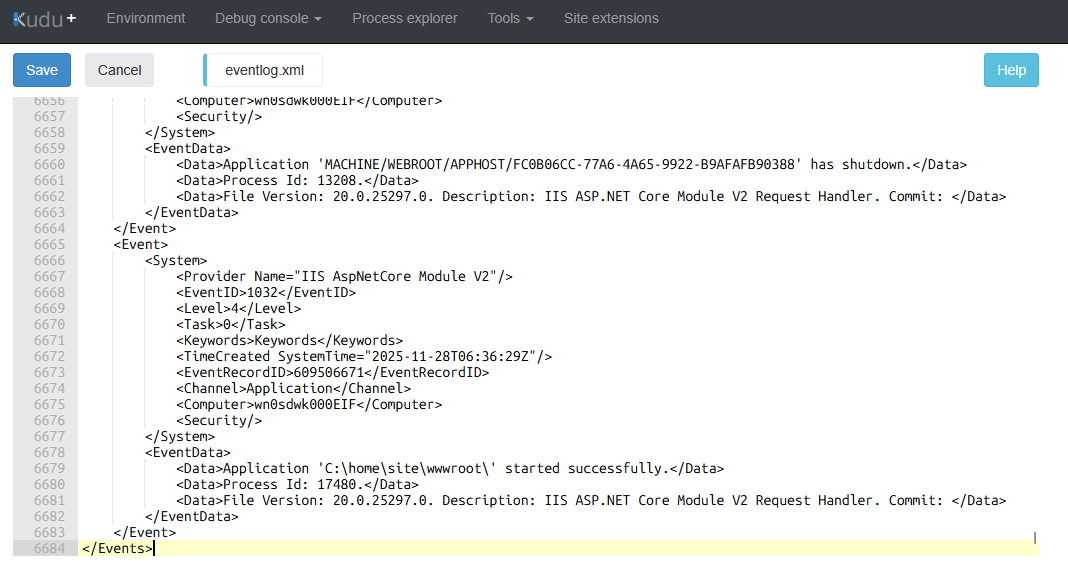
Anyway, did you check your eventlog.xml? Should be some info in there. Also, can you post your actual appsettings.Production.json (redact any secrets etc). Often it’s just a case of putting something in the wrong place.
2 suggestions: are you running httpS for your kestrel? Or else you need to create some self-signed-certs (I had the same white-screen-of-NoInfo). Secondly, perhaps you experience sql issues because .net 10 + Umb17 + azuresqledge (tnx Sebastiaan) do not support CLR so in my case I need to change system (no more pi!..).
Just to check you’ve also done the other pre-requisite for production mode?
To compile your views at build/publish time, remove the <RazorCompileOnBuild> and <RazorCompileOnPublish> properties from your project file (see the Development mode section). If you don’t, Umbraco can’t find the templates and will return 404 (Page Not Found) errors.
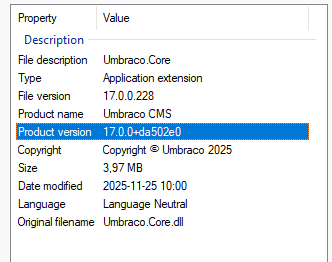
Another one we’ve come across that has hidden 500’s is if you’ve some how ended up with the DataBase umbraco version ahead of your site dll version and a migration plan is in place that can’t be found. (eg DB could be v17 , but dll’s v17 rc4?)
I have a similar issue when using “Production” as runtime mode but in Azure and not Umbraco Cloud.
In my web.config i enabled stdoutLogEnabled=“true” and found out Umbraco could not find my views.
When testing locally this in Release and Production mode the application works.
I have used the same settings recommended in documentation for appsettings and csproj.
In production mode, views are precompiled and will not be found on the disk I think. Did you read this part:
Ensure you have the <CopyRazorGenerateFilesToPublishDirectory>true</CopyRazorGenerateFilesToPublishDirectory> property set in your csproj project file, so Razor views are always copied to the publish directory. This is required by the CMS to display the contents in the backoffice, for Forms to lookup custom theme views and for Deploy to be able to compare schemas (otherwise you’ll get schema mismatches).
And also:
You can remove the following properties from your csproj project file to enable the compilation of Razor views (which also ensures your views do not contain compilation errors and is a prerequisite for enabling Production mode):
Instead of “guys”, may we suggest, for example: “folks", “Umbracians”, “all”, or “everyone”? We use gender inclusive language in this forum (read more)

 (
(