I have less experience in Umbraco application and need support.
I am trying to upgrade our project from U 13.13.1 to U 14.3.2, but having multiple challenges.
I have nested block, So I use to convert it to Block list. I used AutoBlockList, having few challenges and issue.
a) I have 1183 content supporting and in once we are able to select only 10 then next page and select another. Is there any way to do in single go?
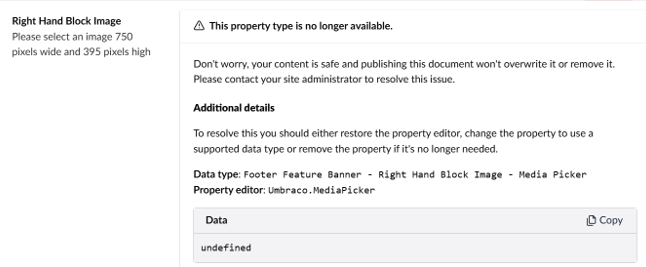
b) After convert via AutoBlocklist, in backoffice Some of block list message like “The properties type is no longer available” and others working fine.
please see below screenshots.
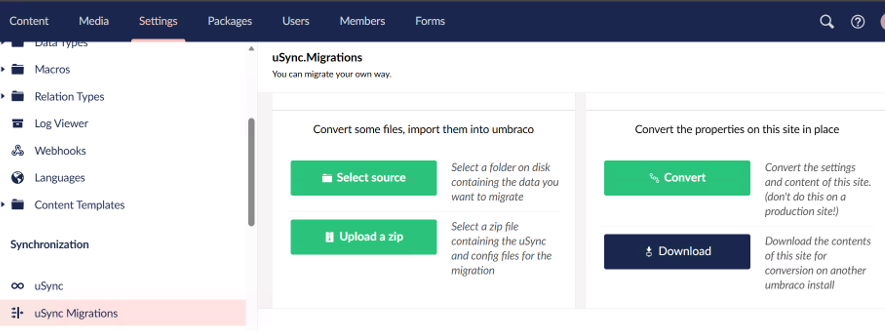
c) Also, I tried to use uSycn.migration(4.0.0-phase.5.2) to export, but only able to select and export option not able to find. Complete download option present.
d) If point (c) work then how we import, using uSync? because uSync.migration not visible in Umbraco17?
e) Tried Umbraco.Community.LegacyFeatureConverter 13.0.0-beta.4 as well but getting error:
Microsoft.Data.SqlClient.SqlException
HResult=0x80131904
Message=Column ‘Id’ in table ‘LegacyFeatureConverterHistory’ is of a type that is invalid for use as a key column in an index.
How we convert Umbraco.Grid, any tools or need to create custom code?
Can we directly do Media Picker migration (U13 → U17), using uSycn?
I also got textbox related error so I updated with below code:
UPDATE umbracoDataType
SET config = ‘{“maxChars”: 0, “placeholder”: “”}’
WHERE propertyEditorAlias = ‘Umbraco.TextBox’;
Localhost:port → No physical template file was found for template Home, no any details error available for home page.
You will need to converted Nested Content to Block List before you move beyond Umbraco 13.
Follow these steps:
Update to the latest Umbraco 13
Install uSync Migrations for Umbraco 13 (you will need the select the pre-releases tickbox on Nuget)
Run uSync and do a full export of both schema and content
Run uSync Migrations and create a new migration (leave all the defaults). This will write a new set of uSync files to disk - it does not change anything in the database yet.
Once the migration has run, import the schema changes from the migration and restart the site
Once restarted, import the content changes from the migration
You will then have a site with Nested Content migrated to Block List and Grid Layout migration to Block Grid (if you used that). There may still be other things you need to migrate, such as macros to RTE blocks and migrate legacy/obsolete data types but this should get you most of the way.
If you have custom backoffice code, you will need to migrate that from Angular to Web Components.
Once done, you can then migrate directly to Umbraco 17 from 13, no need to go to 14 first (and in fact 14 is EOL).
Once you’ve click migrate (or convert the button may say), you then need to import the migrated schema and content files to actually update the database. You need to do this before you attempt to go beyond Umbraco 13.
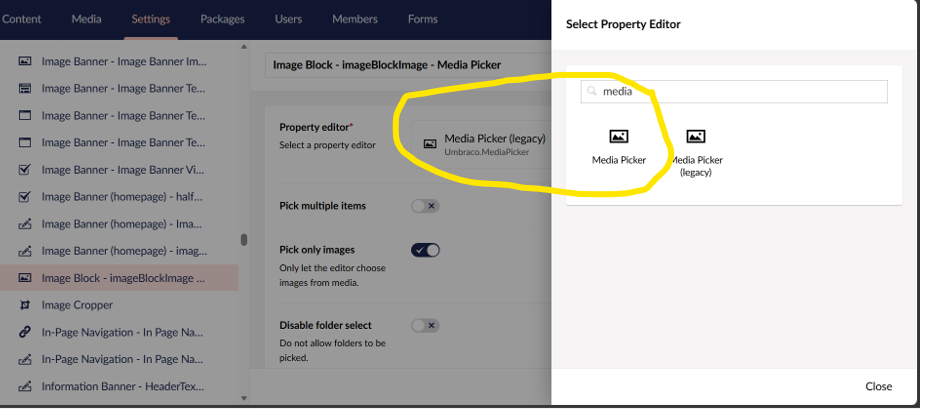
You will need to change any obsolete media pickers to newer MediaPicker3 before you can move to v17. The older media pickers are deprecated.
As far as I’m aware, the newer media pickers should still work with the older data so they are backwards compatible from that perspective but your templates will need amending.
And updating template code changes.
Still having few error and I am fixing those as well:
ERR] Exception (37ca8a79).
Microsoft.Data.SqlClient.SqlException (0x80131904): Invalid column name ‘performingUserKey’.
[17:02:41 ERR] Exception (3bf1911c).
Microsoft.Data.SqlClient.SqlException (0x80131904): Invalid column name ‘description’.
[ERR] Migration failed for property type: Blocks (id: 184, alias: blocks, editor alias: Umbraco.BlockList)
System.InvalidOperationException: The configuration for data type 7083 : Umbraco.TextBox is invalid (see inner exception). Please fix the configuration and ensure it is valid. The site may fail to start and / or load data types and run.
—> System.InvalidOperationException: Failed to parse configuration “System.Collections.Generic.Dictionary`2[System.String,System.Object]” as “TextboxConfiguration” (see inner exception).
Yes, you can just swap out data types and they should be backwards compatible for the media picker.
Regarding the database errors, that looks like something has failed to migrated - were you able to migrate from the latest 13 (after running uSync Migrations) to v17 and did this work successfully at the time? Is suspect something may have failed and left you in an inconsistent state. Are you able to try the process again?
Two type of error I am getting at the time of migration from latest v13 to 17.
[ERR] Exception (699c41b6).
Microsoft.Data.SqlClient.SqlException (0x80131904): Invalid column name ‘description’.
[ERR] Exception (a183743d).
Microsoft.Data.SqlClient.SqlException (0x80131904): Invalid column name ‘performingUserKey’.
Invalid column name ‘affectedUserKey’.
After migration We received below error:
[ERR] Failed to add property ‘blocks’ to index for content 1368
Save and Publish button under content section is not working and giving error - Exception (8b8cf82e).
System.InvalidOperationException: The given ColumnName ‘propertyTypeId’ does not match up with any column in data source.
[ERR] Index populating failed for populator Umbraco.Cms.Infrastructure.Examine.PublishedContentIndexPopulator
Those missing columns (performingUserKey, affectedUserKey, description) are all added by Umbraco’s upgrade migrations going from 13 to 17 - so if v17 says they don’t exist, the upgrade never completed against the database. That’s why save/publish and indexing are failing too. Rather than patching columns one by one, I’d go back to a known-good latest v13, confirm uSync Migrations ran cleanly there, then run the v17 upgrade against a fresh copy in one pass and watch the logs until it finishes.
I tried one more time from scratch and I am getting same set of error again. Also, after renaming the properties type column ‘propertytypeId’ to ‘propertyTypeId’ after that we are able to publish content. But still we are getting error ‘No template found and all page showing 404.
You shouldn’t have to manually rename your columns, the migrations should handle the database changes for you. You may want to raise this on the Umbraco issue tracker:
Re the 404 pages, have a look on this thread to see if any of this helps?