Hi,
I have a form setup and have an email being sent using the default Umbraco email template.
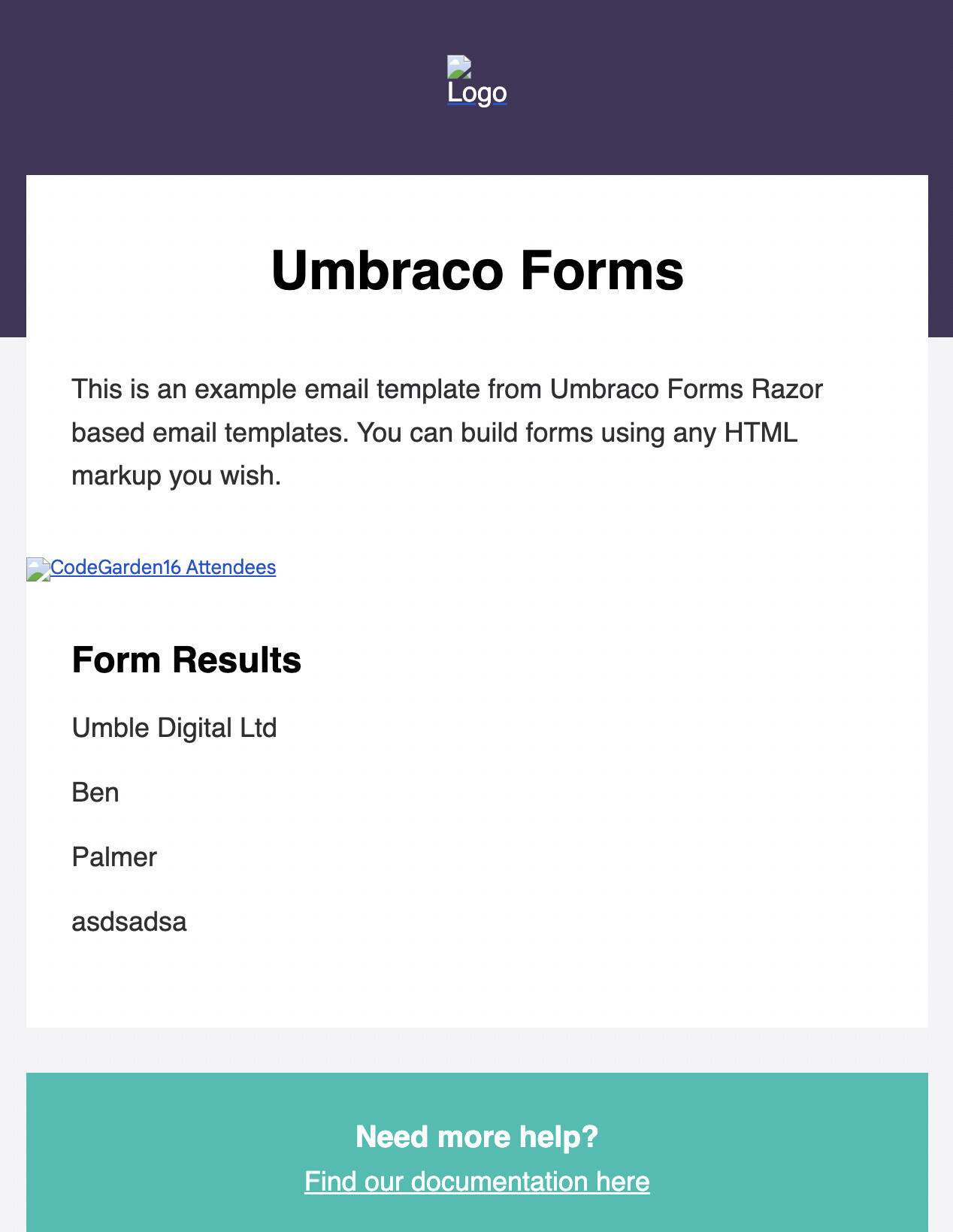
However, when the email comes through, the @field.Name isn’t showing above the field values.
I’ve updated to the latest version supporting 9 (9.5.1) and also tried 9.5.0 with no luck.
If I use @field.Alias this works as expected.
A screenshot of the email:
The template I’m using is:
@foreach (var field in Model.Fields.Where(x => ignoreFields.Contains(x.FieldType) == false))
                        {
                            <h4 style="font-weight: 700; margin: 0; color: #000000;">@field.Name</h4>

                            <p style="margin-top: 0;">
                                @switch (field.FieldType)
                                {
                                    case "FieldType.FileUpload.cshtml":
                                        var uploadCount = 0;
                                        foreach (var fileUploadValue in field.GetValues())
                                        {
                                            if (fileUploadValue != null && !string.IsNullOrEmpty(fileUploadValue.ToString()))
                                            {
                                                uploadCount++;
                                            }
                                        }

                                        if (uploadCount > 0)
                                        {
                                            <span>@uploadCount file@(uploadCount == 1 ? string.Empty : "s") uploaded</span>
                                        }

                                        break;

                                    case "FieldType.DatePicker.cshtml":
                                        var datePickerValue = field.GetValue();
                                        if (datePickerValue != null && !string.IsNullOrEmpty(datePickerValue.ToString()))
                                        {
                                            DateTime dt;
                                            var dateValid = DateTime.TryParse(datePickerValue != null ? datePickerValue.ToString() : string.Empty, out dt);
                                            var dateStr = dateValid ? dt.ToString("f") : "";
                                            @dateStr
                                        }
                                        break;

                                    default:
                                        var values = field.GetValues();
                                        if (values != null)
                                        {
                                            foreach (var value in values)
                                            {
                                                if (value != null)
                                                {
                                                    @(value is string ? value.ToString().ApplyPrevalueCaptions(field.Id, Model.PrevalueMaps) : value)<br />
                                                }
                                            }
                                        }
                                        break;
                                }
                            </p>
                        }
Thanks,
Ben
This is a companion discussion topic for the original entry at https://our.umbraco.com/forum/109962-umbraco-forms-field-names-not-showing-in-email-template-razor