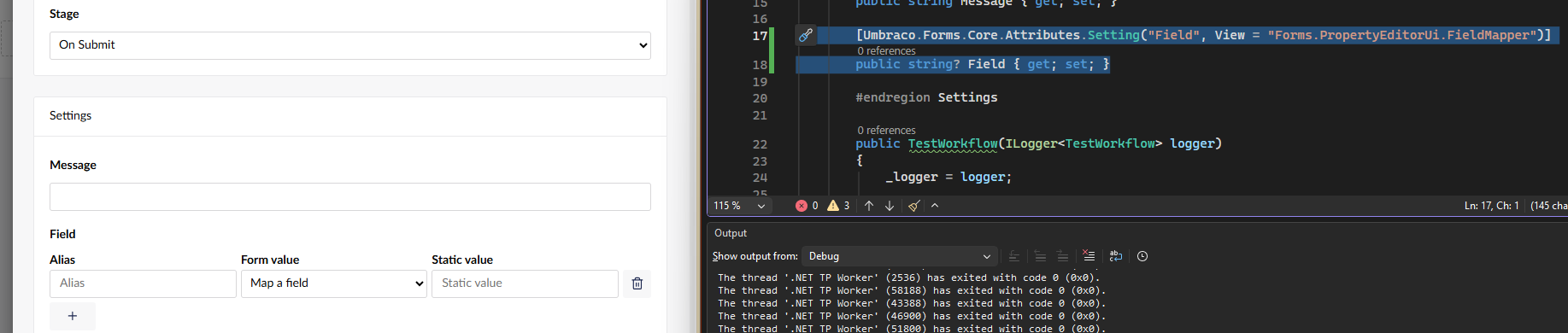
Hello :D.
I’m migrating a custom Umbraco Forms workflow from Umbraco 13 to Umbraco 17.
I’m running:
- Umbraco CMS: 17.6.2
- Umbraco Forms: 17.5.0
The workflow contains this setting:
[Setting(
    "Field to update",
    Description = "Field that will be populated with the score",
    View = "FieldMapper")]
public string? Field { get; set; }
When I open the workflow in the Umbraco 17 backoffice, the setting label appears:
Field that will be populated with the score
but the FieldMapper control fails with:
The configured property editor UI could not be found.
The additional details say:
This property editor UI is missing. Ensure your custom UI is registered correctly and the alias matches your configuration.
I’ve investigated the Forms JavaScript because I found the Forms TypeScript declaration for:
FormsFieldMapperPropertyUiElement
with the element name:
forms-field-mapper-property-editor
However, in the browser console:
customElements.get('forms-field-mapper-property-editor')
returns:
undefined
I’ve also searched the loaded Forms JavaScript bundles for forms-field-mapper-property-editor and FormsFieldMapperPropertyUiElement, but cannot find the implementation in the loaded runtime bundles.
I can see that Forms 17 has a FieldMapper property editor declaration, so I’m trying to understand whether this is:
- A Forms 17.5.0 bug/regression,
- A missing backoffice registration,
- A change to the
View = "FieldMapper"syntax in Forms 17, or - Something else required when migrating a custom workflow from Forms 13.
Has anyone successfully used View = "FieldMapper" on a custom workflow setting with Umbraco Forms 17.5.x?
I’m deliberately trying to use the supported Forms FieldMapper rather than create a custom replacement.
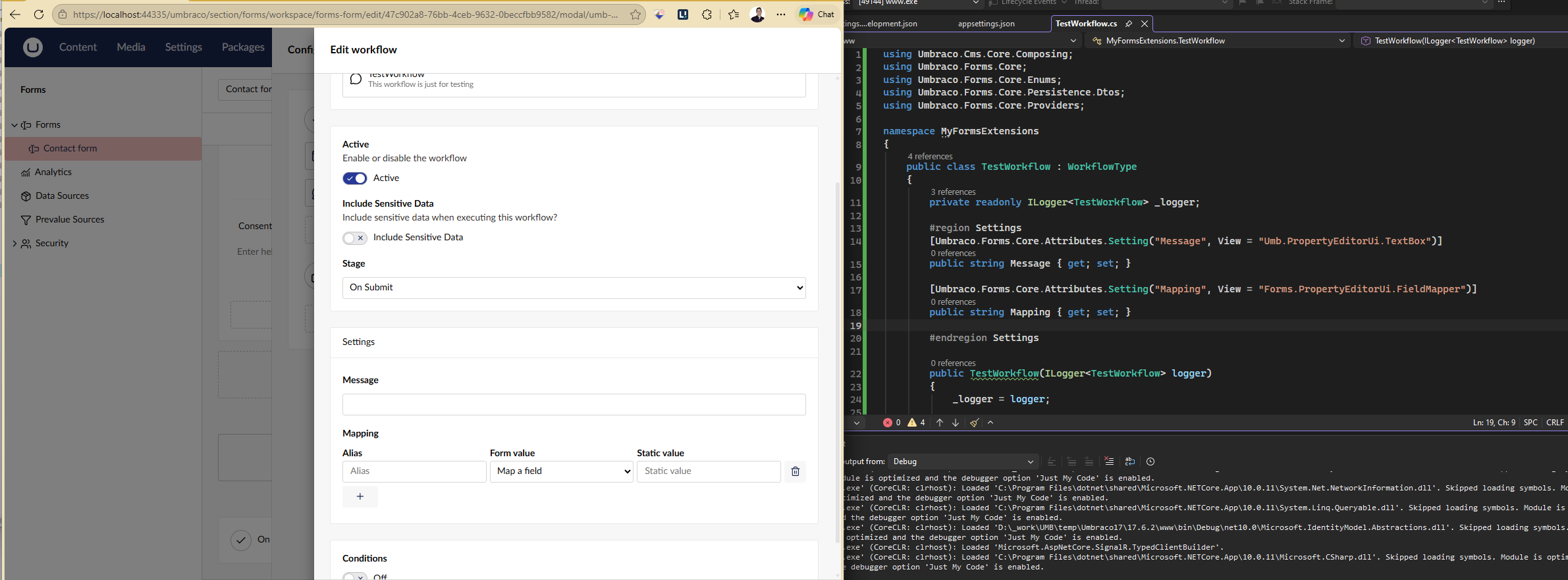

 )
)
 . I am now more confused. I will remove everything and just try to get this working on its own i guess