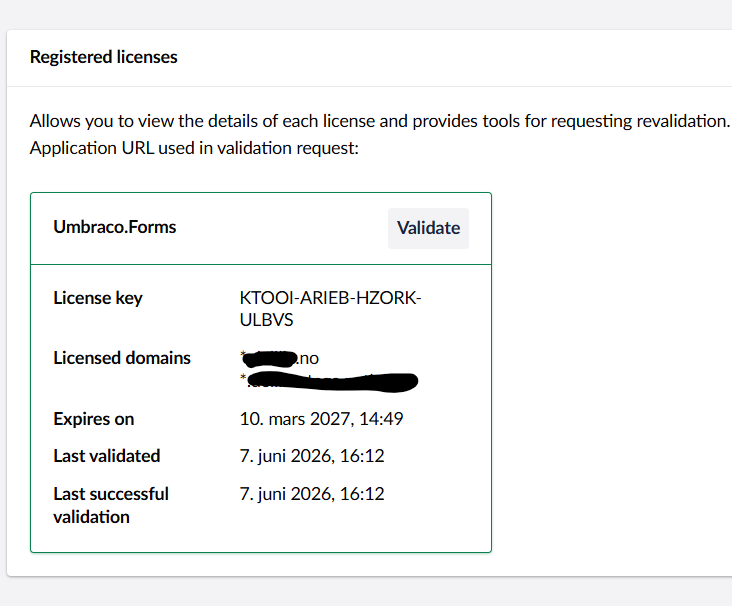
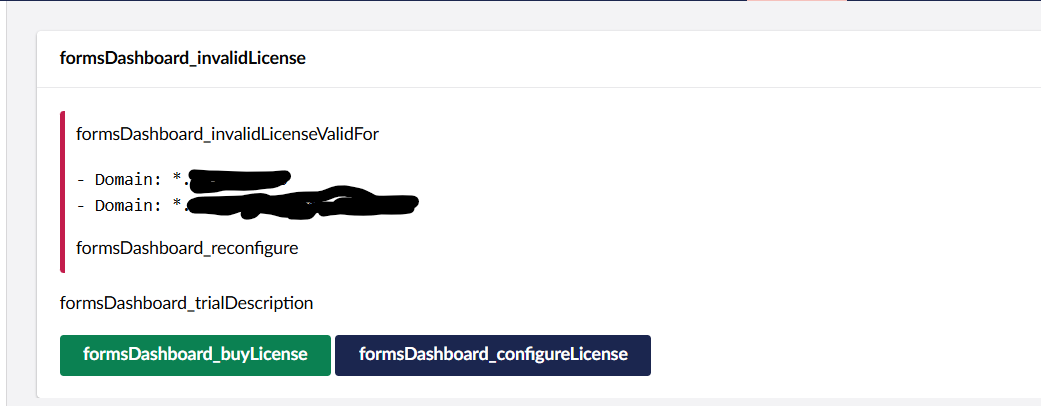
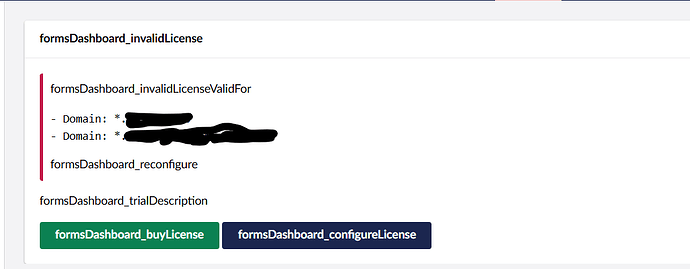
the license was working live. But at times, it gets to invalidate state. Earlier, upon changing to Umbraco_Forms (with an underscore), it fixed the issue. But now, it is not working at all.
Umbraco Forms does check the licence at startup and periodically, so it needs an outgoing HTTP connections to validate the licence. Are you are able to check if there are any restrictions or firewall rules that could be blocking this?
Also, there’s something odd with your setup as the translations are not being applied:
Yes, I did follow the documentation and added the settings correctly. Nothing changed in our Umbraco configuration. The Forms license was validating correctly yesterday and is now returning “License validation returned a null result for product ID Umbraco.Forms”
The use language is Norwegian. That is why the translations are missing
In which case, I would reach out to Umbraco support to see if they can help as Umbraco Forms is a paid and licenced product. They may be able to help or provide some suggestions.
I’ve just checked one of my sites the the licence is validating fine, so it’s most likely an issue at your end I would suspect.
Did you try checking the logs? there might be something when the validation is being happening.
The other thing is, on this code which you shared, these 2 dates are same which was 15 days back. I was checking with AI and got to know about the grace period which is of 14 days (not sure on this) If that’s the case, the request might be cached to valid state and sending the valid response.
Because it has been 15 days since the last successful network validation (June 7th), the offline cache grace period likely expired yesterday. When Umbraco was forced to make a live outbound call to the licensing server today to renew that validation state, the request silently failed or timed out, resulting in a null payload.
“status”: “ResultIsNull”,
As @justin-nevitech mentioned, try checking with Umbraco support once. Also check whether the server’s firewall is not blocking outbound request to license endpoint. You can also check for licensing cache files if exist, then delete it on umbraco/Data/TEMP
I had the same issue (or similar). But for me it was visiting the backoffice from a different domain than the validation domain. That is the valid domain for validation are: example.com but i was on example.euwest01.umbraco.io when trying to validate.
That’s odd, as on Umbraco Cloud you already have an Umbraco Forms licence so it should work for all your domains on cloud? Good to know though in case anyone else has the same problem.
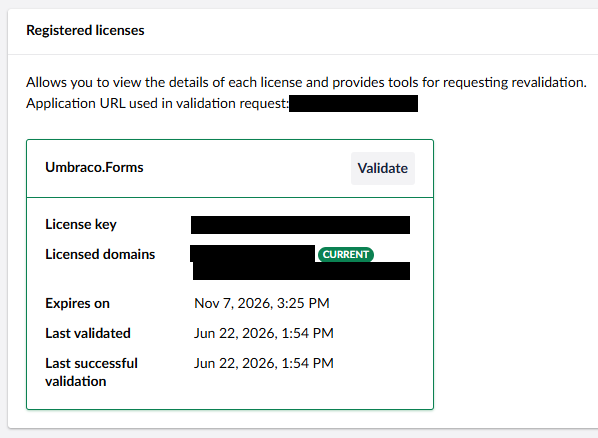
Update for anybody experiencing the same issue. I noticed that the Application URL used in validation request: text in the Licenses section didn’t have any URL to the right of it. After a quick Google I found that adding the following config into appsettings.json fixed the URL issue, and subsequently the license error:
I’m experiencing an issue where my Umbraco Forms license constantly reverts to “Invalid” every day and after every application/server restart.
My License Key, Application URL, and ApplicationUrlDetection are configured correctly. The problem is that the system doesn’t automatically re-validate. I also don’t see any background validation errors in the standard Umbraco logs.
However, if I manually click “Validate” in the Backoffice, it instantly becomes “Valid” and works perfectly until the next day or restart.
Has anyone experienced this issue where auto-validation fails but manual validation works? Is there a specific logger I can enable to troubleshoot why it drops?
What version of Umbraco and Umbraco Forms are you using? Do you get any errors in the log regarding licence validation? Is the server able to reach the Umbraco licencing server (which I assume so if you can validate manually?).
Hi @justin-nevitech
Thanks for getting back to me! Here are the details:
Versions: Umbraco CMS v17.6.2 and Umbraco Forms v17.5.0.
Connectivity: Yes, the server can definitely reach the licensing server since manual validation in the Backoffice works without any issues.
Logs & Behavior: That’s the strange part—when the system restarts daily, there are absolutely no logs showing any license request attempts or validation failures. It seems like the automatic validation background process isn’t even being triggered or recorded.
Because there are no errors in the logs to go by, I’m really not sure where the root cause lies. Any ideas or suggestions on how to resolve this would be greatly appreciated!
I can’t see any issues on the Umbraco Forms issue tracker regarding licence issues and I have a v17 site with these exact versions that does not have this problem, so there must be something with your setup or config?
Where are you hosting it? Is it a VM or Azure/Umbraco Cloud?
Is there anything in the docs here that may help?
If not, it may be worth raising it on the Umbraco Forms issue tracker to see if HQ can suggest anything.