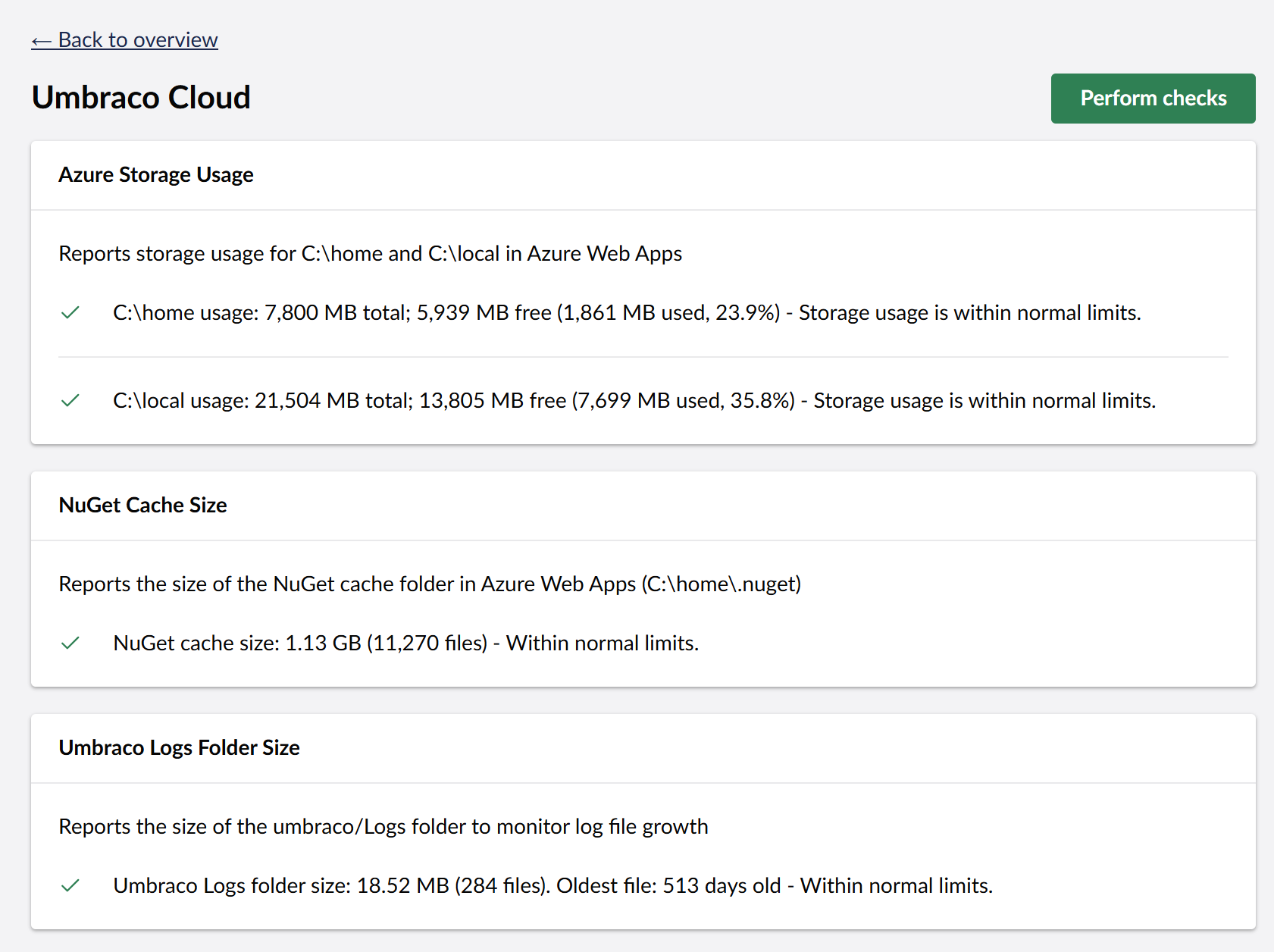
We’ve released a little package for Umbraco Cloud sites running Umbraco v17 to add some health checks to monitor disk usage.
Over the years we’ve had a few occurrences of Cloud sites failing due to running out of disk storage, this is mainly due to the growth of the .nuget folder, this is a cache of NuGet packages that is used during the build and deployment, as cloud sites are auto patched this ends up containing all the versions and all their dependencies which get’s pretty big over a few years, at the moment there is no method for cleaning up this folder within Cloud but maybe in the future there will be https://github.com/umbraco/Umbraco.Cloud.Issues/issues/855
We’ve also added a check for the logs folder for both size and age as these can also get large over a number of years.
temp folder might be another addition..
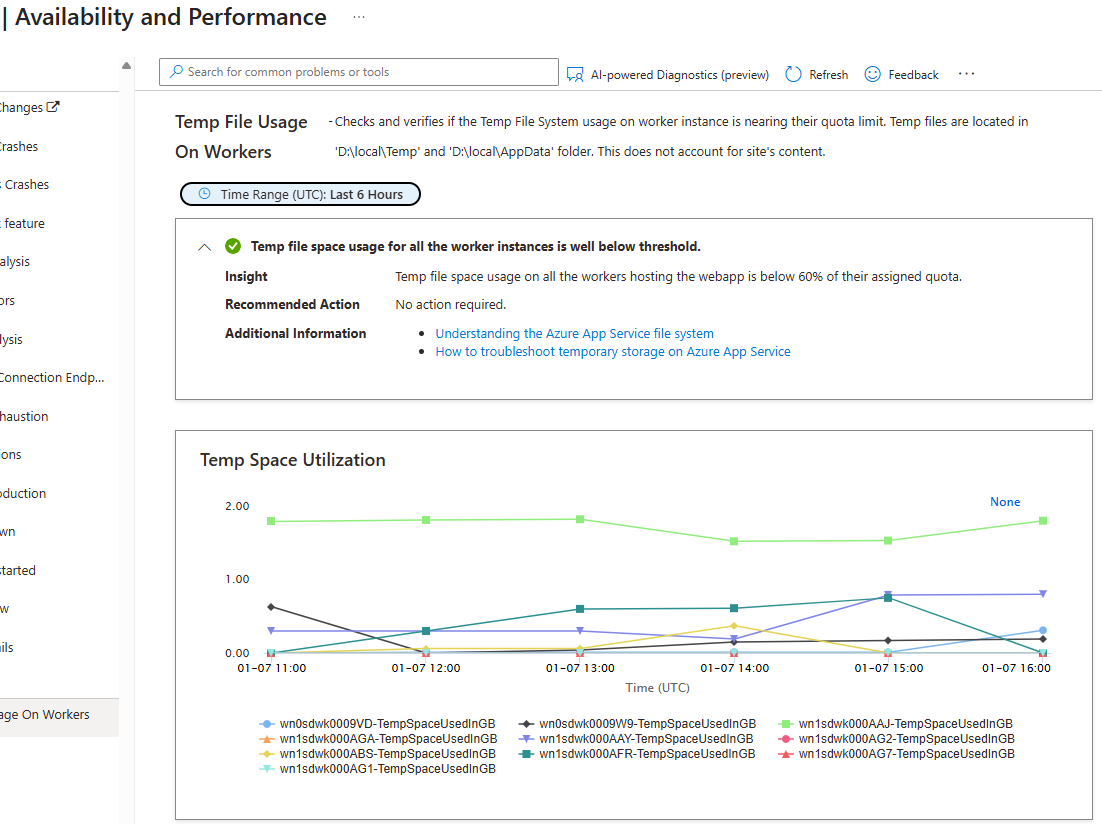
though not cloud, but was azure, recently had examine indexes spike to >12Gb and depending on the app service plan the temp folder has a quota and the only way I found to quickly see that was the cause of our outage was the Diagnose and solve problems > temp file usage on workers
Checks and verifies if the Temp File System usage on worker instance is nearing their quota limit. Temp files are located in ‘D:\local\Temp’ and ‘D:\local\AppData’ folder. This does not account for site’s content.
Another health check might be a recommendation to set the umbraco file logging to a minimum level.. I must admit we go just fatal and make sure to log out to SEQ, or application insights rather than file based…
On logging again..
Not sure how easy it would be to check and recommend UseSerilogRequestLogging() to make serilog less chatty by squashing logs to a single entry per request. (IDiagnosticContext controls what gets collated)