Hi all,
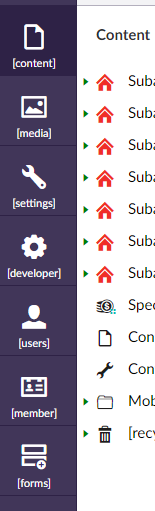
I’ve just upgraded Umbraco 7.5.6 to version 7.7.6 and realised that it’s not showing language properly anymore. They have square brackets. See image below. I have done all I could think of: clear the cache, restart App pool/computer, set the umbracoDefaultUILanguage to en-US in web.config, leave the ~/config/lang/en-US.user.xml and ~/umbraco/config/lang/en_us.xml as it is. I’ve also checked the log and found this WARNING: Umbraco.Core.Services.LocalizedTextService - The culture specified en-AU was not found in any configured sources for this service. Why and where is Umbraco trying to load en-AU locale? Am I missing something?
Regards,
TP
This is a companion discussion topic for the original entry at https://our.umbraco.com/forum/89808-umbraco-backoffice-not-showing-correct-language