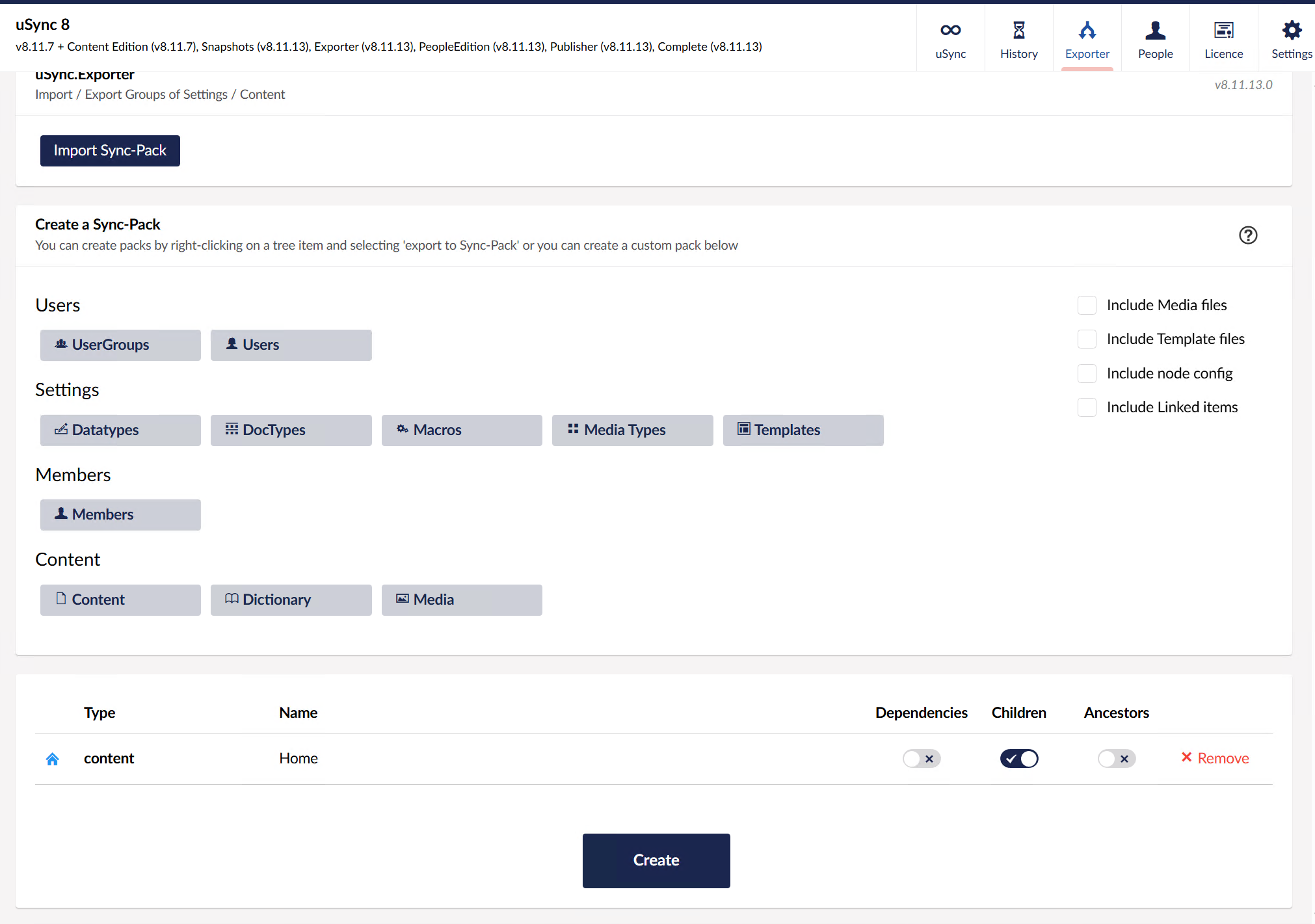
Hello
I am trying to go through the backlog of uSync projects from the lovely Kevin and trying to find a project that works to trigger/work on an export of uSync export from uSync.Complete to be done in the background and reported with a CLI tool that works with version 8 of the CMS & uSync.
There are various projects but unsure what I should use?
Well this particular site has a large amount of content and has been known to timeout in the backoffice when doing an export with uSync.Complete. We have tried batching it up into smaller chunks but this will be cumbersome to do.
So the thought is to try and do this in another approach with either existing tooling/packages that @KevinJump has made or to write something ourselves using what public APIs/methods that are available to us to put it into hangfire or similar.
Are you also exporting the media, because that will be slow, especially on really big sites.
The theory is that exporter shouldn’t timeout, because it batches things up, so you could in theory change the batch size if that is happening (but exports really shouldn’t hit these issues, reading the db. is often way faster).
Dredging though my notes, triggers is the version we released for v8, but it’s likely not to solve the issue - all it really does is hit the end points from a command line, the server can still timeout. if it doesn’t want to run the thing for to long.
Does the triggers package report the progress with the CLI ?
As this process of a partial section of the content tree for 16,000ish nodes took around 2-3 hours.
The calculating step seems to take the longest and the export/writing to disk step goes a lot faster, but generally if this is going to be a loooong time to export all of this.
I need to be confident its always going to run, the site not log out or stop processing for any other reason. I have a couple fail on me after a couple of hours.
As a finger in the air with the rate of the export. I am guessing this is a good 12+ hour that it will need to run.
The exports did not have the media selected.
My other train of thought if the Triggers package is not the right approach is to install Hangfire in this project along with Hangfire.Console (to help with progress bar reporting when its running)
But I am unsure what services, API or methods to invoke if I was to take this approach.
Appreciate any insight or thoughts you might have Kevin
Check with the export what options you have included, if you are exporting doctypes, etc. separately, then turn of include dependencies. then the calculating should be a lot quicker.
because with dependencies on, its checking every content item to see what datatype, doctypes related content and media within all the properties inside all the nodes! .
if you are doing a straight import just include children should be all you need, and that should be way faster.

 - all it really does is hit the end points from a command line, the server can still timeout. if it doesn’t want to run the thing for to long.