Hi,
I know there is an Add on that will allow Block grids to be previewe, is there a way to write my own preview like I would have with done with Umbraco 13 and Anguler.
Hi,
I know there is an Add on that will allow Block grids to be previewe, is there a way to write my own preview like I would have with done with Umbraco 13 and Anguler.
Yes, you can build your own previews for blocks, see here for an example:
But you would need to do this for each block if you’re not using the Block Preview package (which I assume you’re trying to do as it is being problematic for you?)
Justin
Hi,
I dont like the Idea of using an RC Version of the block viewer in Production.
It just the version I was using on my test site was getting a lot of recursion errors and saving issues with the public version, the RC version you pointed me at worked better. But I was still seeing some recursion errors.
That’s understandable - hopefully @rickbutterfield can get that RC version released live then you can use it. If there’s any further information you can provide Rick to help resolve the issues if they are related to Block Preview I’m sure he would appreciate any further details to investigate.
Justin
Yep I am hoping to get the final version released soon!
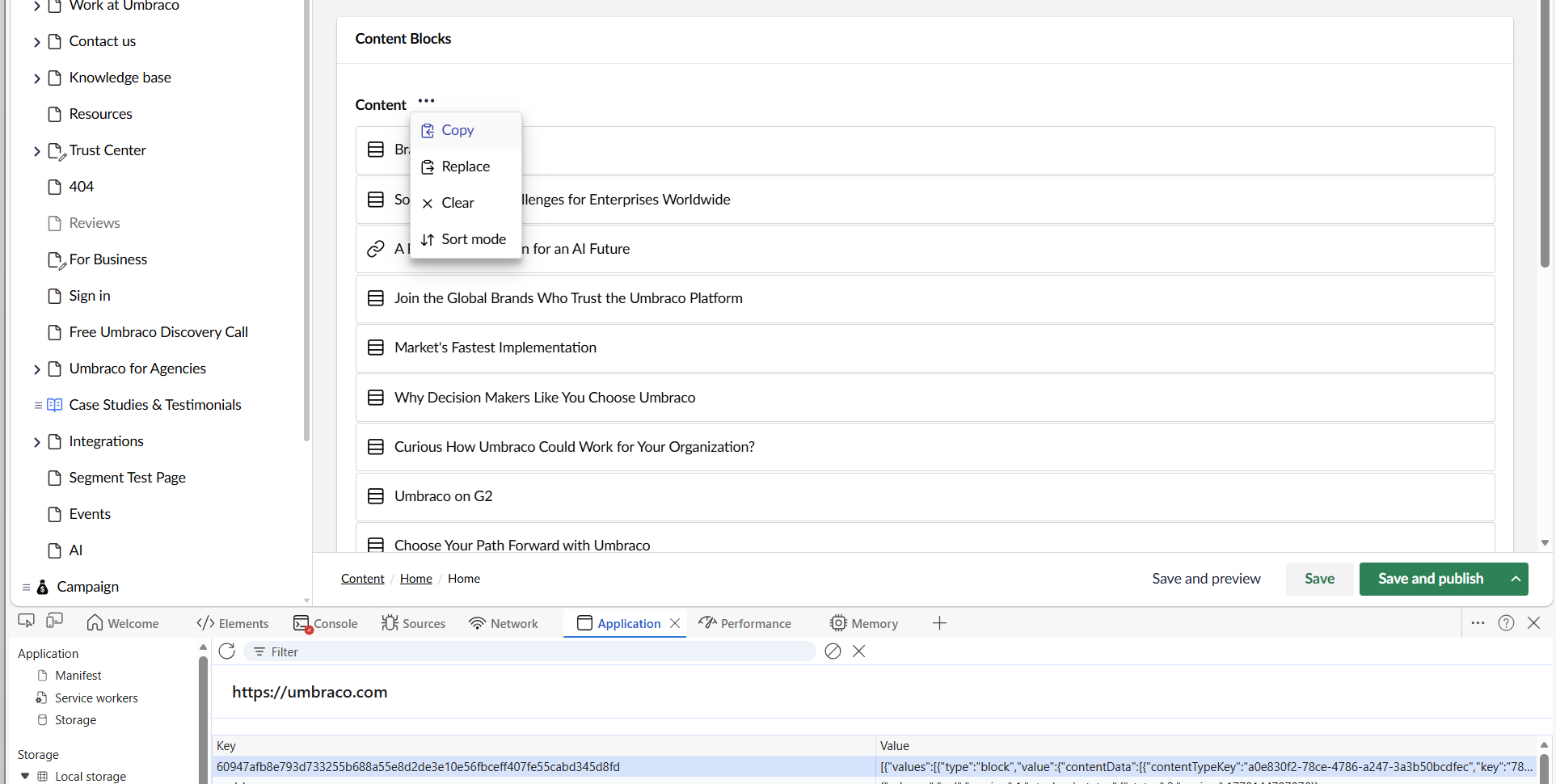
@darrenhunterEmerald If you are able to share the JSON structure of your Block Grid first, that may help get to the bottom of whether it’s a BlockPreview issue or something underlying in the CMS, that would be helpful.
I think the best way to do it is to copy the whole grid from the Property Actions, and then find the entry in Local Storage in the DevTools and copy that:
I have started a new site, and it working normaly. So I am just wondering if your correct about the test site I was using, It was a site that when from V8 , V10, V13 and then Updated to 17.
I just wonder if it the site that causing the issue. As I said this new V17 (Clean Site) is behaving as expected.