Umbraco 17.2 Delivery API Returning Zero Results (Even Though Items Exist in Index)

Hi all,

We’re experiencing an intermittent issue with the Umbraco Content Delivery API that has started occurring after over a year of stable operation. We recently upgraded from v16 → v17.2, but we did also see this happen once on our v16 live environment, so it may not be upgrade‑related.

The Problem

Calling the Delivery API with a content type filter:

/umbraco/delivery/api/v2/content?filter=contentType:blogPage

returns:

{
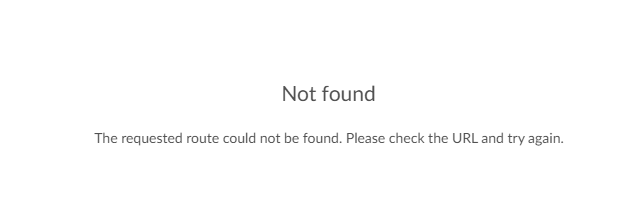
 "total": 0,
 "items": []
}

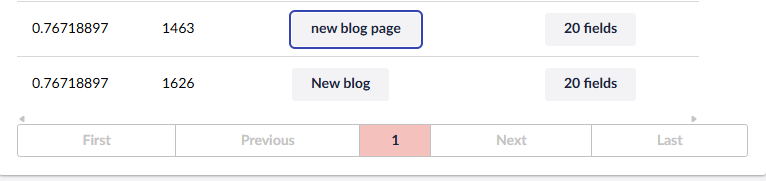
—but the content absolutely exists.

What We’ve Checked

Additional Observations

  • Rebuilding indexes in the backoffice doesn’t seem to make the missing content reappear (at least not immediately).

  • Saving + publishing a single item makes it show up again in the Delivery API.

  • After 1–2 days, all content disappears again from the Delivery API filtered queries, even though individual items can still be fetched and the index still lists them.

Some extra information of our system/usage

  • We run multiple branded sites that call the one CMS api and include the required Start-Item header on all Delivery API calls to retrieve the relevant details.

  • We’re hosted in AWS in a load‑balanced setup (single publisher, autoscaling subscribers handling the Delivery API).

Has anyone else seen this?

It feels like something is causing the Delivery API’s internal indexing or cache sync not to persist across nodes over time. But since item-by-item retrieval still works, I’m not sure if it’s an indexing issue or perhaps something related to the caching. I’ve sort of hit a dead end and without really figuring out this cause I’ve avoided raising this as a “bug” on the issues section on Git.

Any advice or insights—especially from anyone running Umbraco 17+ in a load-balanced environment—would be greatly appreciated.

Thanks!

Hi Aidan,

your filtered queries returning zero while item-by-item lookups still work, on a ~1–2 day cycle point directly to empty or stale Lucene indexes on your autoscaling subscriber nodes.

Why the split behaviour?

The filtered endpoint (?filter=contentType:...) queries the node-local Lucene DeliveryApiContentIndex. The item-by-item endpoint (/content/item/:path) resolves via NuCache, bypassing Lucene entirely which is why it keeps working even when the local index is empty.

Root cause: autoscaling + ephemeral local index storage

When AWS recycles or spins up a new subscriber instance, it starts with no local index and tries to rebuild by replaying umbracoCacheInstruction entries from the database. If nothing has been published recently, the queue is too short to produce a full index — the node returns zero results silently, no errors. The 1–2 day cycle maps to your instance recycling cadence.

Importantly, rebuilding from the backoffice only rebuilds the index on the publisher node — subscribers only receive incremental instructions going forward, which is why backoffice rebuilds don’t help them.

Fix 1: Explicitly set server roles

Don’t rely on auto-election — with autoscaling nodes changing machine names on recycle, this is unreliable. Per the official docs, create two small classes and register them via composer:

csharp

public class SchedulingPublisherServerRoleAccessor : IServerRoleAccessor
{
    public ServerRole CurrentServerRole => ServerRole.SchedulingPublisher;
}

public class SubscriberServerRoleAccessor : IServerRoleAccessor
{
    public ServerRole CurrentServerRole => ServerRole.Subscriber;
}

Use an environment variable to switch between the two so your publisher and subscriber deployments use the correct one.

Fix 2: Set the correct Lucene Directory Factory per node type

Per the official load balancing docs:

Publisher (appsettings.json):

json

"Umbraco": {
  "CMS": {
    "Examine": {
      "LuceneDirectoryFactory": "SyncedTempFileSystemDirectoryFactory"
    }
  }
}

Subscribers (appsettings.json):

json

"Umbraco": {
  "CMS": {
    "Examine": {
      "LuceneDirectoryFactory": "TempFileSystemDirectoryFactory"
    }
  }
}

SyncedTempFileSystemDirectoryFactory on the publisher writes to both local temp and a central/persistent location, so the index survives restarts. TempFileSystemDirectoryFactory on subscribers stores the index only in local ephemeral temp — which is correct for autoscaling, as long as the subscriber properly bootstraps on startup (see Fix 3).


Fix 3: Add a startup index health check on subscribers

The real guard against “new node = empty index” is detecting an empty index on cold start and triggering a rebuild before the node starts serving traffic:

csharp

public class IndexStartupCheck : INotificationHandler<UmbracoApplicationStartingNotification>
{
    private readonly IExamineManager _examineManager;

    public IndexStartupCheck(IExamineManager examineManager)
        => _examineManager = examineManager;

    public void Handle(UmbracoApplicationStartingNotification notification)
    {
        if (_examineManager.TryGetIndex("DeliveryApiContentIndex", out var index)
            && index is ISearchableMountedIndex searchable)
        {
            var count = searchable.Searcher.CreateQuery().All().Execute().TotalItemCount;
            if (count == 0)
                index.CreateIndex();
        }
    }
}

Register in a composer:

csharp

builder.AddNotificationHandler<UmbracoApplicationStartingNotification, IndexStartupCheck>();

Quick checklist to confirm this is the cause

Log the following on each startup and correlate against your AWS scaling events:

  • Instance ID / machine name

  • DeliveryApiContentIndex document count at startup

  • Timestamp of last processed umbracoCacheInstruction

You’ll see the zero-count events align precisely with new instance launches.

Note: This answer was put together with the help of AI and is mostly correct, test in a non-production environment before deploying.

Hi, thanks for the quick reply last Friday.

So we were already handling publisher and subscriber as mentioned in fix 1

But I must have missed fix 2 when I was implementing this, possibly as I thought it might have been more specific to azure than load balancing in general. Either way i’ve done fix 2 and 3 and deployed that.

I can see now it is logging the following, so it’s definitely detecting 0 documentsi n the startup.

IndexStartupCheck: DeliveryApiContentIndex document count at startup = 0
IndexStartupCheck: DeliveryApiContentIndex is empty on subscriber node ip-XX-XX-XX-XXX — triggering rebuild.

However despite doing this it seems my issue remains and the only solution is to save and publish the missing content.

Not too sure what more to try but I can see that in V17 they now have the ability to load balance the backoffice Load Balancing the Backoffice | CMS | Umbraco Documentation so perhaps i’ll give that a shot as well.

Thanks

Hi Aidan,

We had similar issues as you described here, had a stable version of Content Delivery for a year running on v13. After migrating to v17 these issues started popping up. I would recommend updating to the latest v17.3RC version (the real release is planned for 2nd of april) as this fixed our issues.

Thanks, I’ll give that a shot.

Not sure if it helps but from our observations we’ve seen that every time Umbraco boots up, the content delivery API has a period of time where the index isn’t fully booted up yet but the API happily responds with 0 content available, and after a short while it starts returning actual expected results.

One would assume it should perhaps return a 500-error or wait with the response until booted up fully.