Hi.
I am working on upgrading one of our older sites that started as a V8 site, that over the years has gone from 8, 10 to 13 and I am now upgrading to version 17.
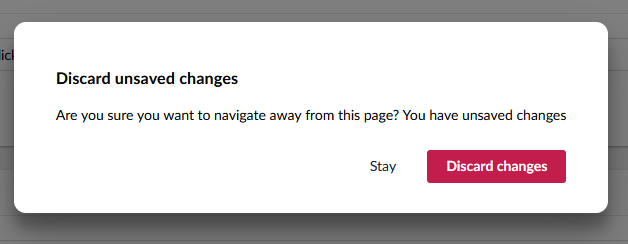
I am seeing this when I am clicking between pages.
I am using the Block Grid Preview, I am not seeing this on any other site that we are using the block grid preview.
I dont think it a block grid problem.
Is there a way to do a clean up to stop this.
Thanks
Darren
Hi @darrenhunterEmerald
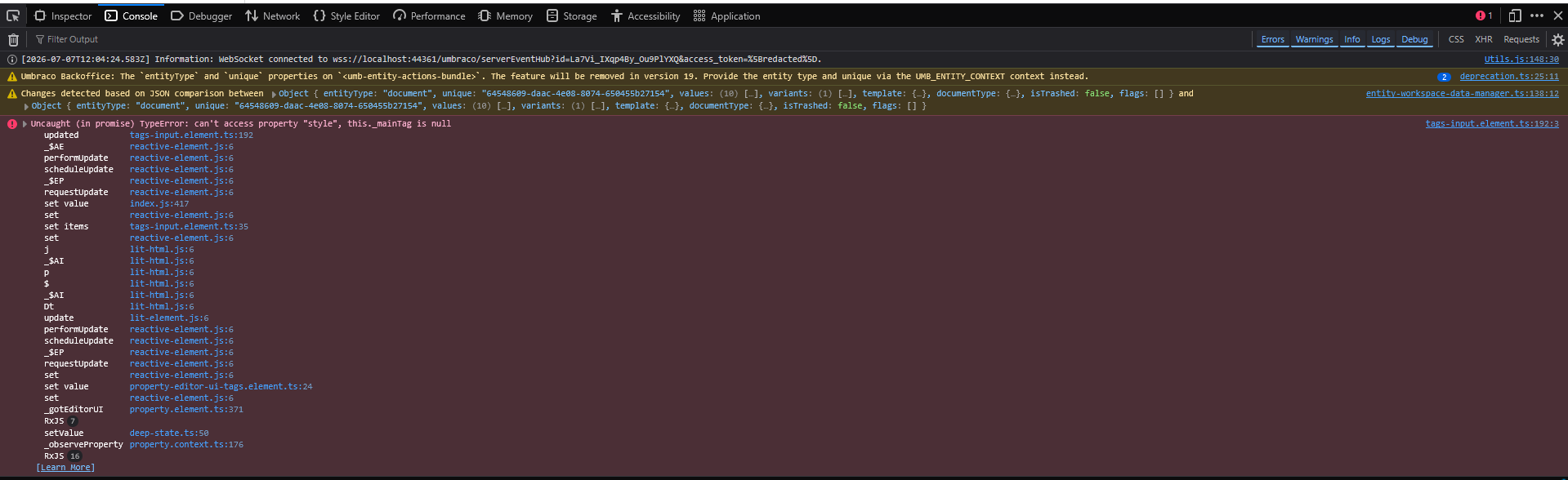
It could be that a property is being updated due to a change in how property values are being stored, so when you open the page something is updating even though you are not doing it explicitly.
Are you able to narrow this down to a particular document type or property? A quick way to test is to create a blank node of one of the affected types and see if the prompt still fires. If Saving/Publishing the node makes it go away then that may be your culprit but the difficulty maybe tracking down which property.
Justin
It looks like it some thing to do with content, I removed all the text areas / boxes and left the images.
Tried again and I still see the save change.
If I remove all the content and then save the page, I am not seeing the error.
It defo a content problem.
I do some more digging.
Darren