public void Handle(UserGroupSavingNotification notification)
{
var currentUser = _userService.GetByUsername(_backofficeUserAccessor?.BackofficeUser?.Name) ??
_userService.GetByEmail(_backofficeUserAccessor?.BackofficeUser.GetEmail());
var hasImportAdminAccess = currentUser.Groups != null && currentUser.Groups.Any(g => g.Alias == “importAdmin”);
foreach (var group in notification.SavedEntities)
{
if (group.Alias.Equals(“importAdmin”, StringComparison.OrdinalIgnoreCase))
{
if (!hasImportAdminAccess)
{
            notification.CancelOperation(
                                new EventMessage(
                                    "Permission denied",
                                    "Adding users to ImportAdmin group is restricted.",
                                    EventMessageType.Warning
                                )
                            );
            return;
        }
    }
}
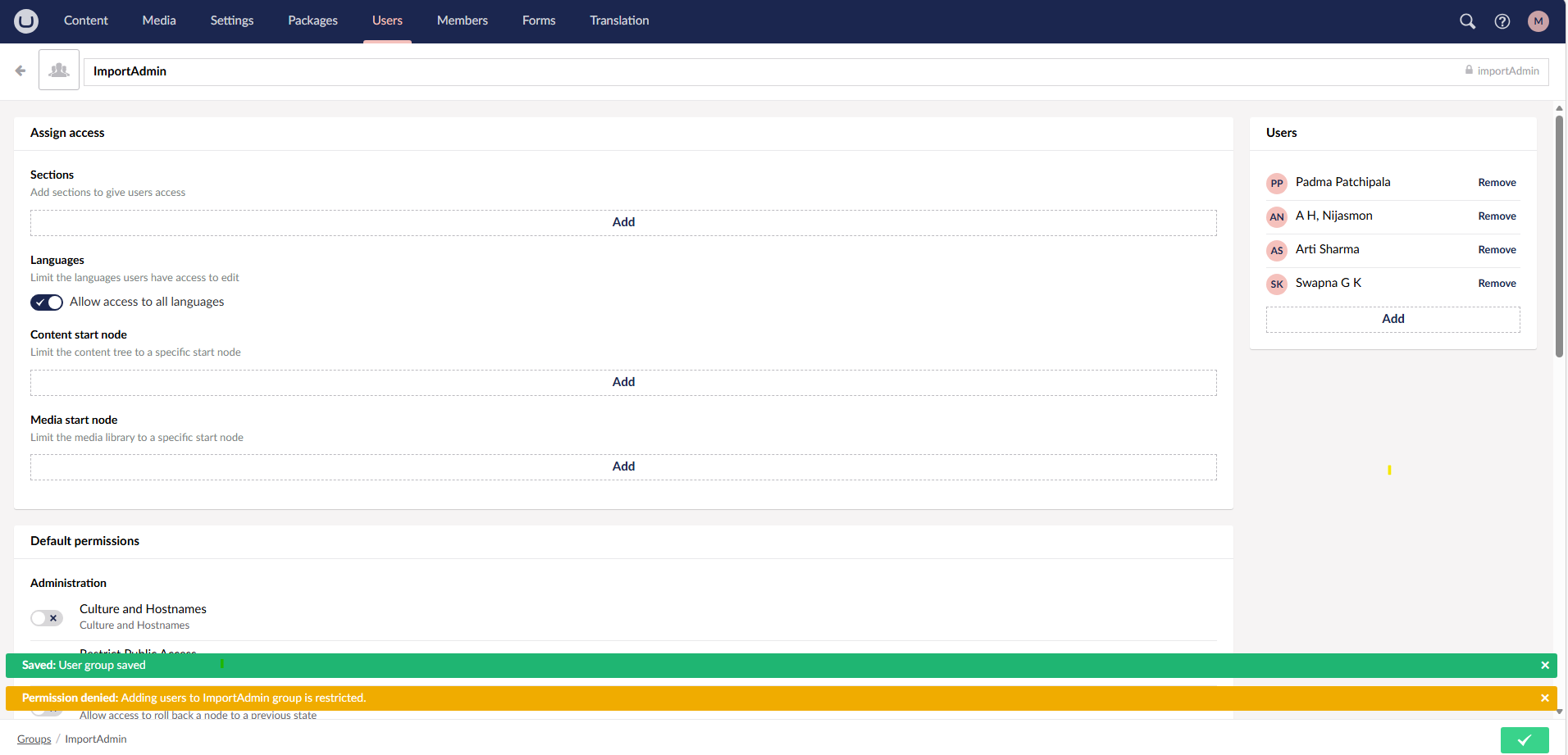
The double popup is happening because of the EventMessageType you’re using. Warning (and Info/Success) don’t actually cancel the save - only EventMessageType.Error does. So with a Warning, your CancelOperation call adds the message but the save still completes, which is why you get both the green “Saved” toast and your “Permission denied” warning.
Switch it to Error:
notification.CancelOperation(
    new EventMessage(
        "Permission denied",
        "Adding users to ImportAdmin group is restricted.",
        EventMessageType.Error
    )
);
That will suppress the “Saved” popup and show only your denial message.
 Backend logic is working correctly (users are restricted)
 Issue: