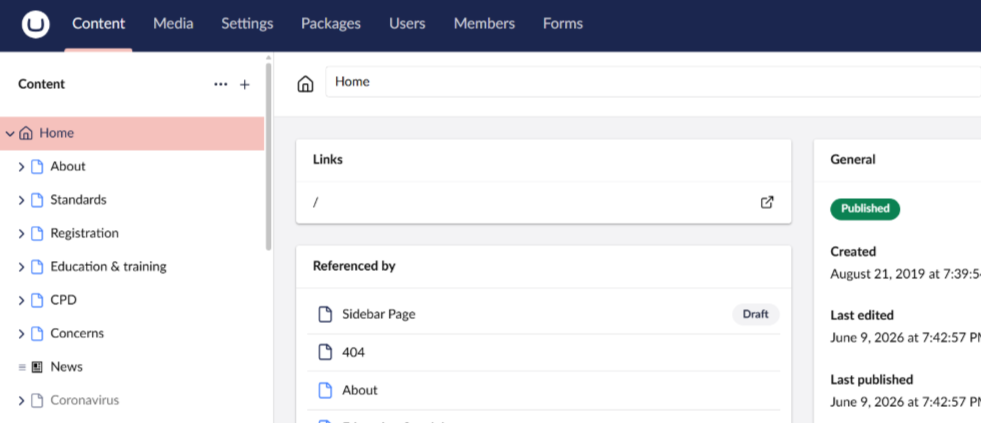
I’m currently upgrading a project from Umbraco 13 to Umbraco 17 and I’ve completed most of the migration work (including updates to Block Grid, Media Picker, and other components).
However, I’m facing an issue where all URLs return 404, even though everything appears to be correctly configured.
What I’ve verified so far:
Physical view exists: /Views/Home.cshtml
Template is correctly assigned under Document Type → Home
Content node (Home) is:
Created
Saved & Published
Cache cleared
Examine indexes rebuilt
Tried to create template but not working with new template also .
Issue:
Any request to the site (including the homepage) results in a 404 Not Found
Backoffice works fine
No obvious errors in logs related to routing/templates
Additional context:
This is a migrated project, not a fresh Umbraco 17 install
Models have been regenerated after upgrade
I’ve already updated deprecated editors (Block Grid, Media Picker, etc.)
Note:
Current Version : .Net 10
Umbraco Version: 17.4.2
Another thing worth checking: we ran into issues using the older-style Program.cs/Startup.cs split on v17 and had to migrate over to the minimal hosting model (top-level statements in a single Program.cs). Might be worth seeing if that’s the cause for you too.
Thanks for Suggestion ,
We are already using Programs.cs( Minimal Hosting Model) . There is one log stating No physical document present . But I verified the location /Views/Home.cshtml and /Views/About.cshtml both are available .
The Home page is published with a routable URL, so content and routing are fine. The problem must be in the view rendering.
Since a new template 404s too, run the site in Development mode (or set Umbraco:CMS:Hosting:Debug to true) and you should get the real Razor error instead of a 404. I’d put money on something in _ViewStart.cshtml or your layout not migrating cleanly - that’d break every page at once.
Can you switch that on and grab the error off the homepage?
@justin-nevitech@BishalTimalsina12
I tried taking a fresh copy of a Version 13 database and upgraded it directly to Version 17, without using uSync or uSync Migrations.
During the upgrade, I’m seeing the following warnings:
No migration data was found for the data editor split for data type Media Picker (Umbraco.MediaPicker - 1048). Please make sure you’re upgrading from the latest V13. The affected data type may not work correctly.
No migration data was found for the data editor split for data type Registration Guidance - Content Blocks - Nested Content (Umbraco.NestedContent - 1369). Please make sure you’re upgrading from the latest V13. The affected data type may not work correctly.
I will attempt to convert or reconfigure these data types in the Version 17 backoffice and will share an update once verified.
 What I’ve verified so far:
 Physical view exists:
  Issue:
 Additional context: