I am currently working on a package for Umbraco 17, and today I noticed my logs were full with these messages:
DISTRIBUTED CACHE IS NOT UPDATED. Failed to execute instructions (2365: ‘“[{\“RefreshType\”:4,\“RefresherId\”:\“900a4fbe-df3c-41e6-bb77-be896cd158ea\”,\“JsonIdCount\”:1,\“JsonPayload\”:\”[{\u0022id\u0022:1712,\u0022key\u0022:\u002246fe6387-7735-4d63-8727-f75aef9beac8\u0022,\u0022changeTypes\u0022:\u0022RefreshBranch\u0022,\u0022blueprint\u0022:false,\u0022publishedCultures\u0022:null,\u0022unpublishedCultures\u0022:null}]\“}]”’). Instruction is being skipped/ignored
I had the same database connected to both my staging environment as well as my local, which I changed a couple of hours ago. I still keep getting these messages, even after multiple restarts, deleting TEMP folder and such.
I think you’d normally see this with load balancing…
As you’ve connected both environments to a single DB, and I’m guessing with both running at the same time, automatic server election has selected one as a scheduling publisher (you can only have one of these), and the other as a subscriber.
So the one that’s ended up as a subscriber is trying to fetch the updates.. but as to why the update is erroring I’m not sure.. Maybe you’ve managed to edit the same node on each box and the subscriber wouldn’t like that if it’s version is ahead of the scheduling publisher… the node reported here is id:1712 with key: u002246fe6387-7735-4d63-8727-f75aef9beac
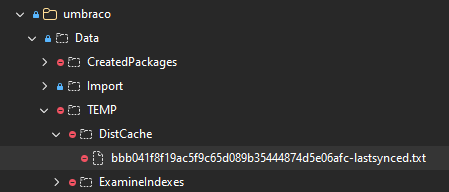
there is a temp file for last synched which simply contains the distributed cache Id that the subscriber has reached… deleting that might help?
Also you might be able to cleanse the DB > umbracoServer table, or at least see which one is thought to be isSchedulingPublisher and also any isActive subscribers
You can explicitly set the serverRole which might solve it.. usually Local would have a server role of Single.. In fact if you aren’t loadbalancing you could explicitly set all environments to Single..
This is for a loadbalanced set up.. but should give you the gist..
using Microsoft.AspNetCore.Hosting;
using Umbraco.Cms.Core.Composing;
using Umbraco.Cms.Core.DependencyInjection;
using Umbraco.Cms.Core.Sync;
using Umbraco.Cms.Infrastructure.DependencyInjection;

namespace www.Extensions.LoadBalancing
{
    public class ServerRegistrar : IServerRoleAccessor
    {
        private readonly IWebHostEnvironment _env;

        public ServerRegistrar(IWebHostEnvironment env)
        {
            _env = env;
        }

        public ServerRole CurrentServerRole
        {
            get
            {
                return _env.EnvironmentName.ToLower() switch
                {
                    string n when n.EndsWith("api") => ServerRole.SchedulingPublisher,
                    "development" => ServerRole.Single,
                    _ => ServerRole.Subscriber,
                };
            }
        }
    }

    public class RegisterServerRegistrar : IComposer
    {
        public void Compose(IUmbracoBuilder builder) => builder.SetServerRegistrar<ServerRegistrar>();
    }
}
And of course I could be completely off target here!
I agree with @mistyn8 , having multiple Umbraco instances connected to the same database can cause issues with caching. If you want to work with the same content in multiple environments, you are better off using uSync of Deploy for syncing data than to connect to the same database.
Yes I made the mistake of connecting both environments to the same DB, never doing that again.
While the staging is the active one, it does not have the distcache file. I deleted the file locally, but still getting the errors. Its also for a node that doesn’t exist (anymore).
I’ve added the composer, and at first I thought it worked, but then my logs started flooding again.
Although it says it isn’t harmful for the site, the logfiles are around 150/170 MB each day.
Little note on this. I got this error after deleting an article, and had some issues on the server at the same time. Fixed it by deleting only that row like this: “delete FROM [umbracoCacheInstruction] where id=123”