Hello
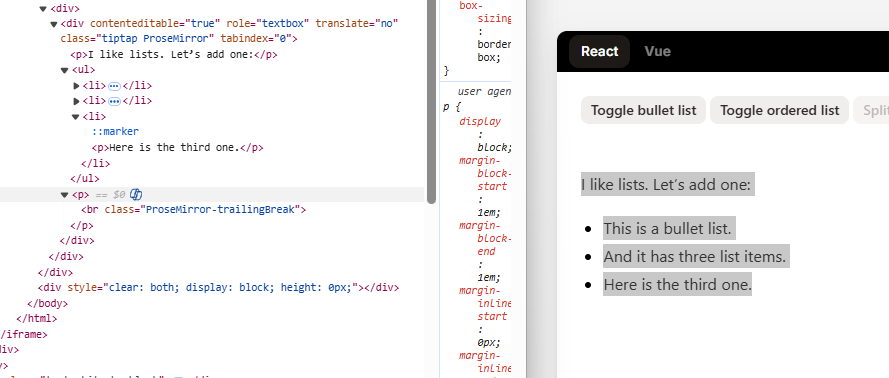
I am wondering if anyone else has been able to use TipTap where it does not always automatically append an empty P tag to the HTML content in the editor.
I have reported this as an issue on the tracker, but I am not 100% sure if its something Umbraco can help fix or if this comes from TipTap itself.
Has anyone encountered this or resolved it in anyway?
Will discuss with tester who raised this and triple check it was only with list items.
If so then least we know the cause and then I need to figure out how/what to do.
It’s an Umbraco issue, because we included the Trailing Node extension (from Tiptap). As we noticed during testing that it wasn’t possible in the Tiptap RTE to place the cursor after certain contents, e.g. lists, code blocks, tables.
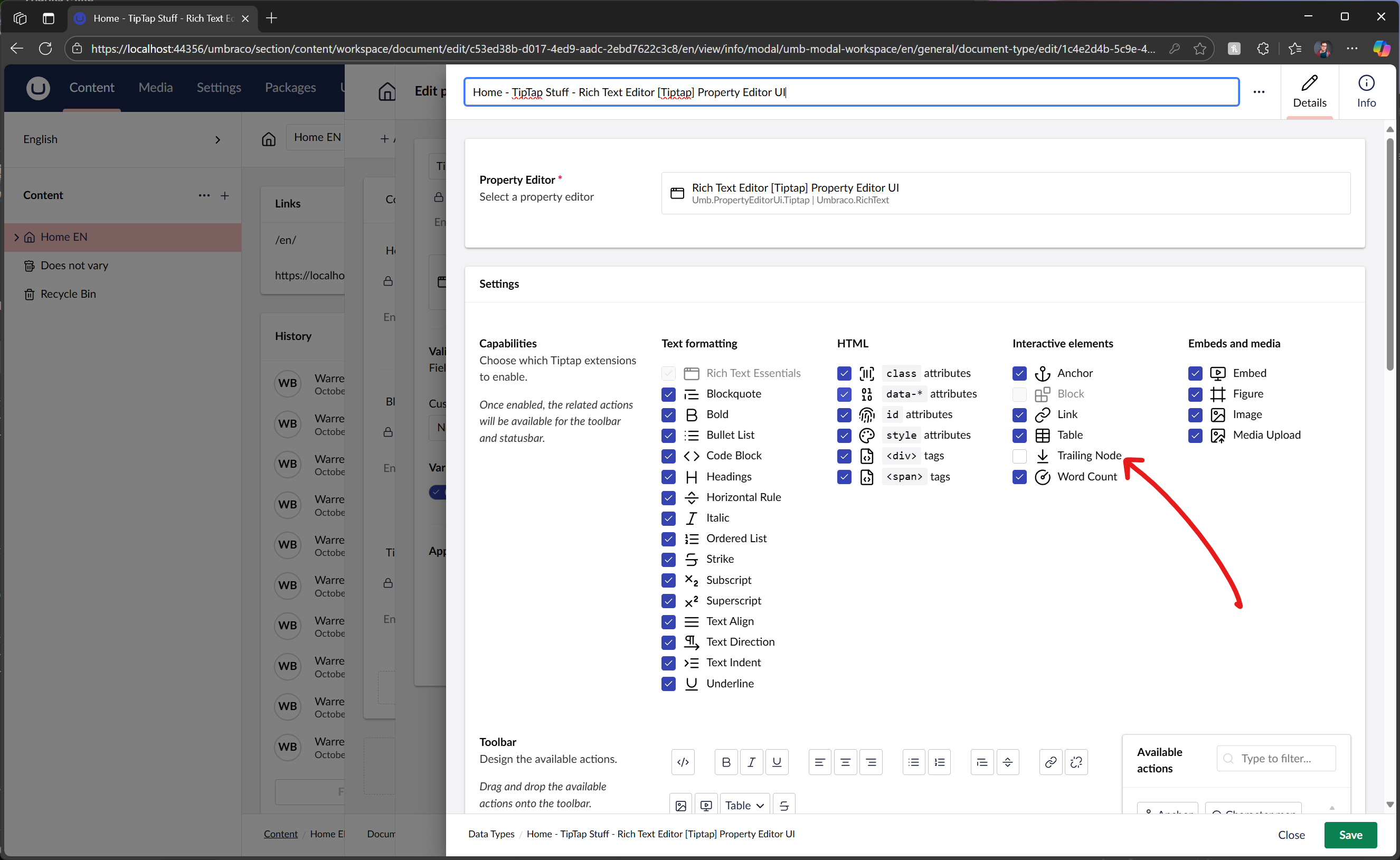
I agree that it’s annoying to have a trailing empty <p></p> at the end of the content, so we’ve made it toggleable for v16.3.0, (untick the “Trailing Node” capability in the data-type configuration).
That’s awesome Lee.
Just tested it out and can confirm it works in 16.3.0 and can then put this change into the solution for the content editors to be happy.
For anyone curious who reads this thread in the future, you can find it here under interactive elements to disable/toggle off.
So to remove the empty <p/> you have to sacrifice the ux of a WYSIWYG editor..
Would it be better to do upstream in the prop editor convertor? Just thinking about those editors who insist on adding multiple <p/> for spacing purposes
For us and our content editors, I think for us removing/disabling this option is the best for us and I would rather not do anything in a PropertyValueConvertor so the markup they put in, is the markup they get.
So there is no magic voodoo for them.
But perhaps for your editors and team, then this may be the route to go.
Different strokes for different folks and all that