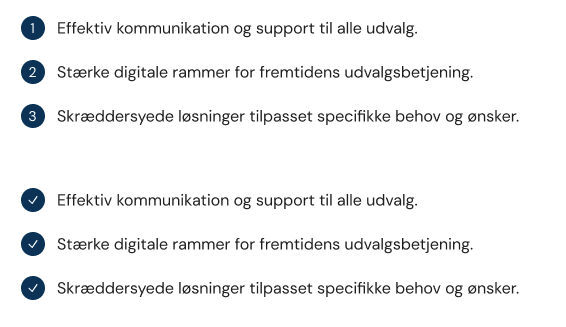
I tried using a custom style menu:
export const manifests: Array<UmbExtensionManifest> = [
    {
        type: "tiptapToolbarExtension",
        kind: "styleMenu",
        alias: "Custom.Tiptap.StyleMenu",
        name: "Custom Tiptap Style Menu",
        meta: {
            alias: "myCustomStyleMenu",
            icon: "icon-palette",
            label: "Custom styles"
        },
        items: [
            {
                label: "Lists",
                items: [
                    {
                        label: "Bullet Primary",
                        data: { tag: "ul", class: "list-primary" },
                        appearance: { icon: "icon-circle-dotted-active" }
                    },
                    {
                        label: "Bullet Secondary",
                        data: { tag: "ol", class: "list-primary" },
                        appearance: { icon: "icon-circle-dotted-active" }
                    }
                ]
            }
        ]
    }
];
I think it is only valid to have a single tag per item.
It works using these items and switching betweeen ul/ol styles on from paragraph, but if I switch between the unordered styles it also toggle between ul/p elements.
items: [
    {
        label: "Bullet Primary (blue)",
        data: { tag: "ul", class: "list-primary" },
        appearance: { icon: "icon-circle-dotted-active" }
    },
    {
        label: "Bullet Secondary (orange)",
        data: { tag: "ul", class: "list-secondary" },
        appearance: { icon: "icon-circle-dotted-active" }
    },
    {
        label: "Bullet Dark (dark blue)",
        data: { tag: "ul", class: "list-dark" },
        appearance: { icon: "icon-circle-dotted-active" }
    },
    {
        label: "Bullet Default (white)",
        data: { tag: "ul", class: "list-default" },
        appearance: { icon: "icon-circle-dotted-active" }
    },
    {
        label: "Bullet Primary (blue)",
        data: { tag: "ol", class: "list-primary" },
        appearance: { icon: "icon-shape-circle" }
    },
    {
        label: "Bullet Secondary (orange)",
        data: { tag: "ol", class: "list-secondary" },
        appearance: { icon: "icon-shape-circle" }
    },
    {
        label: "Bullet Dark (dark blue)",
        data: { tag: "ol", class: "list-dark" },
        appearance: { icon: "icon-shape-circle" }
    },
    {
        label: "Bullet Default (white)",
        data: { tag: "ol", class: "list-default" },
        appearance: { icon: "icon-shape-circle" }
    }
]