UmbraDesktop 17.3.0 is out; the package that turns Umbraco into a full desktop experience! While writing the release notes, it was once again clear how much awesome and ridiculous things were added in this release. A huge shoutout to @suedeapple for the unending stream of PRs 
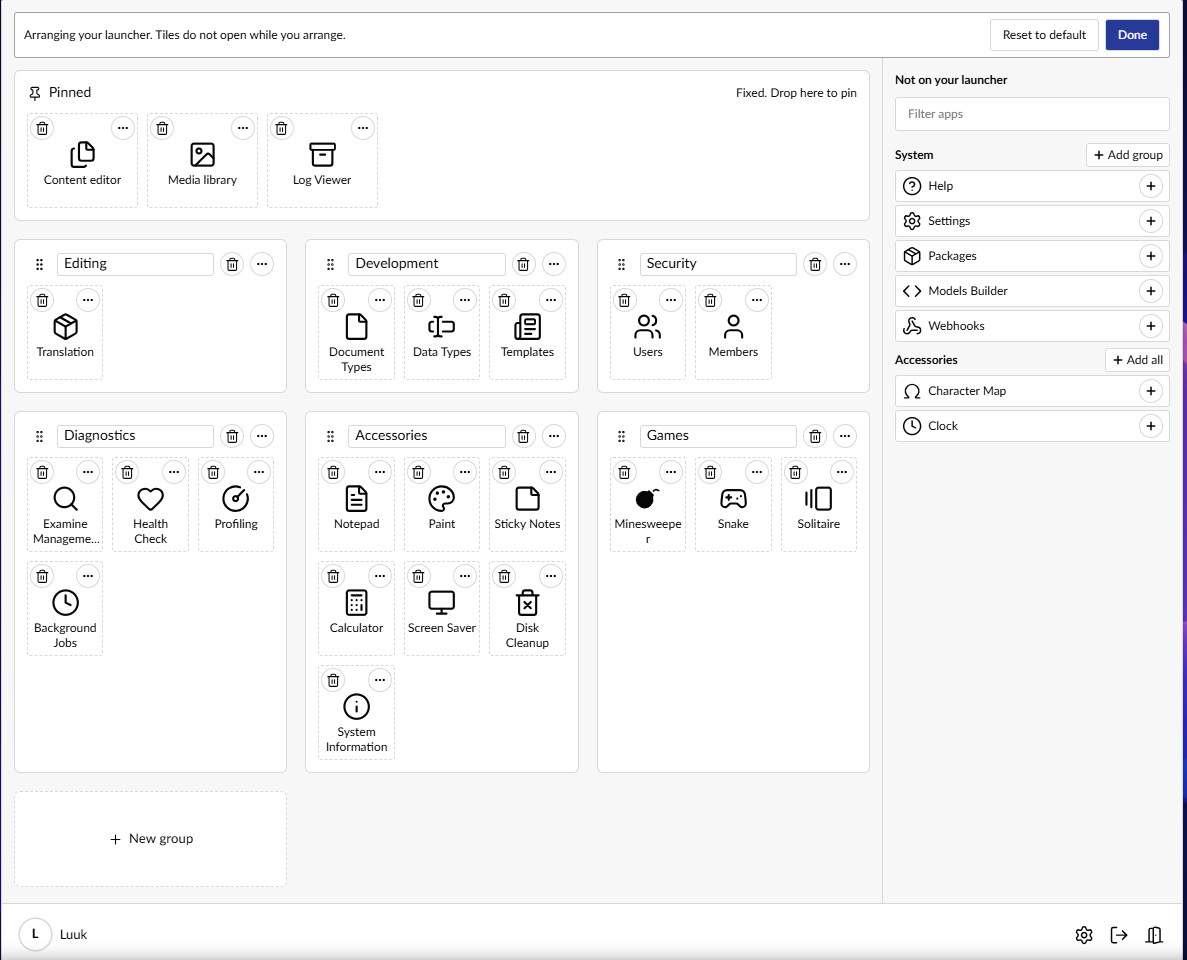
NEW! Rearrange the launcher
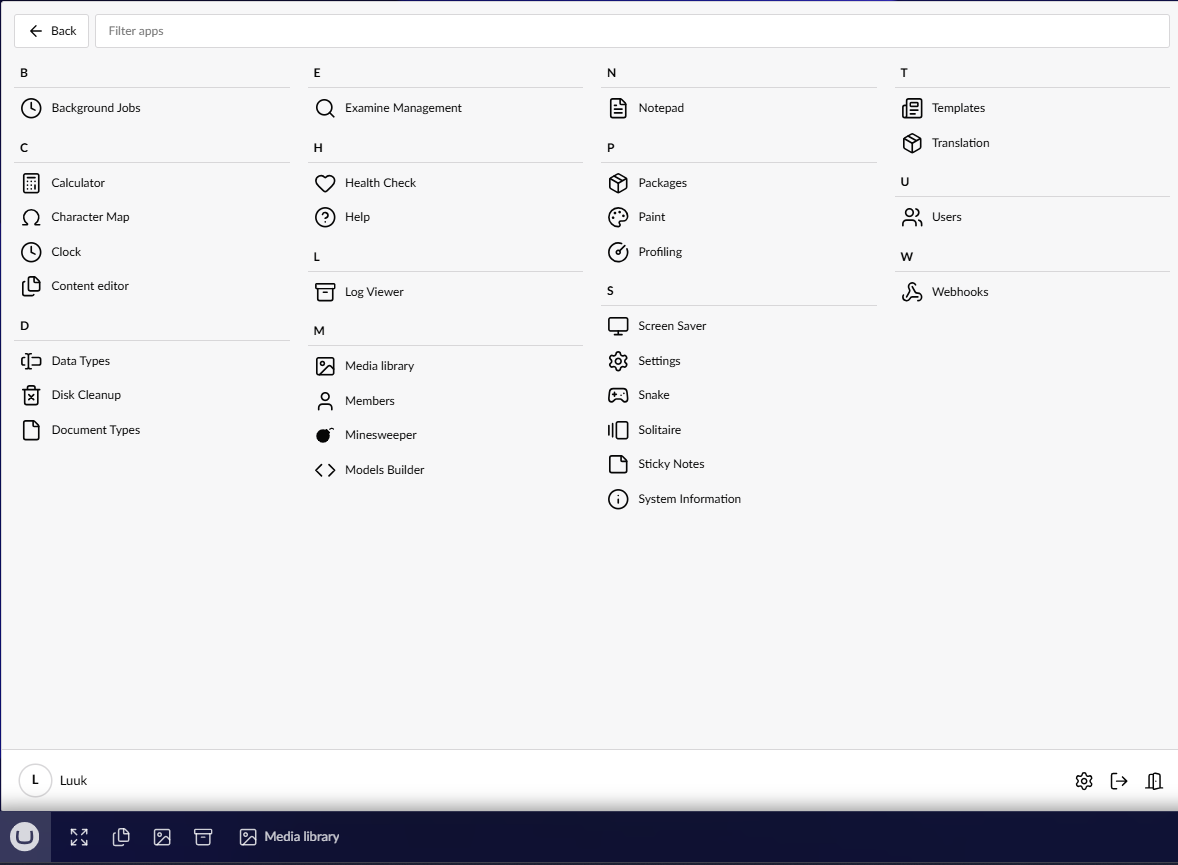
By default, the launcher shows the full catalogue of all available apps in the categories that the catalogue defines. Because editors have different roles, not everything is equally important to everybody. You can now completely customize the launcher to your taste: create or rename categories and drag and drop icons around. The full list of apps remains available in the ‘all apps’ overview.
NEW! Show the preview!
When you are editing content, you get a button to open the preview next to the content you are editing!
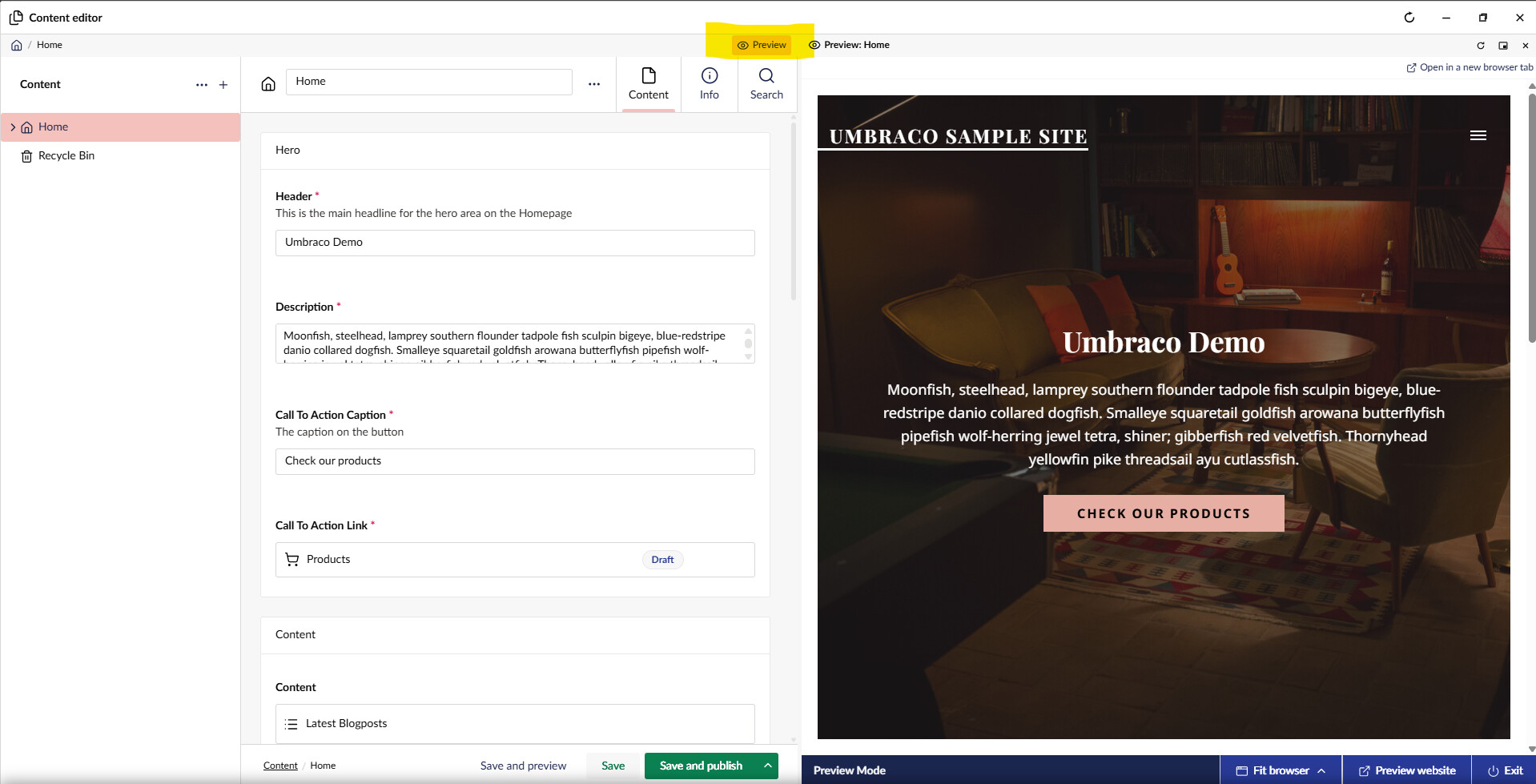
It will check what the preview URL is and open that URL in a panel next to the content. So this also works when you have custom URL providers for headless instances. The content refreshes on save. If the target cannot be iFramed (for instance if the X-Frames-Options header does not allow it, you have the option to open it in a new tab anyway.
This also introduces the concept of ‘connected’ windows, where two windows belong to each other. If you don’t have enough space, of if you want to have the preview in a seperate window, you can pop it out the panel:
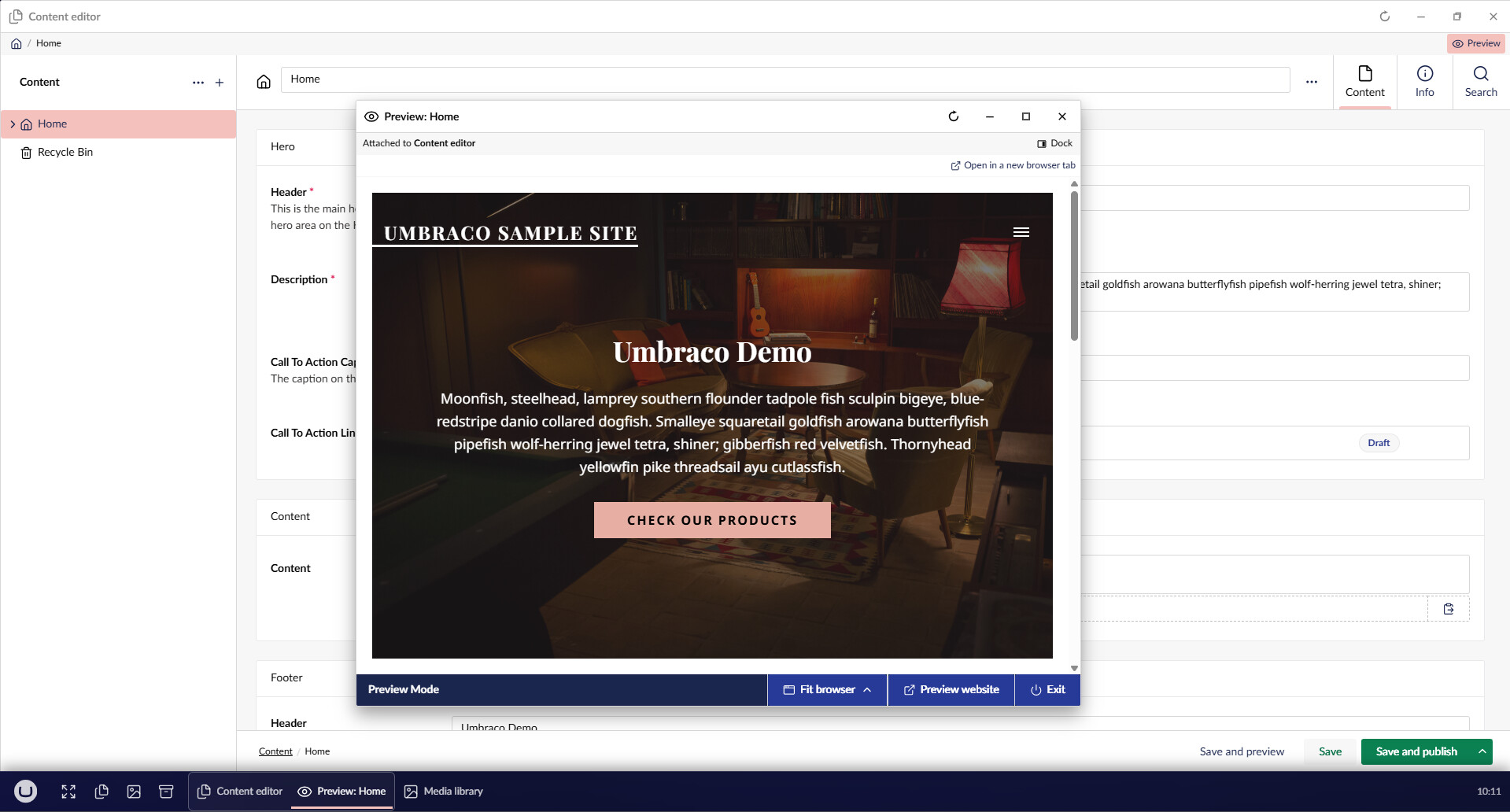
The preview is now a seperate window that you can handle like any other window, but it is tied to the parent window. If the parent window closes, the preview closes as well. On the taskbar, you can see that these windows are linked by the box around it.
NEW! Notification system!
Because all Windows on UmbraDesktop are iFrames and are essentially all running a seperate frontend instance of Umbraco, each window could have it’s own nottification popups (those are the standard Umbraco notifications that you can in the lower right corner of Umbraco). Those notifications are now aggregated and ONLY show in the lower right corner of the desktop and no longer in each window. The makes it consistent. The latest 20 notifications are also stored and can be access in the notification overview when you click the clock.
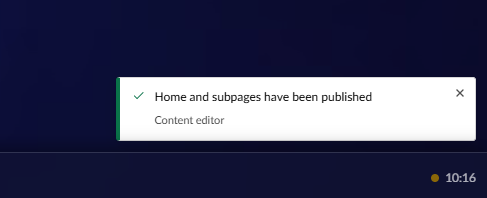
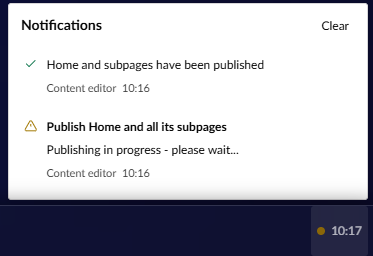
This also allowed us to style the notifiications, so that they look like the theme you are currently at. Any warnings or errors will trigger a ‘dot’ with an orange or red color next to the clock.
NEW! Accessories Add-on!
@suedeapple has gone completely mad and created a new optional add-on package: accessories. It contains a number of apps that were on ‘accessories’ on WIndows 98, including a screensaver!
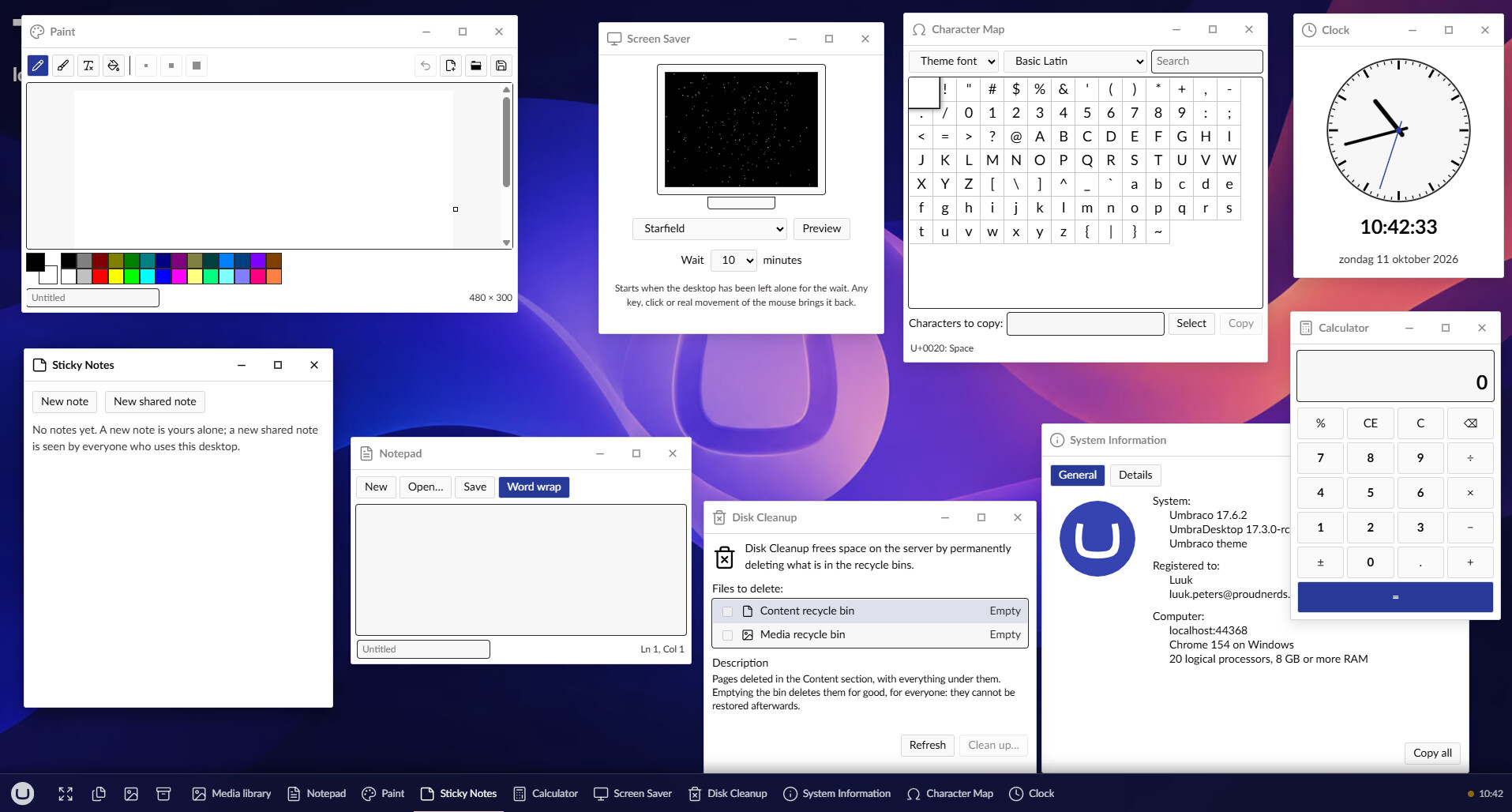
Yes, you can ACTUALLY edit media with Paint and save it back to media. And yes, you can ACTUALLY add shared sticky notes between editors! Did I already say that @suedeapple has gone completely mad?
NEW! Show the instance name on the desktop!
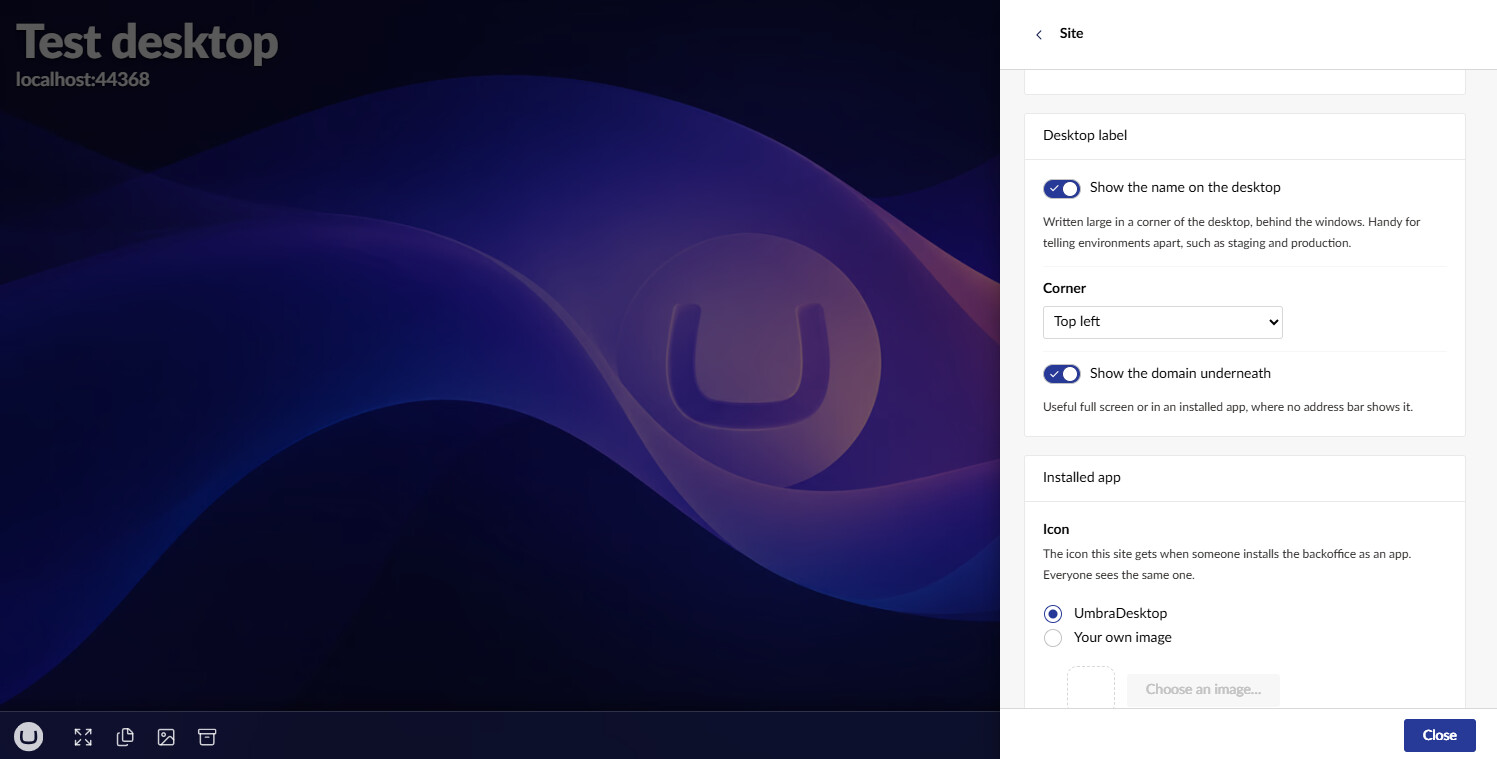
When you multiple Umbraco instances where you are using UmbraDesktop, it’s easy to mistake these instances. In the previous update, we expanded the settings so that when you pinned UmbraDesktop as an app, you could set the instance name and icon. This updates expands on this by allowing you to display the instance name and URL on the desktop.
NEW! Games!
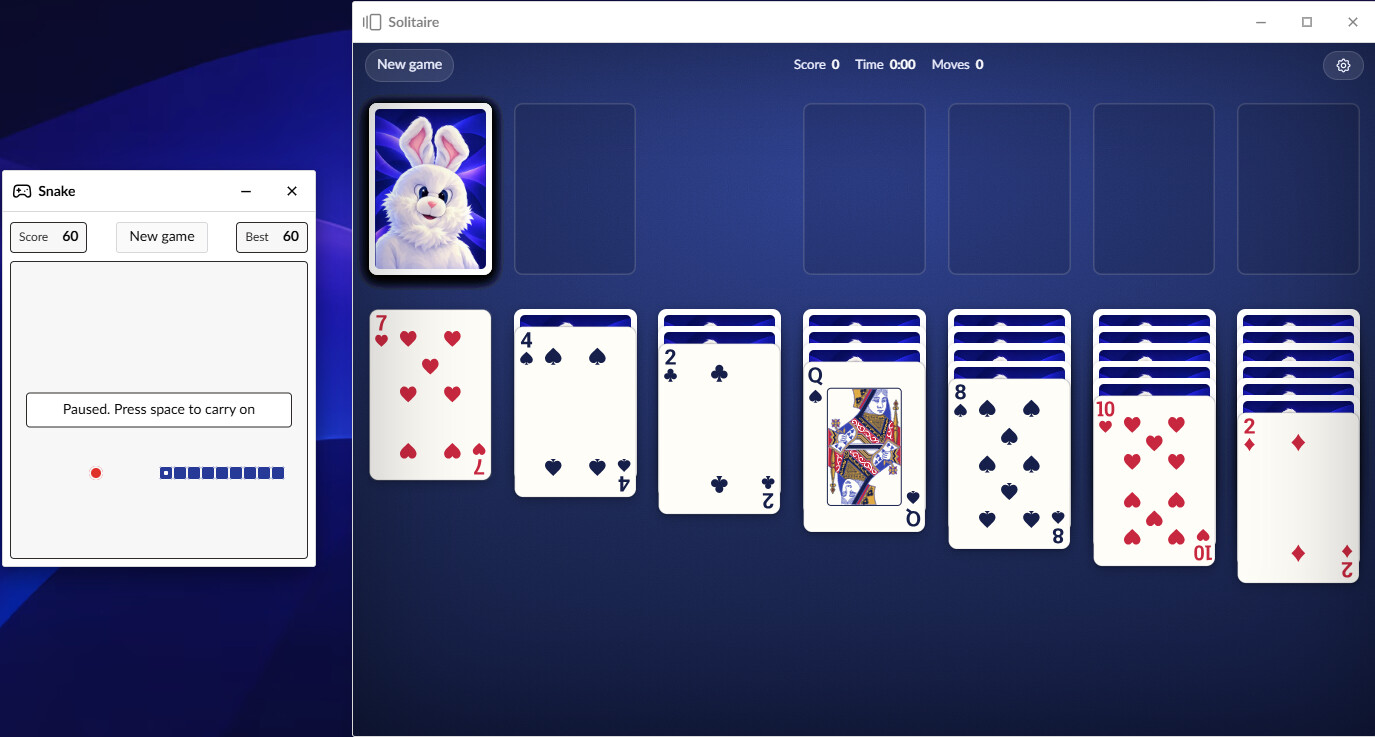
The entertainment add-on package has two new games to play! The first one is snake, created by @suedeapple. The second is solitaire. And yes, it has some Umbraco themes card backs, including the Umbraco rabbit!
EXPERIMENTAL! View remote content!
In the previous version, we introduced the concept of ‘remote connections’. In this version we added a second experimental app: if you have at least one connection to another Umbraco instance, you get the app ‘Remote content’. This app allows you to read-only see the content tree of any remote Umbraco instance.
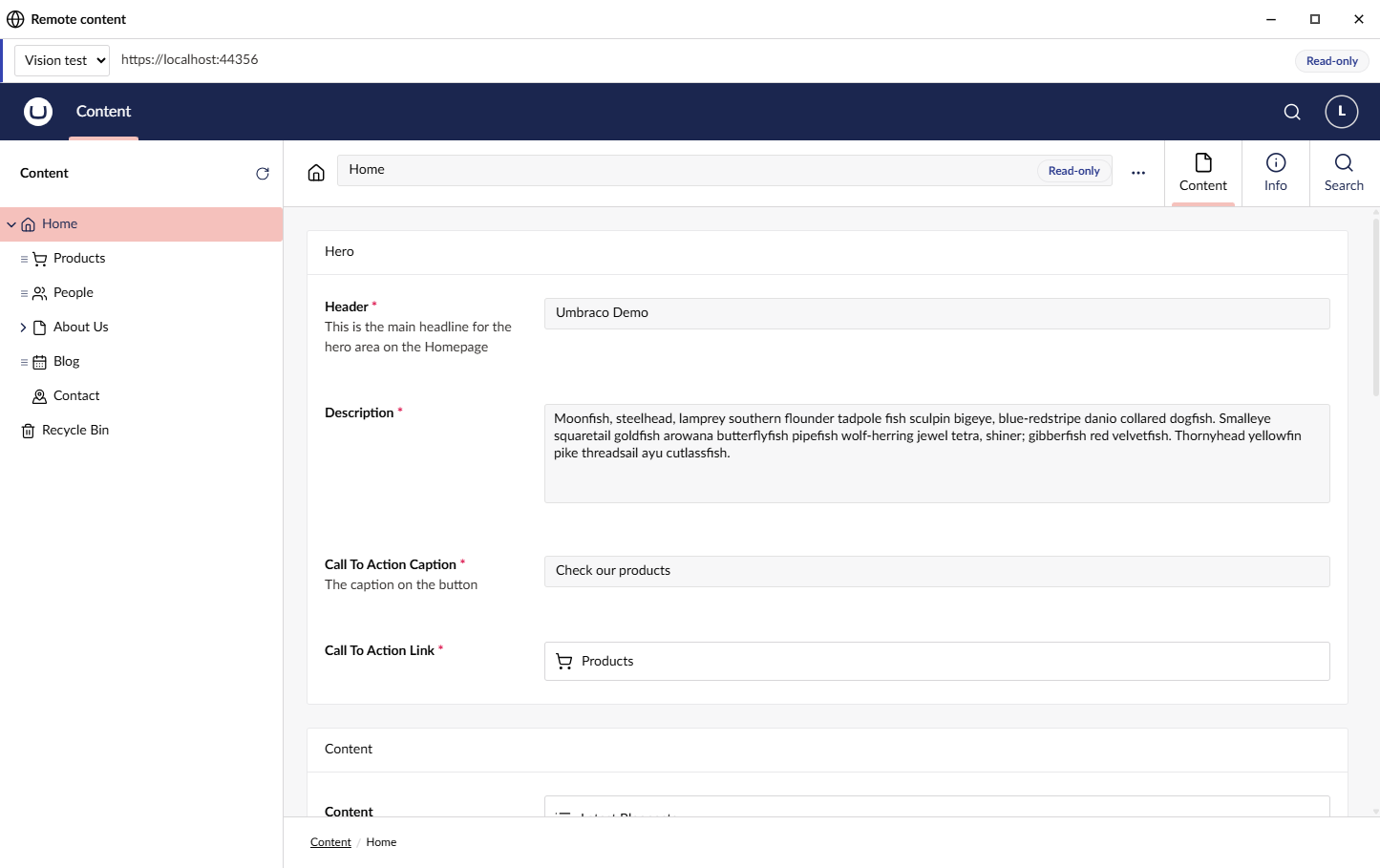
This is experimental for a reason, because I have yet to see how well this works in real life. Only the data comes from the remote instance, the property editors and all Umbraco UI components are from the local UmbraDesktop instance. This means that you can have version mismatches and if a property editor that is used on the remote instance does not exist on the local instance, it will only show raw JSON. Nevertheless, if this works well enough, it’s a tool where you can easily check some content from other instances.
Small improvements and utilities
- Your profile gets migrated to the database on first boot. This means that your profile follows you between browsers and machines on that Umbraco instance. The only exception is ‘boot to desktop’. You need to access the desktop manually once per browser before this settings takes effect. You’ll see a splash screen and message when your data is migrated.
- The taskbar now has a button for ‘full screen’. This makes the UmbraDesktop full screen, like pressing F11 on a browser on a Windows machine. This icon can be disabled in settings
- Windows can now be properly dragged on a touch screen without a mouse.
- Thanks to @suedeapple, by default, your window state is now stored per session. So an accidental F5 will reopen all your active windows. Where applicable, it will remember state, like solitaire. In the settings, you can change this to: none (in case you really hate yourself), or ‘always’, where you windows will be remembered between sessions in the same browser.
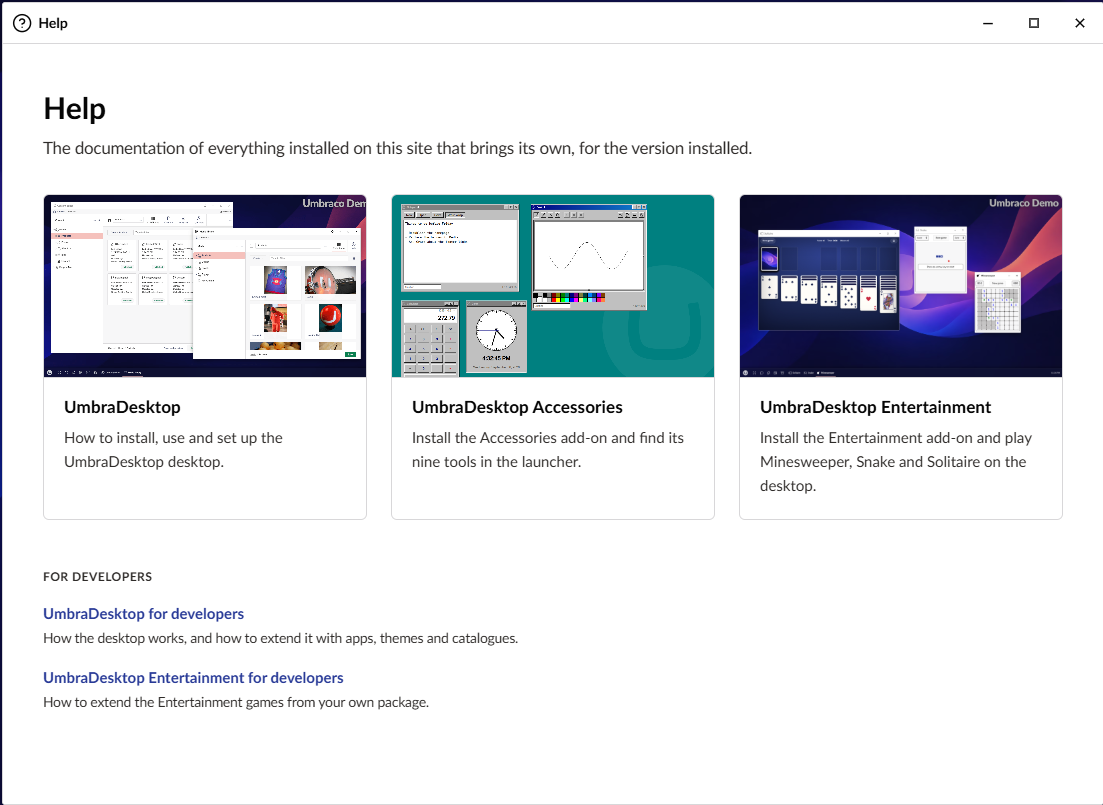
- The documentation has now been reworked and added as a ‘help’ app in UmbraDesktop. It features documentation for editors (how to use it) and developers (who do I create my own addon packages).
Technical stuff
- Packages can now bring their own catalogue definition. The catalogue defines the apps and groups on the launcher. Before this change, the only way to add a catalogue was to create a pull request into this repository. So that’s no longer needed.
What’s Changed
- [ENTERTAINMENT] Add Snake to the Entertainment games by @suedeapple in [ENTERTAINMENT] Add Snake to the Entertainment games - Pull Request #82 - Luuk1983/Umbraco.Community.UmbraDesktop - GitHub
- Add a full screen button to the taskbar by @suedeapple in Add a full screen button to the taskbar - Pull Request #90 - Luuk1983/Umbraco.Community.UmbraDesktop - GitHub
- Store desktop settings on the user account (#29) b@Luuk1983 @Luuk1983 in Store desktop settings on the user account (#29) - Pull Request #92 - Luuk1983/Umbraco.Community.UmbraDesktop - GitHub
- Let a package bring its own catalogue (#85)@Luuk1983by @Luuk1983 in Let a package bring its own catalogue (#85) - Pull Request #95 - Luuk1983/Umbraco.Community.UmbraDesktop - GitHub
- Show the site’s name on the desktop (#9@Luuk1983) by @Luuk1983 in Show the site's name on the desktop (#93) - Pull Request #96 - Luuk1983/Umbraco.Community.UmbraDesktop - GitHub
- Add attached windows and the live preview (#94@Luuk1983 #21) by @Luuk1983 in Add attached windows and the live preview (#94, #21) - Pull Request #98 - Luuk1983/Umbraco.Community.UmbraDesktop - GitHub
- Fix touch input: windows can’t be dragged by tou@Luuk1983h (#97) by @Luuk1983 in Fix touch input: windows can't be dragged by touch (#97) - Pull Request #99 - Luuk1983/Umbraco.Community.UmbraDesktop - GitHub
- Show a notification once on the desktop, not once in every wi@Luuk1983dow (#72) by @Luuk1983 in Show a notification once on the desktop, not once in every window (#72) - Pull Request #100 - Luuk1983/Umbraco.Community.UmbraDesktop - GitHub
- Record what the media drag and paste s@Luuk1983ike found by @Luuk1983 in Record what the media drag and paste spike found - Pull Request #107 - Luuk1983/Umbraco.Community.UmbraDesktop - GitHub
- Let users arrange their la@Luuk1983ncher (#59) by @Luuk1983 in Let users arrange their launcher (#59) - Pull Request #106 - Luuk1983/Umbraco.Community.UmbraDesktop - GitHub
- Reopen the windows you had open when you come back by @suedeapple in Reopen the windows you had open when you come back - Pull Request #102 - Luuk1983/Umbraco.Community.UmbraDesktop - GitHub
- Add Remote content: another instance’s content, r@Luuk1983ad-only (#105) by @Luuk1983 in Add Remote content: another instance's content, read-only (#105) - Pull Request #110 - Luuk1983/Umbraco.Community.UmbraDesktop - GitHub
- Give an app window keyboard focus whenever it becomes active by @suedeapple in Give an app window keyboard focus whenever it becomes active - Pull Request #91 - Luuk1983/Umbraco.Community.UmbraDesktop - GitHub
- Turn the README into a landing page and move the docs @Luuk1983nto guides (#78) by @Luuk1983 in Turn the README into a landing page and move the docs into guides (#78) - Pull Request #113 - Luuk1983/Umbraco.Community.UmbraDesktop - GitHub
- Add the Accessories add-on: Notepad, Paint, Calculator, Clock and more by @suedeapple in Add the Accessories add-on: Notepad, Paint, Calculator, Clock and more - Pull Request #88 - Luuk1983/Umbraco.Community.UmbraDesktop - GitHub
- Add Solitaire to the Ente@Luuk1983tainment package by @Luuk1983 in Add Solitaire to the Entertainment package - Pull Request #116 - Luuk1983/Umbraco.Community.UmbraDesktop - GitHub
- Add the Help app: installed packages’ docs o@Luuk1983 the desktop (#55) by @Luuk1983 in Add the Help app: installed packages' docs on the desktop (#55) - Pull Request #117 - Luuk1983/Umbraco.Community.UmbraDesktop - GitHub
- Prepare@Luuk1983the 17.3.0 release by @Luuk1983 in Prepare the 17.3.0 release - Pull Request #118 - Luuk1983/Umbraco.Community.UmbraDesktop - GitHub
- 17.3.0 screenshots: launcher retake and an all-games@Luuk1983Entertainment shot by @Luuk1983 in 17.3.0 screenshots: launcher retake and an all-games Entertainment shot by Luuk1983 · Pull Request #120 · Luuk1983/Umbraco.Community.UmbraDesktop · GitHub
New Contributors
- @suedeapple made their first contribution in [ENTERTAINMENT] Add Snake to the Entertainment games by suedeapple · Pull Request #82 · Luuk1983/Umbraco.Community.UmbraDesktop · GitHub
Full Changelog: Comparing v17.2.0...v17.3.0 · Luuk1983/Umbraco.Community.UmbraDesktop · GitHub