Hi all,
I’m getting a really annoying error on my Umbraco v10.6.1 installation for a client of ours. It’s running on Azure in a loadbalanced environment.
At least once a day the website crashed and comes in a state that it doesn’t work anymore. The only solution that works at that moment is to manually restart the instance of the website in the Azure portal.
The website is running on two frontend instances. We’ve set the settings according to the documentation on docs.umbraco.com (Load Balancing Azure Web Apps | CMS | Umbraco Documentation).
So it’s setup like this:
 "Umbraco": {
    "CMS": {
      "Hosting": {
        "LocalTempStorageLocation": "EnvironmentTemp"
      },
      "Global": {
        "Id": "xxxxxxx-6c7a-47cb-9b1d-8200f7b7dfe2",
        "UseHttps": true,
        "VersionCheckPeriod": 0,
        "TimeOut": "12:00:00",
        "ReservedPaths": "~/app_plugins/,~/install/,~/mini-profiler-resources/,~/umbraco/,~/_api/,",
        "SanitizeTinyMce": true,
        "Smtp": {
          "From": [email protected]
        },
        "DatabaseServerMessenger": {
          "MaxProcessingInstructionCount": 1000,
          "TimeBetweenPruneOperations": "00:01:00",
          "TimeBetweenSyncOperations": "00:00:05",
          "TimeToRetainInstructions": "2.00:00:00"
        },
        "MainDomLock": "FileSystemMainDomLock"
      },
      "Examine": {
        "LuceneDirectoryFactory": "TempFileSystemDirectoryFactory"
      },
}
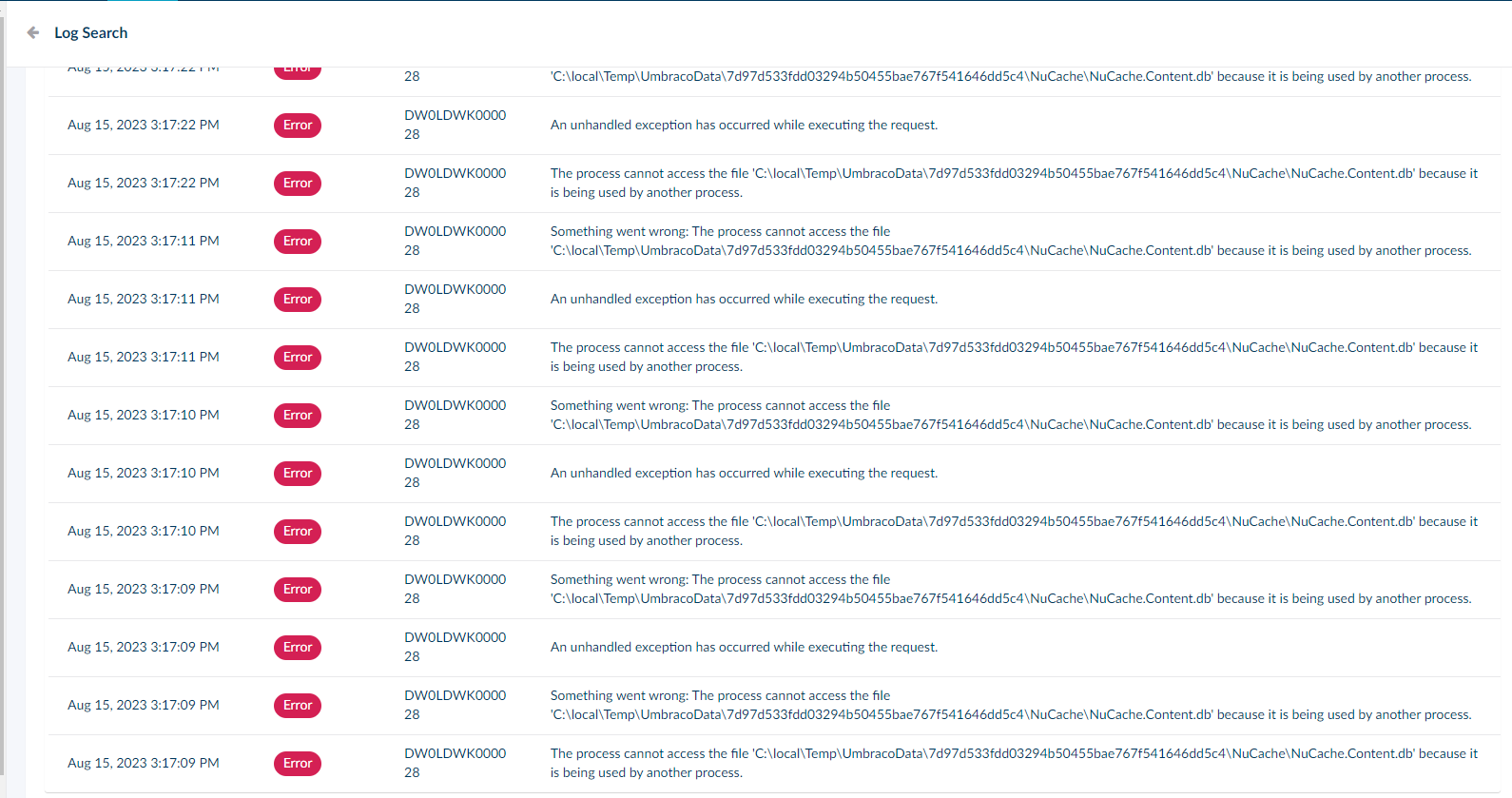
When the site crashes it gives us the following error message:
System.IO.IOException: The process cannot access the file 'C:\local\Temp\UmbracoData\7d97d533fdd03294b50455bae767f541646dd5c4\NuCache\NuCache.Content.db' because it is being used by another process.
   at Microsoft.Win32.SafeHandles.SafeFileHandle.CreateFile(String fullPath, FileMode mode, FileAccess access, FileShare share, FileOptions options)
   at Microsoft.Win32.SafeHandles.SafeFileHandle.Open(String fullPath, FileMode mode, FileAccess access, FileShare share, FileOptions options, Int64 preallocationSize)
   at System.IO.Strategies.OSFileStreamStrategy..ctor(String path, FileMode mode, FileAccess access, FileShare share, FileOptions options, Int64 preallocationSize)
   at System.IO.Strategies.FileStreamHelpers.ChooseStrategy(FileStream fileStream, String path, FileMode mode, FileAccess access, FileShare share, Int32 bufferSize, FileOptions options, Int64 preallocationSize)
   at System.IO.FileStream..ctor(String path, FileMode mode, FileAccess access, FileShare share, Int32 bufferSize, FileOptions options)
   at CSharpTest.Net.IO.TransactedCompoundFile..ctor(Options options)
   at CSharpTest.Net.Storage.BTreeFileStoreV2..ctor(Options options)
   at CSharpTest.Net.Collections.BPlusTree`2.OptionsV2.CreateStorage()
   at CSharpTest.Net.Collections.BPlusTree`2.NodeCacheBase..ctor(BPlusTreeOptions`2 options)
   at CSharpTest.Net.Collections.BPlusTree`2.NodeCacheNone..ctor(BPlusTreeOptions`2 options)
   at CSharpTest.Net.Collections.BPlusTree`2..ctor(BPlusTreeOptions`2 ioptions)
   at CSharpTest.Net.Collections.BPlusTree`2..ctor(OptionsV2 optionsV2)
We’ve tried everything that we know, but still the websites keeps crashing. Hopefully an Umbraco genius can help me out with some pointers where to look or how to debug, or with some other useful insights!
Of course rewarded with a huge amount of Karma and unlimited chocolate if you want  <3!
<3!
Kindest regards, and appreciate any help,
Jeffrey - Perplex Digital
This is a companion discussion topic for the original entry at https://our.umbraco.com/forum/112444-systemioioexception-the-process-cannot-access-the-file-clocaltempumbracodatanucachenucachecontentdb