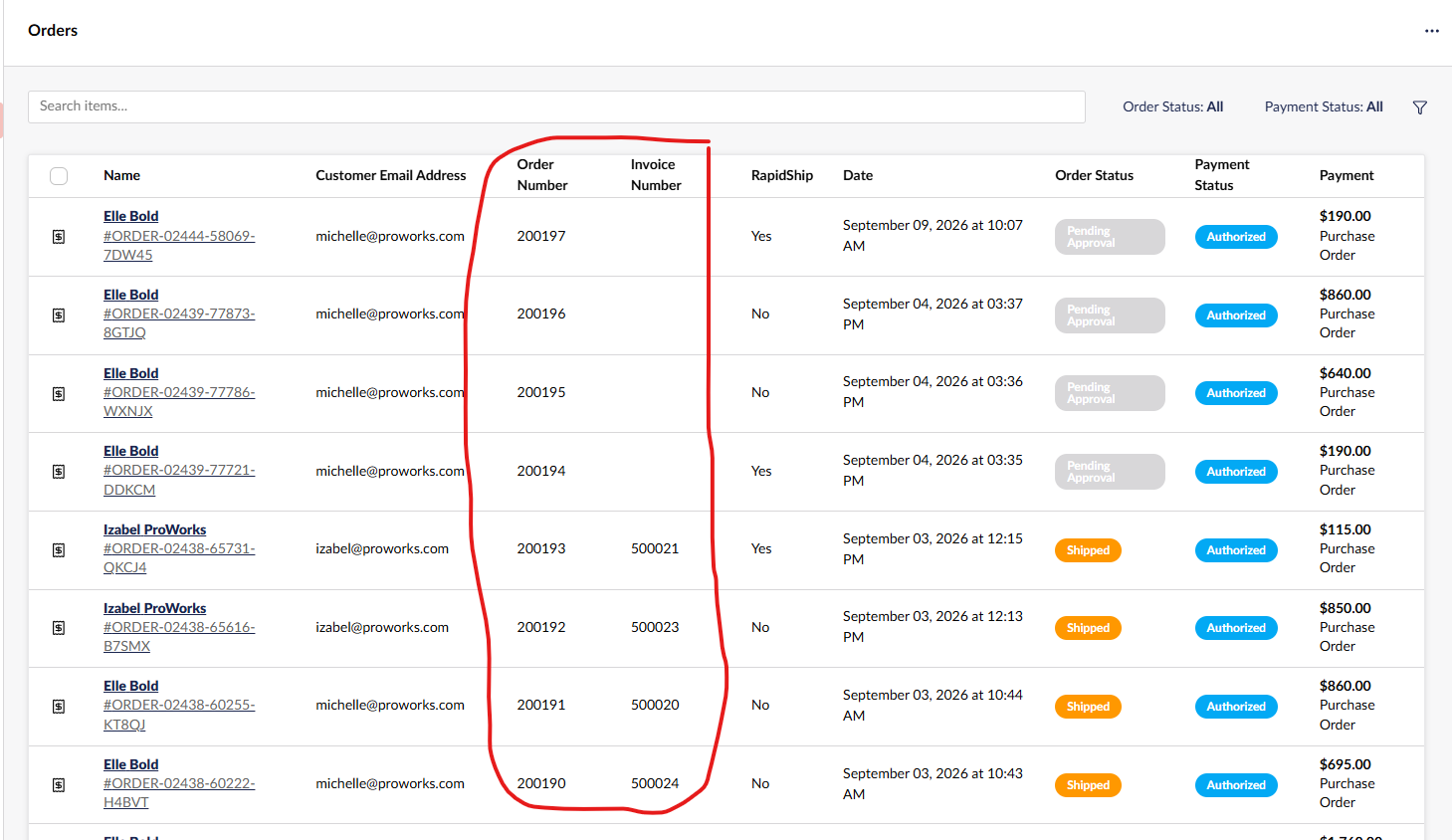
I have a couple of custom fields that are being displayed in the Commerce → Orders list/view in the backoffice and I would like the search to search within these fields. I would also like to add these fields to the advanced filter. Is this possible?
In this screenshot, I would like to be able to search the Order Number (which is a custom field, not the built in order number) and the invoice number columns:
I used AI to look into this and here’s the response. Hopefully that gives you enough information to get you started:
For the advanced filter there’s an OrderAdvancedFilterBase you can inherit from, decorated with an [AdvancedFilter] attribute and registered via builder.WithUmbracoCommerceBuilder().WithOrderAdvancedFilters(). In the Apply method you use the HasProperty specification against your property alias. It isn’t documented anywhere that I can find, but there’s a working example here: Custom OrderAdvancedFilter is really slow compared to the other filter bases . Worth noting the attribute changed at v14, EditorView/EditorConfig became EditorUiAlias, so check what version you’re on.
The search box is a separate thing. There’s an OrderSearchingNotification that fires during an order search and is meant to let you modify the search parameters ( List of notification events | Commerce | Umbraco Documentation ). That’s where I’d start for getting the top search to look at your fields, though I haven’t tried it myself for this.
One thing before you sink time into it: filtering on order properties is noticeably slower than the built in filters, and there’s an open issue about timeouts on bigger order tables ( Timeouts when searching for orders · Issue #784 · umbraco/Umbraco.Commerce.Issues · GitHub ). Fine on a small store, but if you’ve got volume you may want those two values somewhere indexed instead.