nuCache keeps locking and examine indexes break
we’ve set up the configurations for umbraco sites on azure web apps as recommended Running Umbraco On Azure Web Apps | Umbraco CMS
we believe this could be a bigger issue with Umbraco itself
nuCache keeps locking and examine indexes break
we’ve set up the configurations for umbraco sites on azure web apps as recommended Running Umbraco On Azure Web Apps | Umbraco CMS
we believe this could be a bigger issue with Umbraco itself
Do you have multiple instances or Umbraco connected to the same database?
What version of Umbraco are you running ? There was a bug in Examine that was fixed just recently. Umbraco 13.9.0 got the fix with Examine 13.7.1
@Luuk database is only being used by 1 instance.
@gardarthorsteins current Umbraco is 13.9.2 and Examine is 3.7.1
Have you checked that the settings you’ve applied are those in play?
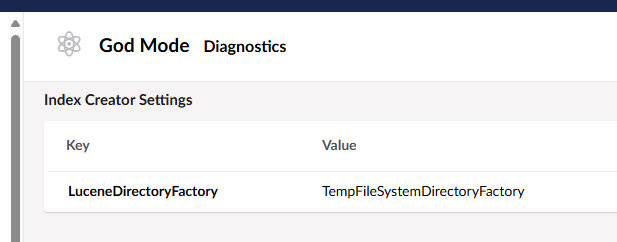
Easiest way to check them all.. is to use diagnostics dashboard in Diplo God Mod | Umbraco Marketplace.. Then you know Umbraco is actually running what you are expecting from your appsettings/config values set on the azure portal… and nothing is overriding anything along the way?
@SeanTarrant A couple of things to check:
Aside from this, I try to disable/avoid having Examine running at all on Azure if I can help it. The implementation causes so many hosting issues, so I feel your pain.