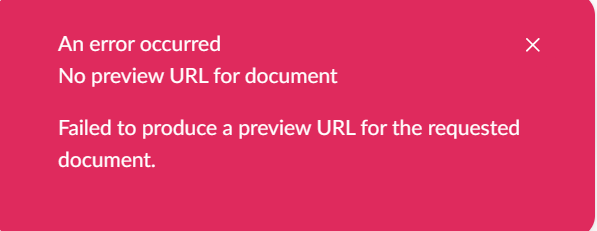
I have followed the Additional Preview Environments Support article, and my preview feature is working successfully. The issue I’m running into is that the default preview functionality is still running, and throws an error when the preview displays. My IUrlProvider implementation is setup correctly, and I am using the correct alias in my manifest, which consists of the following:
{
name: "Custom URL Preview Option",
alias: "Custom.Extensions.CustomUrl.PreviewOption",
type: "workspaceActionMenuItem",
kind: "previewOption",
forWorkspaceActions: "Umb.WorkspaceAction.Document.SaveAndPreview",
weight: 101,
meta: {
icon: "icon-umbraco",
label: "#customUrl_saveAndPreviewLabel",
urlProviderAlias: "customUrlProvider",
}
}
I receive the JavaScript error in the console of:
[UmbTryExecuteController] Error in request: UmbApiError: Failed to produce a preview URL for the requested document.
There is a request by client.get.ts that sends back a 400 Bad Request. The URL it attempts to access is:
As you can see, the umbDocumentUrlProvider (the default) is still trying to load a preview. In my Composer, I have the following:
builder.UrlProviders()
.Clear()
.Append<CustomUrlProvider>();
I’ve also tried:
builder.AddUrlProvider<CustomUrlProvider>();
This also does not prevent the default provider from running.
I’m wondering if anyone else has had this issue, and how to overcome it. I know I could tell my users to ignore the error, since the preview is still working, but someone is eventually going to give me pushback on the error being displayed (or blame the error is something fails on the website).
Thank you for any advice or help, I appreciate it.
Error display: