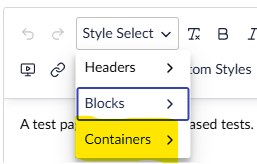
Although I’m able to add an additional custom styles dropdown by creating an umbraco-package.json with the appropriate config, I’m wondering whether it is also possible to remove certain options from the out-the-box Style Select dropdown? E.g. by default it gives me Headers, Blocks and Containers. I’d like to hide/remove the Containers option if this is possible as our editors will not require it.
I think you may be able to add a new item and then configure it yourself accordingly.
Create the file under the path (if not already created) App_Plugins\customStyleMenu\umbraco-package.json.
Once created add the below json to get you started:
{
    "name": "Custom Style Menu",
    "alias": "Custom.StyleMenu",
    "extensions": [
        {
            "type": "tiptapToolbarExtension",
            "kind": "styleMenu",
            "alias": "Custom.Tiptap.StyleMenu",
            "name": "My Custom Styles",
            "meta": {
                "label": "My Style Select",
                "icon": "icon-palette"
            },
            "items": [
                {
                    "label": "Headings",
                    "items": [
                        {
                            "label": "Heading 2",
                            "data": { "tag": "h2" }
                        },
                        {
                            "label": "Heading 3",
                            "data": { "tag": "h3" }
                        }
                    ]
                }
            ]
        }
    ]
}
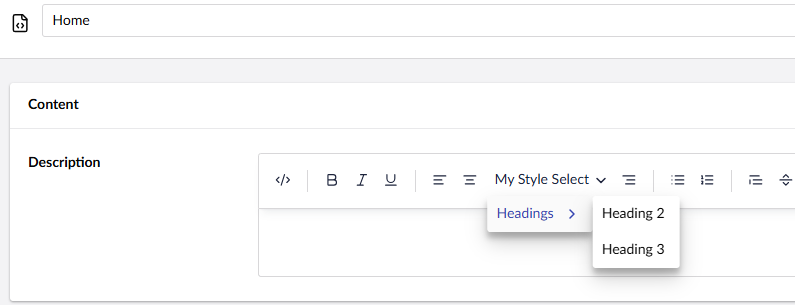
Once added go to your Data Types section under Settings and look for Richtext editor. You will now see the new option created above (with the items required), in this case My Style Select.

Select the new item and save. Go back to your page with the RTE and you will see the new item as below: