Hi there, this is my first question in this forum.
I’ve created a new app using Umbraco 16.1.1 and i’ve created several partial views.
one of them is a sidebar view which gets the links from the backoffice and then map them to an actual sidebar.
I’m gonna paste here the code.
@inherits UmbracoViewPage
@using ContentModels = Umbraco.Cms.Web.Common.PublishedModels

@{
    var homePage = Model.AncestorOrSelf<ContentModels.Home>();
    var logo = homePage?.Value<IPublishedContent>("siteLogo");
    var navLinks = homePage?.Children().Where(x => !x.Value<bool>("hideFromTopNavigation"));
    var currentPageId = Model?.Id;
}

<div class="offcanvas offcanvas-start custom-sidebar" data-bs-scroll="true" data-bs-backdrop="false" tabindex="-1" id="offcanvasScrolling" aria-labelledby="offcanvasScrollingLabel">
    <div class="offcanvas-header">
        <a class="navbar-brand" href="@homePage?.Url()">
            @if (logo != null)
            {
                <img class="px-lg-3 py-3 py-lg-4" src="@logo.Url()" alt="@homePage?.Name" />
            }
            else
            {
                @Umbraco.GetDictionaryValue("Navigation.SiteName")
            }
        </a>
        <button type="button" id="closeSidebarBtn" class="btn-close btn-close-white d-block d-xl-none" aria-label="Close"></button>
    </div>
    <div class="offcanvas-body">
        <nav class="text-white">
            <ul class="navbar-nav py-4 py-lg-0">
                <li class="nav-item">
                    <a class="nav-link sidebar-link px-lg-3 py-3 py-lg-4 @(currentPageId == homePage?.Id ? "active-link" : "")" href="@homePage?.Url()">
                        @homePage?.Name
                    </a>
                </li>
                @foreach (var page in navLinks ?? [])
                {
                    var linkUrl = page.Value<Umbraco.Cms.Core.Models.Link>("redirectUrl")?.Url ?? page.Url();
                    var linkTarget = page.Value<Umbraco.Cms.Core.Models.Link>("redirectUrl")?.Target;
                    var isActive = currentPageId == page.Id;
                    <li class="nav-item">
                        <a
                            class="nav-link sidebar-link px-lg-3 py-3 py-lg-4 @(isActive ? "active-link" : "")"
                            href="@(linkUrl)"
                            target="@(linkTarget)"
                        >
                            @(page.Name)
                        </a>
                    </li>
                }
            </ul>
        </nav>
    </div>
</div>
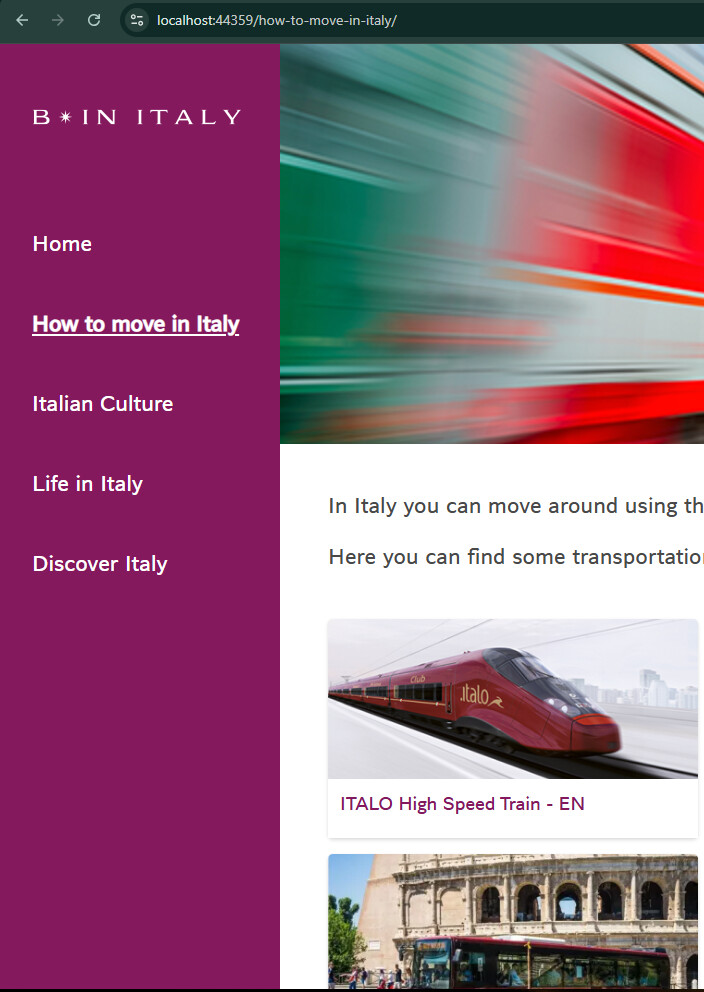
on localhost the code works just fine, when changing page i can see the correct nav item highlighted
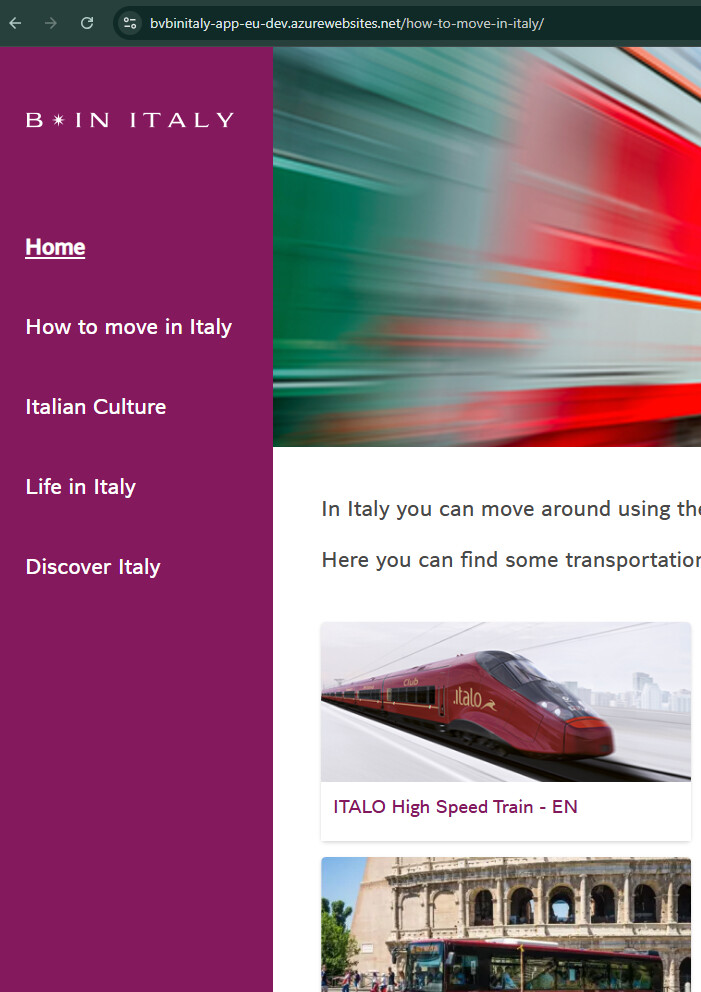
while the released version on dev ( azure deploy ) doesn’t work, it keep showing home as the current selected page even when im not there
localhost
dev
Do you have any suggestions about why this is happening?
thx to everyone that will try to help!
 That way we’re sure that it isn’t a bug that was fixed in subsequent patch versions.