I’m using 7.12.3
When I hit preview I don’t get a preview page.
When I look at sources in the inspector I see that the /umbraco part of the URL is missing.
There’s a lot of URL rewriting going on with the site and I’d assume that’s the problem however I’d assume that for example where I’m getting for example:
http://myurl.com/assets/css/canvasdesigner.css
If this were due to rewriting if I typed:
http://myurl.com/umbraco/assets/css/canvasdesigner.css
the URL would be written to
http://myurl.com/assets/css/canvasdesigner.css
It’s not, it serves the CSS file as expected.
Any other ideas as to what could be the cause of this?
The URLs from the page source of the page:
http://myurl.local/umbraco/preview?id=41703
are
<link href="../assets/css/canvasdesigner.css" type="text/css" rel="stylesheet" />
<link href="../lib/spectrum/spectrum.css" type="text/css" rel="stylesheet" />
<link href="../lib/jquery-ui/jquery-ui-1.10.4.custom.min.css" type="text/css" rel="stylesheet" />
any suggestions greatfully appreciated.
The changed parts of the app settings in the web.config which are not standard are
    <add key="umbracoHideTopLevelNodeFromPath" value="false" />
    <add key="umbracoUseDirectoryUrls" value="true" />
Is probably worth mentioning that this is an upgrade from a 7.4 site
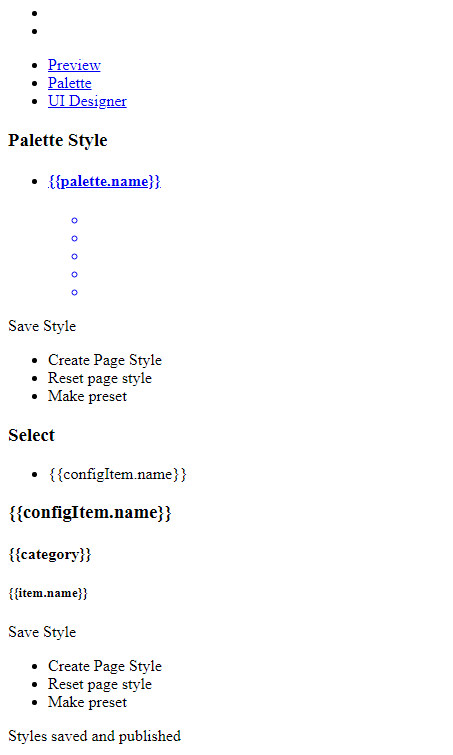
& also that this is what it looks like:
This is a companion discussion topic for the original entry at https://our.umbraco.com/forum/93845-preview-not-working