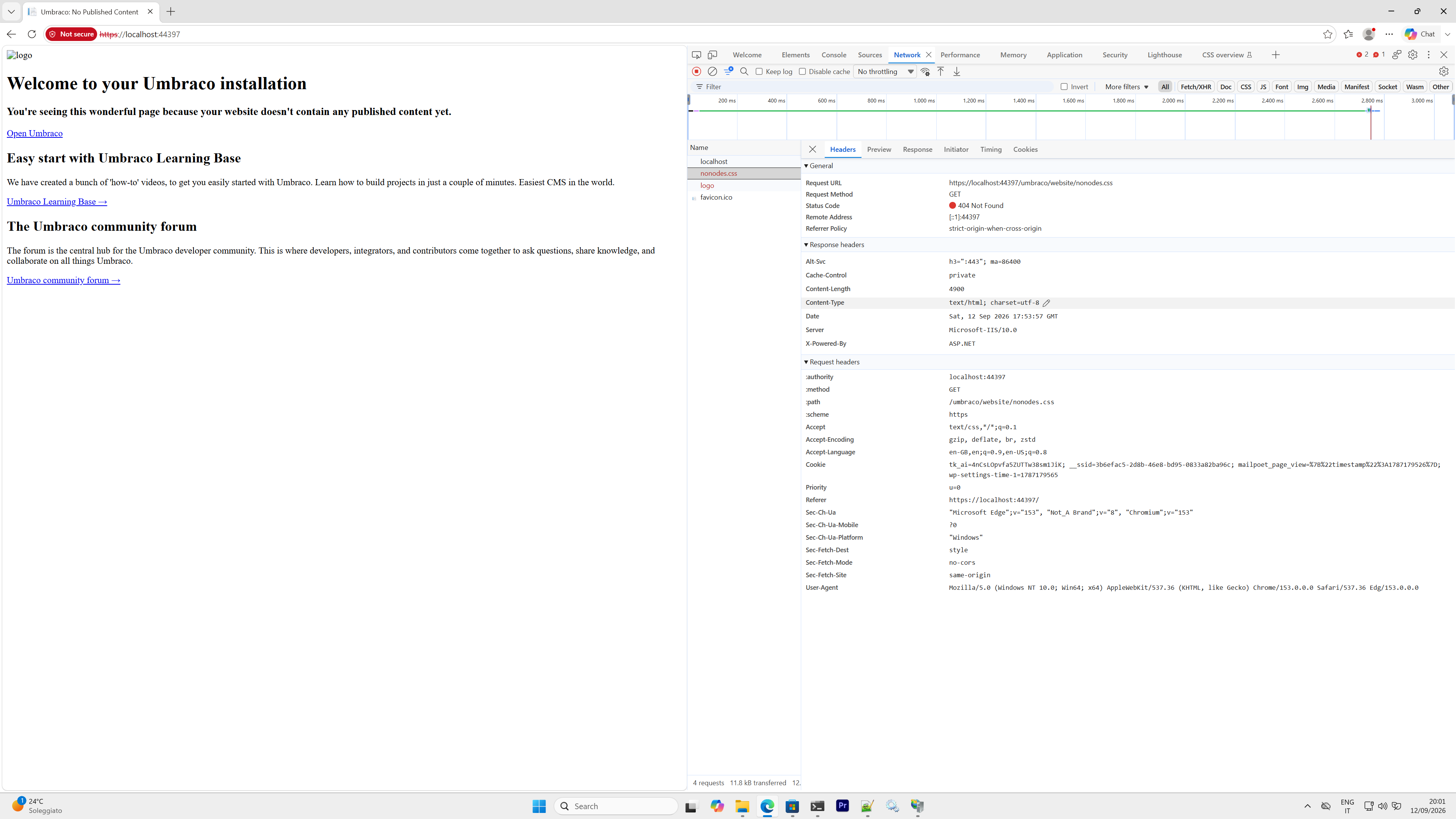
I have just created project with the latest Umbraco 18.1.1 version and in Visual Studio the site works perfectly, whereas when I deploy it to IIS server on Windows 11 it does not load any image or css. As far as I can see from the network tab of the browser, they are not retrieved because the virtual dynamic path /umbraco does not get mapped…does anybody know why ? Some permissions are missing ?
If I read your question correctly you are trying to run locally in iis express and iis full from the same location… usually in c:\users\USERNAME.…
Then might be the application pool user in iis full doesn’t have the read permissions to your user folder location…
quick check…
Open IIS Manager, go to Application Pools, and select the pool your Umbraco site uses. Click Advanced Settings and change the Identity from ApplicationPoolIdentity to LocalSystem or your specific Windows user account.
But you should really have a dedicated application pool account and have the files in a location that is readable by that account.
Also check..
In the Application Pool settings, make sure the .NET CLR Version is set to No Managed Code (since ASP.NET Core runs out-of-process or in-process as a native handler module, not on the old IIS managed pipeline).
Hello + welcome friend!
I’m not certain exactly how you have the webroot setup (where IIS is pointing) but I would NOT expect the /umbraco/ directory to be a part of your path for your css resources.
Typically there would be some directory inside of wwwroot\css which would then be served on the front-end with the path css/ or similar.
So - hopefully that is enough of a finger pointing to get started in the right direction?
If not - give us some more details and we’ll be here to get your squared up.
Thank you for your answer, everything installed was fine, it was not a permission problem, but a duplicated umbraco folder, see my other reply below
p.s. Setting the identity of an application pool to LocalSystem is like being a KAMIKAZE from a security viewpoint, just do it only for testing, the app pool should run with the virtual application pool identity
Found the issue thanks to a one-hour dialogue with AI. The problem is that there are two umbraco folders:
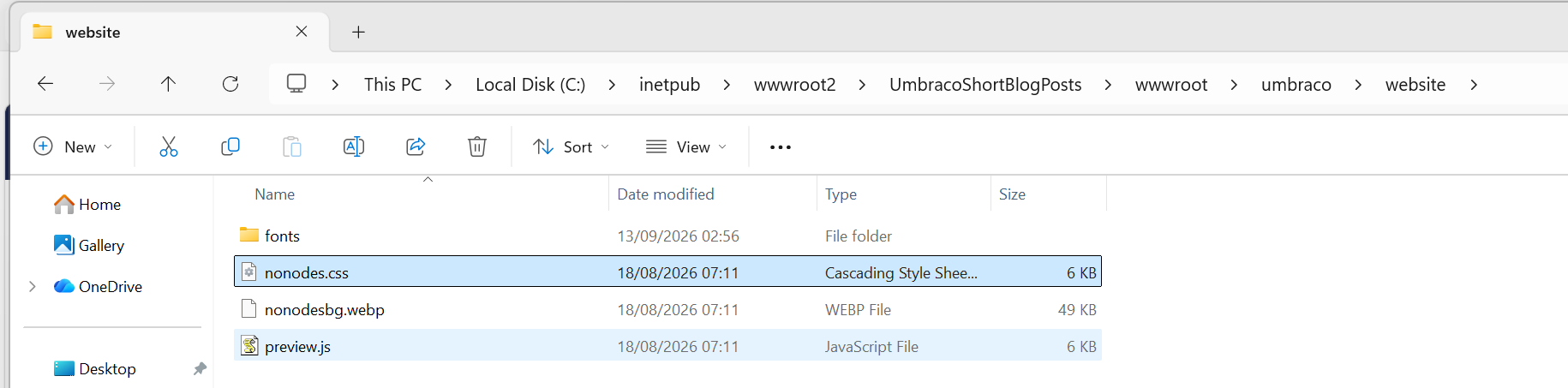
One inside WebRootPath (default ASP. NET folder for static resources), e.g. <umbraco publish folder>\wwwroot\umbraco , this is where the css is (<umbraco publish folder>\wwwroot\umbraco\website\nonodes.css )
Another inside the ContentRootPath <umbraco publish folder>\umbraco. This folder is not created by dotnet publish, but it is automatically created when you start the application for the first time, it contains 2 folders: Logs and Data
On IIS Express everything works fine, e.g https://localhost:44397/umbraco is mapped to <umbraco publish folder>\wwwroot\umbraco
On IIS it is instead mapped on <umbraco publish folder>\umbraco, and this breaks everything (you can check this by enabling Directory Browsing on IIS for the website)
To solve this I forced the location umbraco not to be managed by IIS, but by Kestrel by tweaking the web.config in this way (you can add the file below to your Visual Studio Umbraco project to get it deployed automatically on publish).
It works, but I still wonder why the logs are created inside folder <umbraco publish folder>\umbraco and not inside <umbraco publish folder>\wwwroot\umbraco, maybe there is an issue with physical path resolution or maybe it is fine and it is IIS Express which ignores the folder inside ContentRootPath.
That’s odd - I’ve never had to do that on IIS to get Umbraco working…
The umbraco folder in your content root is for the Umbraco logs and temp data - none of which should be publically accessible. The wwwroot/umbraco folder is the public assets for the backoffice. This is normal and should have worked for you without needing to add that section to the web.config.
I can only think that your IIS has something configured that is interfering with normal requests?