I been having issues with Umbraco Hubspot packages and the way everything is setup, what is on the marketplace and what is on git and the setup etc, I think I have come across this a bit more.
Verification:
You guys are right, it is a bit tricky but I think there are some steps you can make.
If something is verified, with every update you would need to verify and a package verified that is not supported on a new version would also be out dated.
- If a package is updated it looses the verified status
- If Significant Umbraco version comes out it would loose validation
The effort to validate though would be a bit hit and miss if everyone is not keeping up to date. It seems quite straight forward on the face of it. Umbraco staff can veirfy and that is something right away, People logged in with the community, certain age you see a smiley face verify or sad face for not. Click sad face you have a thing you can put down to why. But like I said, keeping that all up is actually more complex.
I think and A.I Agent would actually be a good use case here.
Based on the reports, knowing versions and being able to read the package info the A.I Agent would be able to tag the package in the market place.
IF it was positive it is good - verified. If it looks to support the latest version of Umbraco it could indicate this but that it is not tested or confirmed by the community.
You would have a few clear tags to go near the name/version support area and similar to what Reddit does if you are a mod, you can see a summary of the person when you view them in your sub and it is pretty accurate and useful.
I think that is probably the most effective way to do it:
Version numbers in packages:
As I mentioned, I ran into the issue with Umbraco Hubspot packages recently. The marketplace, the actual version of the packages, the outdated marketplace info and how it leads to a blog post that is outdated and not current docs.
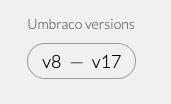
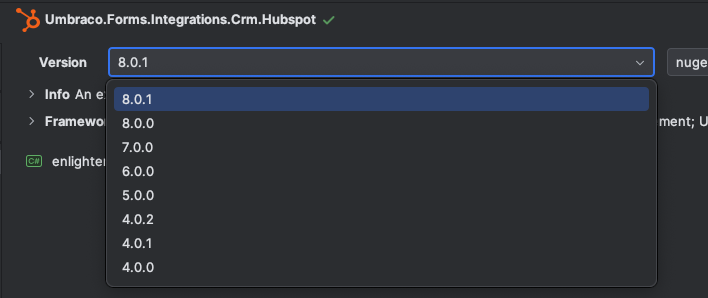
One of the Gotchas is that the latest version - 8.0 is not the main branch version in github which is 4.0. That is for Umbraco 8 and while in Nuget you can see Version 8, 7 etc you have no indication clearly which belong to which version of Umbraco.
This is one of the issues with the more rapid version increases of Umbraco. If any of us older folk know how 7 to 8 to 9 took and then look at going from 8 to 17.
The package setup and presentation has been updated and of course the recent back office shift as well in there.
A number of package developers nicely version their apps inline with the Umbraco version. This on the marketplace along with updated date info etc makes it easier. When in your coding app viewing nuget packages this makes it even clear. With the Umbraco Hubspot for example Version 8 does NOT work with Umbraco 16 because it is .net10. Some packages may do duel support, some do not and none of this is clear.
I think you can tell I been having package compatibility issues and the lack of info has been driving me nuts in recent weeks. Honestly, if you sat there and went through the U17 supported listings and tried a load of them - You would hit ones that are NOT quite easily!
You could have a part of the marketplace pages to properly list which version works with which but you got to nail the UX aspect and have faith people do this properly. That can be tricky.
I think it is probably easier if either STRONGLY recoemnded or made mandatory - App versions need to be at least in parity with the primary Umbraco release version.
If it is for Umbraco 17 then it should be Version 17.X….
The current root issue addressed?
This is a perfect example:
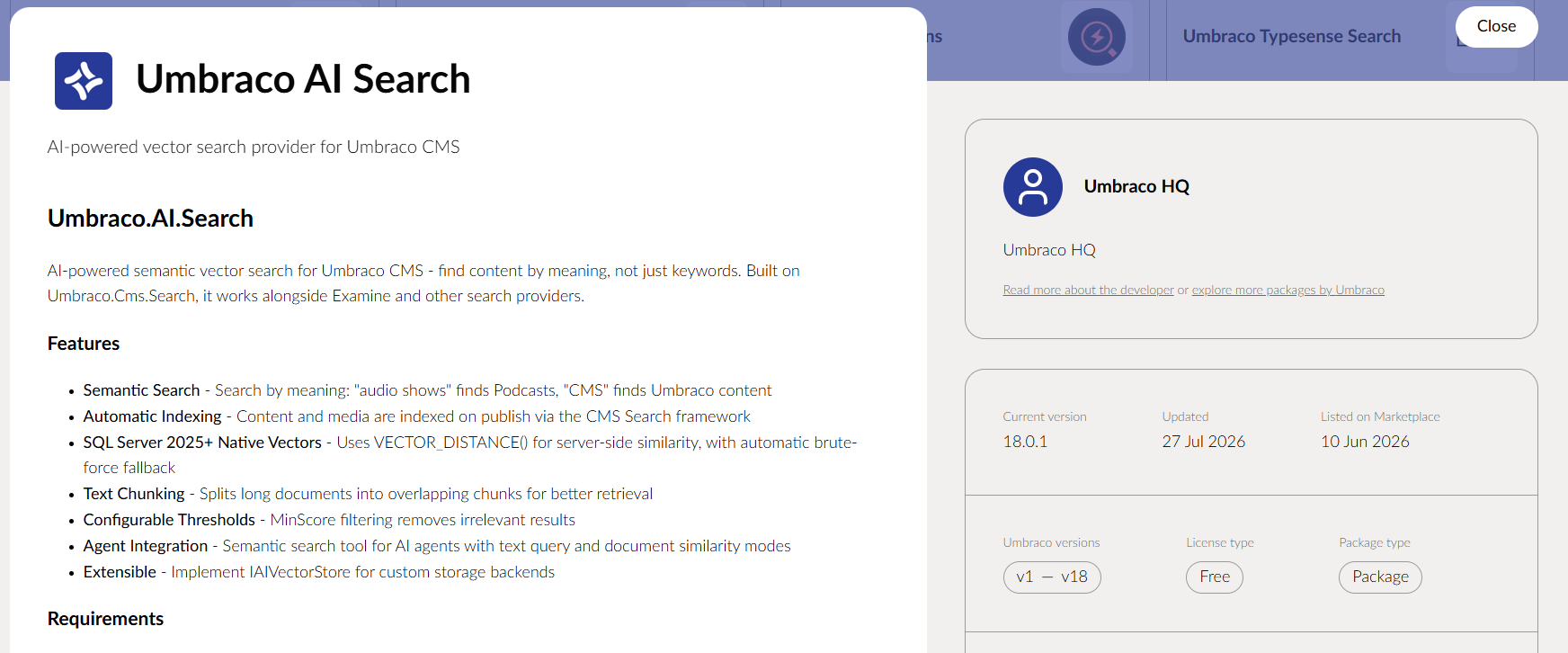
It lists U17 support. It does not. It does not work in 16 or even 15. You can clearly see in the images it does not support the new backoffice.
I contacted the developer and he had not done work to update it. He could not tell me why it says U17 support on the marketplace.
Maybe this package can be looked at and if there is anything obvious fixed?
Another issue is some developers have simply ran a .net 10 from 9 update and deployed and not tested it and it is listed as U17 but does not work.
New Back office supported:
I think this is an easy thing that can be done.
You know when the new back office launched, you could take the last update date of a package and if it is before then but listed to support an umbraco version after that - You know if you viewed the github you would see it is angular still, It WONT be comptable.
**Summary:
Based on my thoughts I think there should be a tag area on the marketplace pages for a few things for both the package and the author.
There is a clear current issue with the version numbering of packages and listings where you either do not know what Umbraco version they support or they say they support versions they do not.
A verified package option would be nice, but tricky to maintain correctly. An A.I Agent may be helpful for such a feature.
Thanks all**
 (
(