I upgraded an umbraco instance from v13 to v17. After solving the usual problems with database migrations, the back office doesn’t show me any documents.
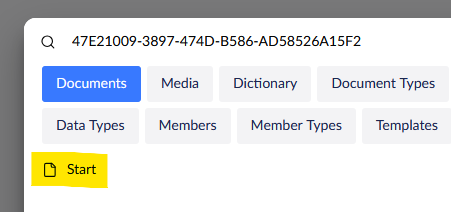
So I searched for a certain document key. The search dialog shows me the page:
I was logged in with the admin account (the one with the id -1). The account is member of the Administrators group and the Sensible Data group. There are no start nodes defined, no granular permissions etc. pp. It’s just a simple administrator account.
Does anybody have an idea, how I can fix this behavior?
P.S. I run the project in Visual Studio on my development machine, so that can’t be a question of folder permissions.
I found the reason for the behavior. During the migration Umbraco messed up the building of the umbracoUserGroup2Permission table. The table was empty. All I had to do was enabling the permissions for the built in user groups. There remains the question, why the User with the id -1 doesn’t have all permissions by default. But anyway: The site works now.
I’ll tell you something better, our lovely PO once accidentally deleted the ‘adminsitrator’ group on an accentance and in that case we couldn’t get into Umbraco anymore. So yeah, the fact that it’s user -1 doesn’t actually give it any special rights, except that it’s the default user that gets created when Umbraco is created.
Strictly speaking, I shouldn’t even have had permission to set the permissions if there were no permissions set in the system. This shows that a special user account is required that can make such settings in case of an emergency.