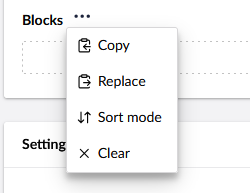
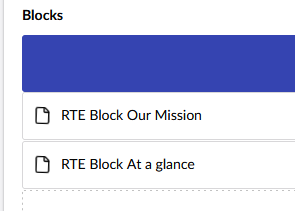
We have a migrated (from u13) 17.4.2 site where on this one block, which has a block list as a property the blocks dont show up unless you select “Sort mode”. Its really weird. Has anyone else come across this? We use the Umbraco.Community.BlockPreview plugin, but it is disabled for this specific block while we debug the issue
Check for errors: When it first loads, are you seeing any silent errors in the browser console or any failed requests in the Network tab? Check error logs as well.
Toggle Inline Editing: Turn off “Inline editing mode” for the nested Block List. Many v17 nested block bugs are isolated specifically to how the inline editor manages state.
Bypass Plugins: Temporarily disable or completely uninstall the BlockPreview package across the project. Even if disabled for that specific block, global interceptors can sometimes interfere with the native v17 rendering context.
Rebuild NuCache: Since this is a migrated site, go to Settings > Published Status and run “Rebuild Database Cache”. This ensures there isn’t any stale v13 JSON in the cache tripping up the UI.
Refresh the Data Type: Go to the affected Block List Data Type in Settings, make a trivial change, and save it to force Umbraco to regenerate the configuration schema. (Also, double-check that there are no legacy AngularJS .html custom views still attached).
If none of that helps, it is definitely worth raising an issue on the Umbraco-CMS GitHub repo.