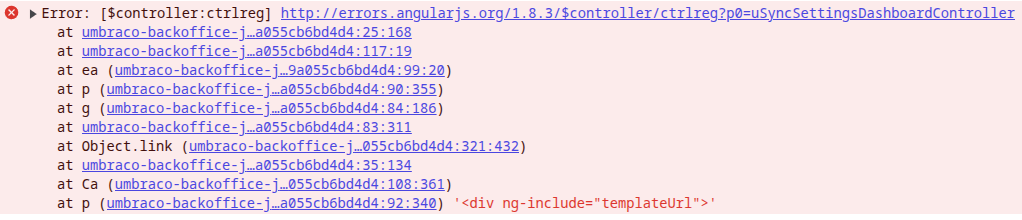
Have just upgraded to V13.9.2 from a fairly recent version. Also in the upgrade was uSync to the latest version for V13. All works locally. As I have to stop the site and FTP up the changes, I’ve uploaded all the root files and everything in the App_Plugins and wwwroot/umbraco folders.
When I try to access uSync, I get a blank pane where the dashboard should be and this in the console..
If you were to switch the file to debug, it shouldn’t merge all the files and then you might see which file is missing from the folder and get a 404. rather than the generic error from the merged umbraco-backoffice file.
This is on the Production server, which file do you mean and how would I switch it to debug? Are there files outside the folders I mentioned that need to be uploaded? I know the fashion is for everything to be in razor class files. I’m pretty sure I’ve uploaded everything that would be in the installation root.
this is a v13 so a .net core site. are you doing a dotnet publish and then copying up the files from the published directory (because that is probably where you should be getting them from)
Thanks for that. Yes, that’s what I’m doing, publishing to a local directory and then FTPing from there. Will be changing the hosting to UmbHost soon so I’ll be able CI/CD this problem away in future, lol