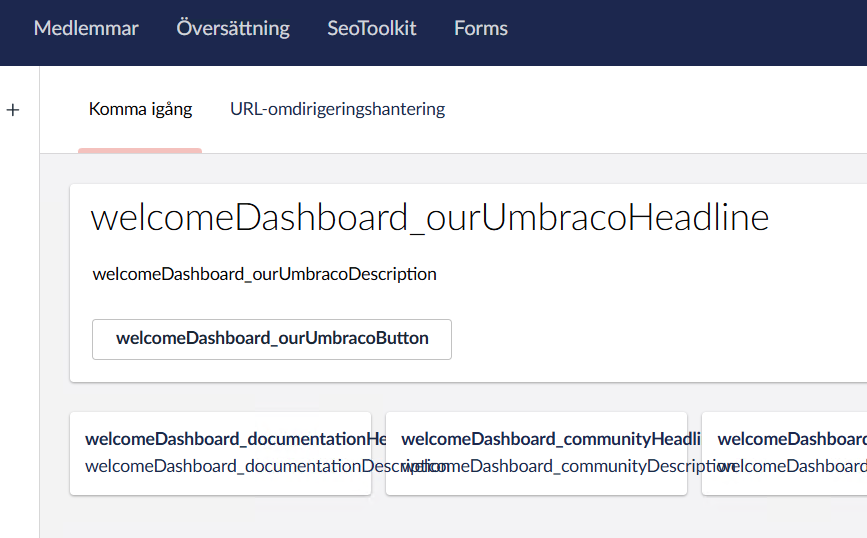
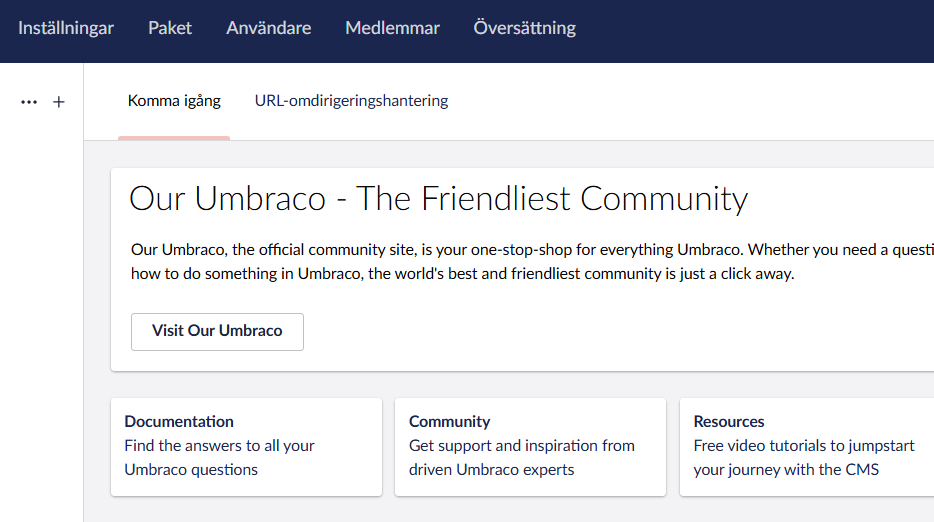
According to what I read from the docs Swedish should be supported, otherwise fallback to English should happen. So display of language keys seems like a bug, right?
Some of the Swedish texts are displayed, but many are not.
I have cleared all caches, rebuilt the solution, tried different languages settings in DefaultUILanguage appsettings (“sv”, “sv-se”, “sv-SE”).
Can you try to edit your profile settings (click the avatar, edit profile) and set your display language to English and then back to Swedish in the migrated Umbraco solution, please?
It may be that the UI language did not migrate properly, and if so, I think we have seen this bug before, so I am interested in knowing more if that’s the case.
Hi @jacob and thanks for your response. When I switch to English and back it works fine for a while. I see the English fallback. But when I log out and then log in again the problem is back.
It sounds like it is stuck. So when you change it in the profile, it is both stored in the browser memory and should be stored back into the database as well. When you log out and in again, the browser memory will be updated with the database setting. It sounds like it is not set correctly in the database, and/or that the backoffice client gets confused.
I recommend you create a quick issue over on the CMS issue tracker with a link back to this forum thread:
That would be the ”umbracoUser” table and the column ”userLanguage” for the individual user.
However, there is also the default UI language set in appsettings, but that should only apply to new users. Do check, though, that it also has a correct value. If I recall correctly, someone else had a similar issue where the value in appsettings was not placed in the correct position after migrating.
Ok. It seems like the issue was due to DefaultUILanguage set to Swedish and user profile setting was also Swedish. When backoffice did not find Swedish translation it looked for the default language as fallback which was also Swedish.
When I set DefaultUILanguage to “en-US” the fallback text is displayed properly.
I think it is still a bug, since we want our new users to have Swedish as default language. Maybe there should be a setting for FallbackUILanguage?
Oh, that is indeed an interesting finding. The fallback system is slightly more refined - or at least is supposed to be. If you set the locale to ”sv-se”, the backoffice will initially try to find any languages registered as “sv-se”. If that does not yield a result, it will try without the region code with ”sv”. If that, too, does not yield a result, it will fall back to the default Umbraco language, which is ”en”.
This is at least how it is supposed to work. You seem to have found a bug by setting both DefaultUILanguage and the user language to the same, so for some reason, it fails to go back to its third option of ”en”.
Yes. I can also confirm that the problem exist when I set up a brand new 16.2.0 site with “sv-SE” as DefaultUILanguage and user language. So it is reproducible.