we have an Umbraco v13 web application running in Azure. Recently, Microsoft notified us that the application appears to be iterating over millions of files and not properly closing file handles, which is causing significant storage-related issues.
The files in question are located in:
\Umbraco\Data\TEMP\FileUploads
I’m not entirely sure what this folder is used for in Umbraco, or under what circumstances it would grow to millions of files.
Can anyone explain the purpose of this folder, what typically writes to it, and whether this kind of growth is expected or indicative of a misconfiguration or bug?
Any insights or guidance would be greatly appreciated. Thanks!
Is it load balanced? I believe it may be used for Umbraco Forms temporarily before it moves it to a final location. Have you checked for any Forms with an upload facility to replicate the issue?
You may want to check the logs for any specific errors i.e. permission related.
I would also consider upgrading Forms if not already (keeping in mind of any challenges if you have custom themes)
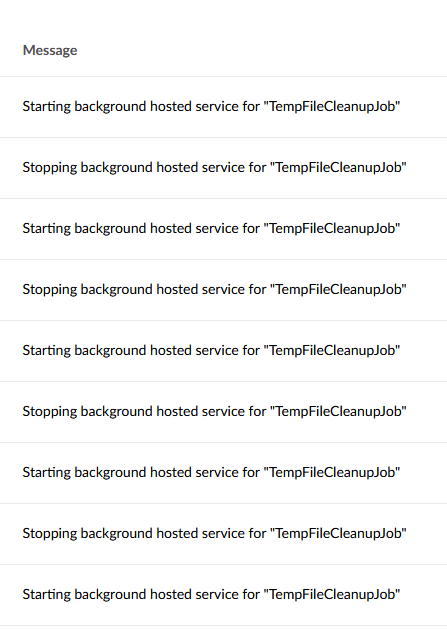
You should see in the backoffice logs if you have information level logging enabled the background service “TempFileCleanupJob” running around every hour
As stated above I would check your logs for any exceptions and/or permissions issues on your server
We’re using Umbraco Forms v13.6.0 with a file upload field.
While investigating the issue with Microsoft, we were able to confirm their findings. In our logs we see a large number of identical errors occurring within a very short time frame (many within the same minute), for example:
{“@t”:“2026-01-07T21:31:41.7973151Z”,“@mt”:“Unhandled exception in recurring background job.”,“@l”:“Error”,“@x”:“System.IO.IOException: Insufficient system resources exist to complete the requested service. : ‘C:\home\site\wwwroot\umbraco\Data\TEMP\FileUploads\1fd244d7-ca91-48e7-abb8-bd8123528822’\r\n at System.IO.Enumeration.FileSystemEnumerator1.CreateRelativeDirectoryHandle(ReadOnlySpan1 relativePath, String fullPath)\r\n at System.IO.Enumeration.FileSystemEnumerator1.MoveNext()\r\n at System.Collections.Generic.List1..ctor(IEnumerable1 collection)\r\n at System.IO.DirectoryInfo.GetFiles(String searchPattern, EnumerationOptions enumerationOptions)\r\n at Umbraco.Cms.Core.IO.IOHelper.CleanFolder(DirectoryInfo folder, TimeSpan age)\r\n at Umbraco.Cms.Infrastructure.BackgroundJobs.Jobs.TempFileCleanupJob.CleanupFolder(DirectoryInfo folder)\r\n at Umbraco.Cms.Infrastructure.BackgroundJobs.Jobs.TempFileCleanupJob.RunJobAsync()\r\n at Umbraco.Cms.Infrastructure.BackgroundJobs.RecurringBackgroundJobHostedService1.PerformExecuteAsync(Object state)”,“SourceContext”:“Umbraco.Cms.Infrastructure.BackgroundJobs.RecurringBackgroundJobHostedService”,“Log4NetLevel”:“ERROR”}
Microsoft told us that our app is: “…iterating over every file in that folder and opening a handle against it without closing any of the handles, and it’s causing problems on our storage backend affecting other tenants”.
They now moved us away from shared storage to Managed Azure Files (MAF).
I’m currently unsure about the root cause, if that was a potential an attack (Form has Antiforgery Token, Captcha with server side validation), or the TempFileCleanupJob have fallen behind for some reason, eventually being unable to keep up with the volume of files in the folder?
I’m also still not entirely clear on why uploaded files are first stored in this temporary folder and then cleaned up later. And to which permanent location are they moved?
Thanks everyone for the help so far. I’m still digging into this, so any additional thoughts or experiences are very welcome.
According to the logs your system resource ran low but that could be due to number of conditions i.e. attempting to delete the files whilst serving the site etc and temp files growing.
I would first ensure your on the correct resource plan for your site.
Can you manually delete the temp files (maybe using Kudu) and see how it goes from there.
Temp locations are generally used to ensure consistent records and security. Keeping them in a temp folder prevents malicious files from being directly accessible in the main site directory.
Are you using Azure Files for these files? And/or sharing them between instances?
If so, don’t.
These are temporary files, and should be environment specific. Storing them on Azure Files adds a massive amount of latency and CPU overhead to reads/writes.
For Load Balanced environments, or Azure Web Apps generally (where the filesystem is an opaque wrapper of Azure Files) best practice is to set the temporary files storage location to the global ASP.NET TEMP folder:
I know other users have had mixed success, but IME Azure Files is a poor fit for Umbraco. It’s better to use the official Azure Blob Storage extensions that interface directly with Umbraco’s filesystem abstractions.
Our application is configured exactly as described in the links you shared. However, this does not appear to change Umbraco’s behavior to store files in the FileUploads folder on the local file system.
After the last cleanup, the folder has already grown again and now contains more than 100 GUID subfolders, most of which are empty. At this point, it’s not entirely clear to me what the Umbraco cleanup job actually does, how frequently it runs, or under what conditions these folders are removed.
I’m also not fully sure why Umbraco Forms places files in this location in the first place. I’ll need to investigate this further to better understand all of this.
I believe it’s part of the serverside validation capability of UCMS and UForms to allow you to virus check/other process the file in a safe temp folder before copying over into less secure storage. (so any backoffice fileupload and also frontend fileuploads in UForms)
It’s worth flagging this on the issue tracker for Umbraco Forms (and linking to this thread).
I’m surprised that this is the intended behaviour, if it isn’t a bug that needs fixing it’s definitely behaviour that needs changing.
I know that regular form posts to .NET go in a temp folder by default. I don’t know if Umbraco forms behaviour is an override of this or additional behaviour.
The challenge with file uploads is that the server needs to put them somewhere as they’re received, so they get streamed to disk. Even if it’s spam or malicious traffic, reCAPTCHA, or any kind of validation, doesn’t actually kick in until the file is on the server. If you’ve got a problem with bots posting files you need to block that request before it gets to your server with Cloudflare/WAF
I think Umbraco forms bahaviour is an override, similar to how the CMS does it.
The issue we’re seeing is that the cleanup task seems to delete only the files, not the folders themselves, which results in thousands of leftover directories in the file system.