Migrating content of nested content to blocklist property (Umbraco v13> v17)

Hi all,

We’re upgrading our Umbraco v13 sites to v17. One of these sites (our oldest one) still has deprecated Nested Content properties. We’ve added the new Block List property alongside the existing deprecated ones, but we still have a large amount of data stored in the Nested Content properties that needs to be migrated.

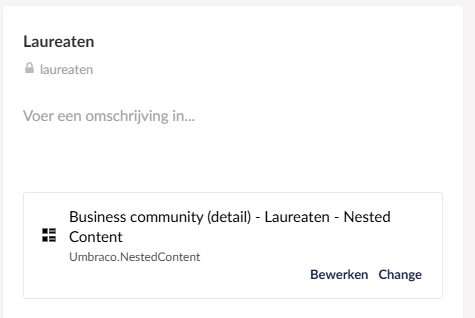
For example:

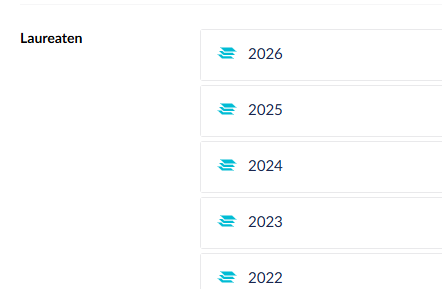
Inside group:

Does anyone have suggestions for bulk-migrating this data from Nested Content to Block List? We’ve tried a few options, including uSync.Migrations and AutoBlocklist, but neither seems able to handle nested properties within Nested Content.

Do we need to write our own scripts to migrate the data stored in the umbracoPropertyData table, or is there a better approach?

Hopefully someone has run into this same issue and can point us in the right direction.

Thanks in advance!

Hi @colinsgb

We’ve used uSyncMigration to migrate Nested Content to Block List, which includes nested lists and it has worked, so it would be interesting to know what issues you encountered.

Worst case scenario, then yes you would need to migrate your property data using your own custom migration code which reads the old JSON format and creates the Block List JSON. It is do-able but you would need to write it yourself.

Justin

Thanks for the response. Here’s what we did:

  • Made a copy of the live database and renamed it to _V17
  • Made an export of uSync on V13
  • Upgraded a local instance from Umbraco v13 to v17
    • based on created database in first step
  • Added nuget packages
  • Started up the site
  • Ran uSync Migrate via Settings: Analyze → Upgrade → Import

Some examples:

image

We can see the new data types being created, but the actual Nested Content data isn’t being duplicated into the Block List property on the nodes themselves.

We run the following:

Umbraco v13 content (nested content) example:

Umbraco v17 (same node) shows:

Changing property to existing one, saving and viewing node results in empty content.

Are we missing something? Hopefully you can help us out here,

Hi @colinsgb

I’ve always run uSync Migrations on on v13, before you migrate to v17 as the Nested Content does not exist on v17. That has always worked for us.

The steps I follow are:

  1. Work with a copy of the live database
  2. Upgrade to the latest v13
  3. Install uSync Migrations
  4. Do a full uSync export
  5. Create a new migration and convert the files
  6. Import the schema first (it may require a restart)
  7. Import the content next
  8. Check Nested Content is now Block List

You will also need to migrate macros to RTE blocks if you have them as well.

Once done, then migrate to v17.

I’m aware there is a newer version for uSync Migrations for v17 but I’ve not tried that - I’ve always used the older one on v13.

Justin

Hi Justin,

We can try that, but we did not find a uSync Migrations package that runs on Umbraco v13? Do you have a link or repo of that one? NuGet Gallery | uSync.Migrations 17.0.2

Hi @colinsgb

It was a pre-release so never had a final version but worked fine. You will need to tick the option to show pre-releases in Nuget.

Justin

I have done the same thing with uSync.Migrations 4.0.0 and it worked great 13 > 17.

Hi Justin,

Sorry for the late reply. I’ve tried the steps you suggested and have included screenshots below.

What I’m seeing

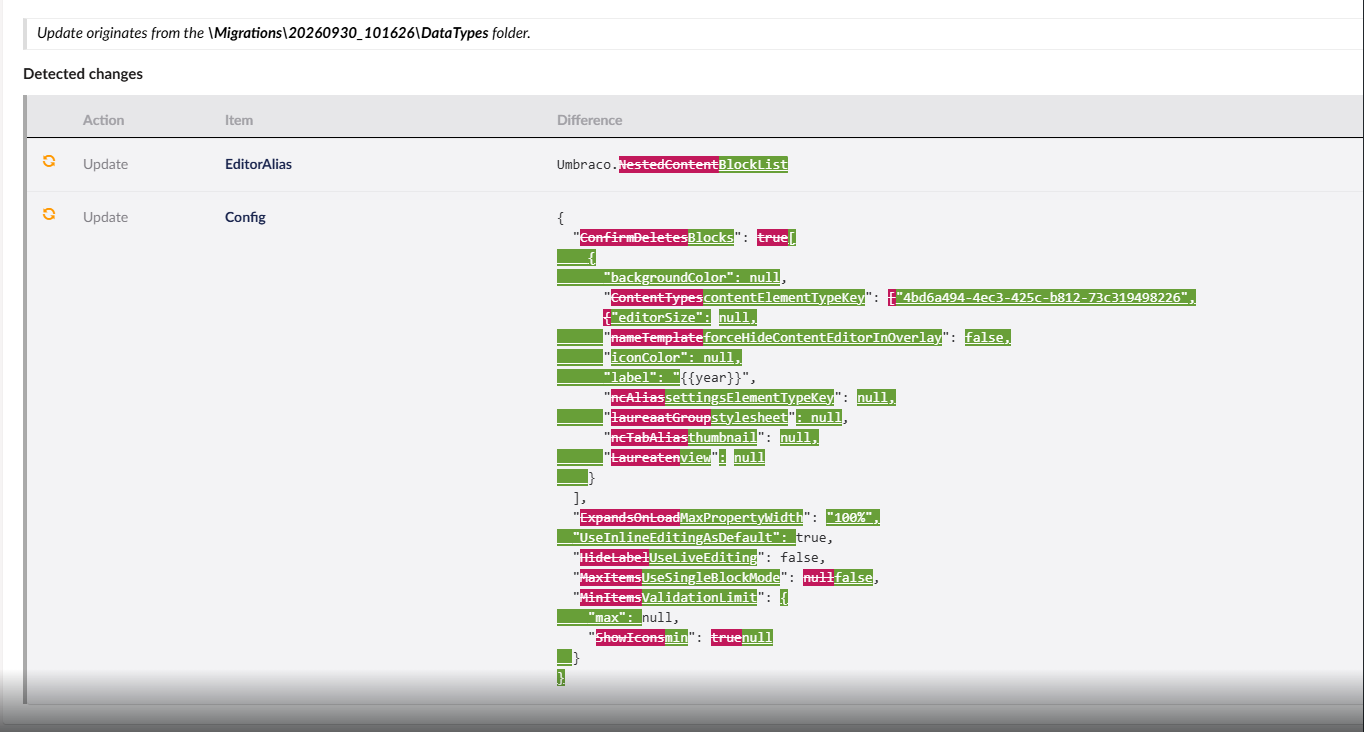
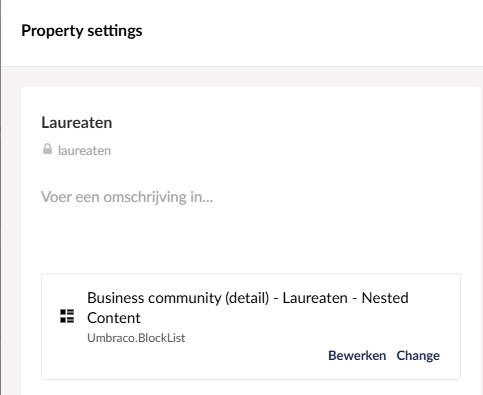
The property definitions appear to have changed in the migrated site, but the content has not. Here is an example of a property that changed:

And the same property on the production site:

So properties seem changed, but content is not? In migrated site:

image

In live:

When I open the page in the migrated site, I get the following error:

Could not deserialize the provided property value into a block editor value: "[{\"key\":\"df72c0fa-e8de-4aa6-b27b-0f8201043532\",\"name\":\"Ambiorixwinnaar 2026: PVS\",\"ncContentTypeAlias\":\"videoPiece\",\"PropType\":null,\"videoThumbnail\":\"umb://media/6a9ab2a6d59f4343838308c2fa4f873d\",\"videoLabel\":\"Video\",\"videoTitle\":\"Ambiorixwinnaar 2026: PVS\",\"videoUrl\":\"``https://youtube.com/AZyrUW1e8FE\"},{\"key\":\"8d0dbce9-fe30-49b3-b19e-1e9796c121d0\",\"name\":\"Ambiorixwinnaar`` 2025: Golazo\",\"ncContentTypeAlias\":\"videoPiece\",\"PropType\":null,\"videoThumbnail\":\"umb://media/88d166d60742487ba10f1714d5f5d12a\",\"videoLabel\":\"Video\",\"videoTitle\":\"Ambiorixwinnaar 2025: Golazo\",\"videoUrl\":\"``https://youtube.com/embed/4WfkNb_Ut9o\"},{\"key\":\"540ff9e5-0f04-4750-a161-26eeb6f12c7f\",\"name\":\"Ambiorixwinnaar`` 2024: Veldeman Group\",\"ncContentTypeAlias\":\"videoPiece\",\"PropType\":null,\"videoThumbnail\":\"umb://media/8f13885737074faa9546fef400f76ef4\",\"videoLabel\":\"Video\",\"videoTitle\":\"Ambiorixwinnaar 2024: Veldeman Group\",\"videoUrl\":\" YouTube 2023: Spaas Kaarsen",“ncContentTypeAlias”:“videoPiece”,“PropType”:null,“videoThumbnail”:“umb://media/d15687248a1f489d84d34a104db79f21”,“videoLabel”:“Video”,“videoTitle”:“Ambiorixwinnaar 2023: Spaas Kaarsen”,“videoUrl”:" https://www.youtube.com/embed/K7LqyWdHB_8?si=Wp1VgNXWWHqqleGu\\"},{\\"key\\":\\"80d43317-41e0-480d-9056-28817fb4b92c\\",\\"name\\":\\"Ambiorixwinnaar 2022: APK Group",“ncContentTypeAlias”:“videoPiece”,“PropType”:null,“videoThumbnail”:“umb://media/3978e70dca834ee997af86027d54a6c7”,“videoLabel”:“Video”,“videoTitle”:“Ambiorixwinnaar 2022: APK Group”,“videoUrl”:“https://www.youtube.com/embed/y8qKxyaHj4A\"},{\"key\":\"2e87f432-67a1-4f6a-af0f-9f5f39ad90d2\",\"name\":\"Ambiorixwinnaar 2021: Nelissen Steenfabrieken”,“ncContentTypeAlias”:“videoPiece”,“PropType”:null,“videoThumbnail”:“umb://media/6c6b2cb0dc7d490195e77a7f9032766b”,“videoLabel”:“Video”,“videoTitle”:“Ambiorixwinnaar 2021: Nelissen Steenfabrieken”,“videoUrl”:“https://www.youtube.com/embed/s4sYXOJwdEo\"},{\"key\":\"ee94c16b-3d52-4692-bed4-38dd434a73b2\",\"name\":\"Ambiorixwinnaar 2020: Arte”,“ncContentTypeAlias”:“videoPiece”,“PropType”:null,“videoThumbnail”:“umb://media/d68ec168bbbc45f3ac17715f65abb593”,“videoLabel”:“Video”,“videoTitle”:“Ambiorixwinnaar 2020: Arte”,“videoUrl”:“https://www.youtube.com/embed/MOkhnLEFklE\"},{\"key\":\"d43f7585-471d-49ff-b9d7-ac8762638e10\",\"name\":\"Ambiorixwinnaar 2019: Bioracer”,“ncContentTypeAlias”:“videoPiece”,“PropType”:null,“videoThumbnail”:“umb://media/b3d25edeb79d43fcbc2a1ada18b577e7”,“videoLabel”:“Video”,“videoTitle”:“Ambiorixwinnaar 2019: Bioracer”,“videoUrl”:“https://www.youtube.com/embed/ll9iRIw0mdk\"},{\"key\":\"bd022794-410b-412f-8d1f-4bfd1ba00d44\",\"name\":\"Ambiorixwinnaar 2018: ACA IT-Solutions”,“ncContentTypeAlias”:“videoPiece”,“PropType”:null,“videoThumbnail”:“umb://media/e9ea6985d66947bc8fcc3c7c248dfc3f”,“videoLabel”:“Video”,“videoTitle”:“Ambiorixwinnaar 2018: ACA IT-Solutions”,“videoUrl”:“https://www.youtube.com/embed/sqp60gszLMc\"},{\"key\":\"7824bb0c-ba06-4b9c-8841-b08dec7a5852\",\"name\":\"Ambiorixwinnaar 2017: Tribù”,“ncContentTypeAlias”:“videoPiece”,“PropType”:null,“videoThumbnail”:“umb://media/8f1b7b2953fe4120bb02dafa0ea714eb”,“videoLabel”:“Video”,“videoTitle”:“Ambiorixwinnaar 2017: Tribù”,“videoUrl”:“https://www.youtube.com/embed/287frxFCgeI\"},{\"key\":\"4c5f6496-5c27-4616-9f3d-2139c553577f\",\"name\":\"Ambiorixwinnaar 2016: Punch Powertrain”,“ncContentTypeAlias”:“videoPiece”,“PropType”:null,“videoThumbnail”:“umb://media/8e9ba075891542cc8673d30723d21e13”,“videoLabel”:“Video”,“videoTitle”:“Ambiorixwinnaar 2016: Punch Powertrain”,“videoUrl”:“https://www.youtube.com/embed/5VRsw0yjuho\"},{\"key\":\"0cfe4b1d-a509-4462-b228-38fecd6cbbba\",\"name\":\"Ambiorixwinnaar 2015: Globachem”,“ncContentTypeAlias”:“videoPiece”,“PropType”:null,“videoThumbnail”:“umb://media/24f45607d9884655bb99ae2ea4fe9493”,“videoLabel”:“Video”,“videoTitle”:“Ambiorixwinnaar 2015: Globachem”,“videoUrl”:“https://www.youtube.com/embed/bCbyKIahQCM\"},{\"key\":\"9c538fbe-dc7c-4f03-8b3a-303560d7810b\",\"name\":\"Ambiorixwinnaar 2014: Melexis”,“ncContentTypeAlias”:“videoPiece”,“PropType”:null,“videoThumbnail”:“umb://media/a4fa5a11f2b949fdbe323fb6f63243cf”,“videoLabel”:“Video”,“videoTitle”:“Ambiorixwinnaar 2014: Melexis”,“videoUrl”:“https://www.youtube.com/embed/3ZvoMRMG2aw\"},{\"key\":\"2f50f6d5-f837-4f99-ba50-c78420d9a847\",\"name\":\"Ambiorixwinnaar 2013: Warsco”,“ncContentTypeAlias”:“videoPiece”,“PropType”:null,“videoThumbnail”:“umb://media/0f053fa242f5432cb8fe2c1f883139c5”,“videoLabel”:“Video”,“videoTitle”:“Ambiorixwinnaar 2013: Warsco”,“videoUrl”:"https://www.youtube.com/embed/xXkSwX11VKg\"}]". Error: “Cannot deserialize the current JSON array (e.g. [1,2,3]) into type ‘Umbraco.Cms.Core.Models.Blocks.BlockValue’ because the type requires a JSON object (e.g. {“name”:“value”}) to deserialize correctly. To fix this error either change the JSON to a JSON object (e.g. {“name”:“value”}) or change the deserialized type to an array or a type that implements a collection interface (e.g. ICollection, IList) like List that can be deserialized from a JSON array. JsonArrayAttribute can also be added to the type to force it to deserialize from a JSON array. Path ‘’, line 1, position 1.”.`

My analysis

The database still holds the content in the old Nested Content format. Nested Content stores each property value as a JSON array ([{...},{...}]), whereas Block List expects a JSON object ({"layout":{...},"contentData":[...],"settingsData":[...]}). The data types were switched to Block List, but the stored values were never converted, so Umbraco cannot read them.*
*
Steps I followed (as suggested)

  1. Ran a full uSync export, including content, on the v8 (source) site.
  2. In the v13 site, went to Settings → uSync Migrations and created a migration with the Nested Content → Block List converter enabled for both content and data types.
  3. Imported the result.
  4. Rebuilt the Memory Cache and the Database Cache under Settings → Published Status.

image

The problem persists

Even when I create a new page and fill in the migrated property (after adjusting the view to work with Block List), I get the same error:

Newtonsoft.Json.JsonSerializationException: Cannot deserialize the current JSON array (e.g. [1,2,3]) into type 'Umbraco.Cms.Core.Models.Blocks.BlockValue' because the type requires a JSON object (e.g. {"name":"value"}) to deserialize correctly. To fix this error either change the JSON to a JSON object (e.g. {"name":"value"}) or change the deserialized type to an array or a type that implements a collection interface (e.g. ICollection, IList) like List<T> that can be deserialized from a JSON array. JsonArrayAttribute can also be added to the type to force it to deserialize from a JSON array.

When I query the database, the stored value is in the wrong format:

[
  {
    "key": "dbac2796-2a10-4408-8724-24f89ca66aa8",
    "name": "2026",
    "ncContentTypeAlias": "laureaatGroup",
    "PropType": null,
    "year": 2026,
    "winner": "test",
    "active": 1
  }
]

Block List expects a format like this:

{
  "layout": {
    "Umbraco.BlockList": [
      {
        "contentUdi": "umb://element/343387add9fa4f3daf186ca186c75dc3"
      }
    ]
  },
  "contentData": [
    {
      "contentTypeKey": "cdf378e5-5b25-44f2-9415-799fc6ae140f",
      "udi": "umb://element/343387add9fa4f3daf186ca186c75dc3",
      "videoThumbnail": "umb://media/145d167c3a7b48a9b5cf9e2938acffd2",
      "year": "2026",
      "winner": "test",
      "active": 1
    }
  ],
  "settingsData": []
}

My question

Is converting the JSON structure in the database a manual step, or should uSync Migrations normally handle this automatically? If it should be automatic, do you have any idea why it isn’t happening here?

Got around 20k records in database with invalid JSON-structure missing the layout, contentData and settingsData main-nodes… figuring out now how to change these using a script/converter.

Thanks in advance for your help.

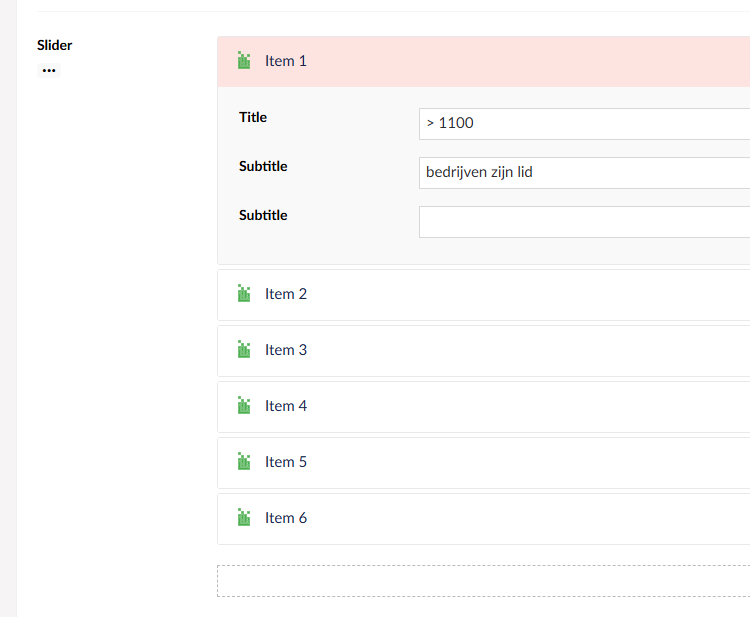
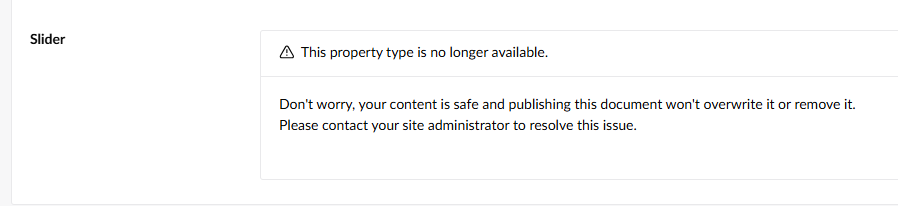
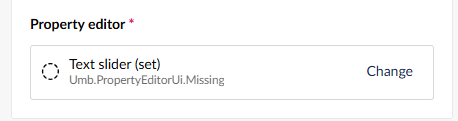
Might be misinterpreting.. but looks like you have a custom/3rd party property editor there in use for your “Text slider (set)” ?

If you do then uSync Migrations won’t know how to convert that data.. and you’ll need to role your own migrator for that… (console log during usync migration process should show a editor not found type message)

Some examples here.
uSyncMigrations/uSync.Migrations.Migrators/Community at 4.0.0-phase.5.2 · Jumoo/uSyncMigrations · GitHub

and this in the readme..

This release covers core things, Vorto and a few community editors.

if you want to migrate complex data you need to write a Migrator (implementing ISyncMigrator class) take a look at the uSync.Migrations.Migrators project.

If you want to see how you can customize the process. take a look at the MyMigrations project in this repo

And remember: contribute back any editors you think others will benefit from

Hi Mike,

Thanks for your reply, this is not a custom or 3rd party property editor.
Will have a look at the links you shared.

no need if it’s just nested content with standard umbraco core properties.. I’ve just muddied the waters.. sorry.

I do now recall some issues around
Cannot deserialize the current JSON array (e.g. [1,2,3])

Nested content v13 to Block content v16 and migrate data - Umbraco community forum
That’s probably a bit early for you…

But have you updated to all the latest Umbraco v13.6.1 and usync v13.3.2 to make sure all schemas are up to date and in sync?

beyond that you can try an track this down if I remember correctly, you’ll have a v9 usync folder with a content folder.. find the config for one of these pages that has the nested content, that’s failing.. then temp move all the other content configs to another folder. then you can rerun the migration and it will only try and do that one config and you can see by manually updating the xml and rerunning the migration what property is causing the error.
But manual and long winded.. but could at least get you to what is causing the error :crossed_fingers:

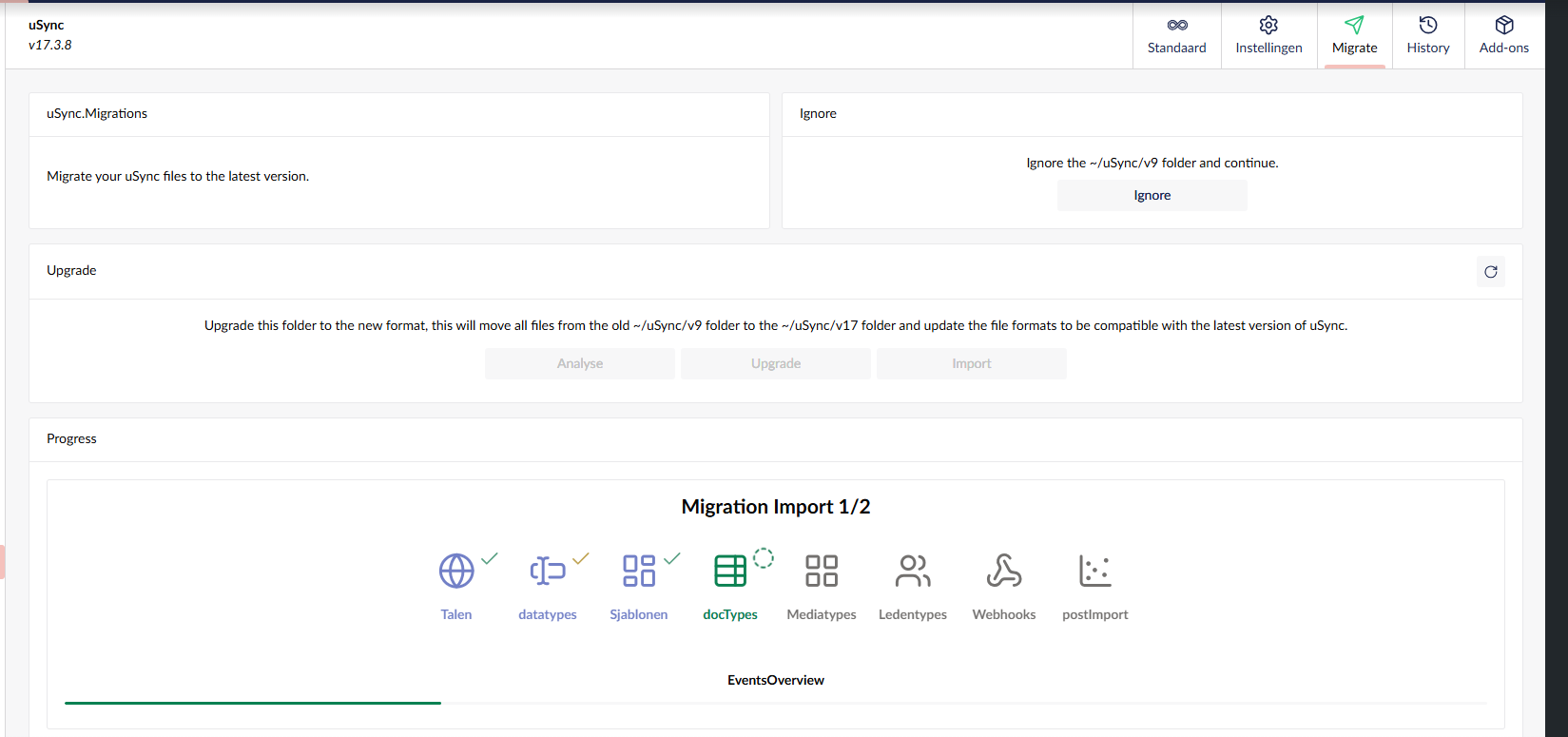
And just a final thought.. you are running post usync migration, import settings and import content? as the screen shot has
image

I’m running Umbraco v13.12.1. I can try v13.6.1 as well, but I don’t think the version is the problem.
These are my import settings:

I can’t find a separate option to include content. From this screen:

the following one opens:

Could “content” in this context refer to physical files rather than the content stored in the database?

Hi @colinsgb

That should have worked, but make sure you don’t have uSync set to ImportAtStartup as that may re-import the previous content back into the database after you’ve migrated. As long as you are creating a migration and importing the result of that migration (both Settings and Content), then it should migrate all Nested Content to Block List and Grid Layout to Block Grid.

I’ve done this numerous times on different sites and it has mostly worked for me without too much issue. The only problem I have seen is when you have multi-variant content, uSync Migrations does not correctly create the uSync files with the target cultures, and if the page is unpublished it will retain old JSON as uSync Migrations cannot update the page completely.

Could either of these be your issue?

Justin

Hi Justin,

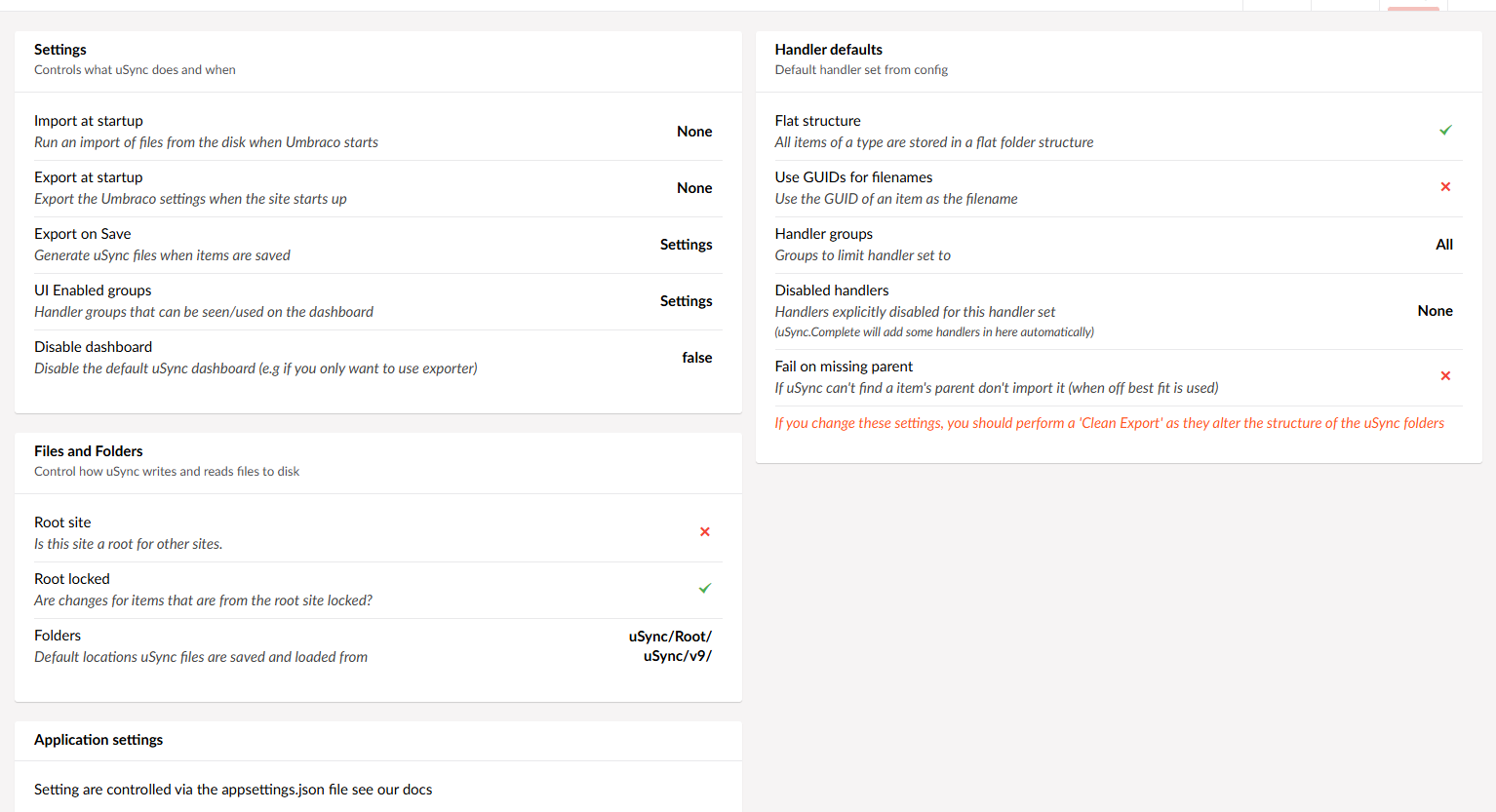
Settings in uSync:

this site does not have multiple cultures.

The good news is that I’ve managed to write an SQL script that iterates over the Nested Content properties and converts the JSON structure to a valid Block List format. After running it, the backoffice shows the data correctly (including the nested properties), and the content also displays on the front end after I updated the code in the corresponding view.

So my understanding..

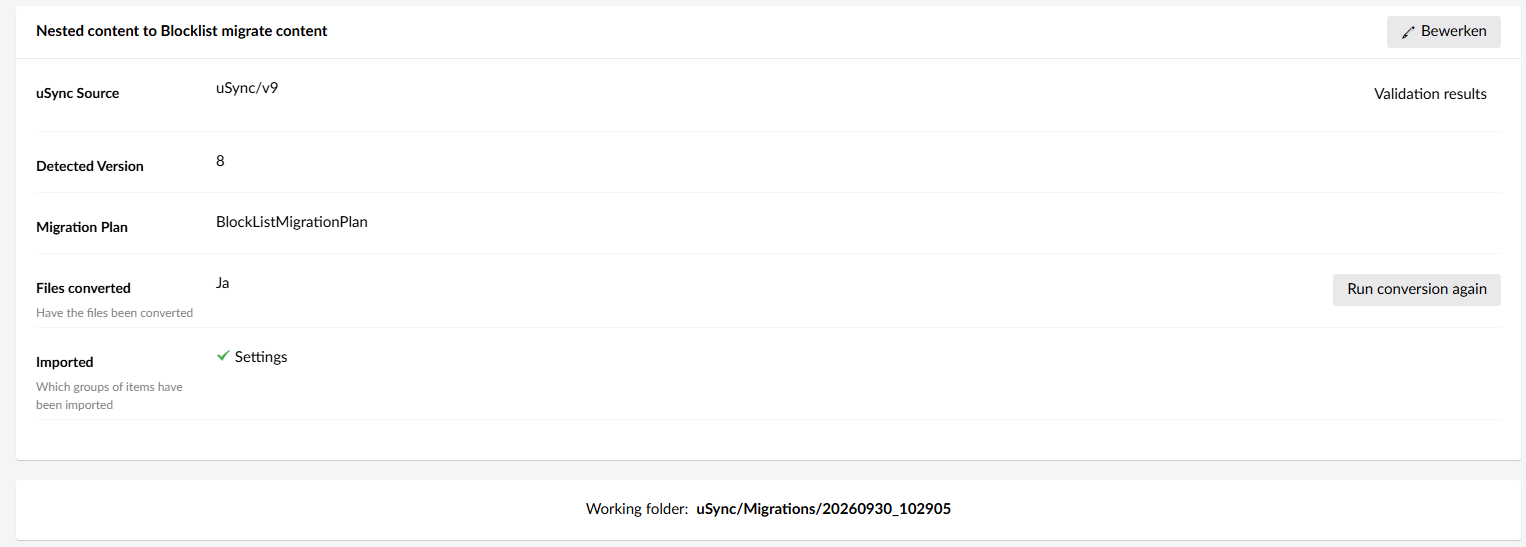
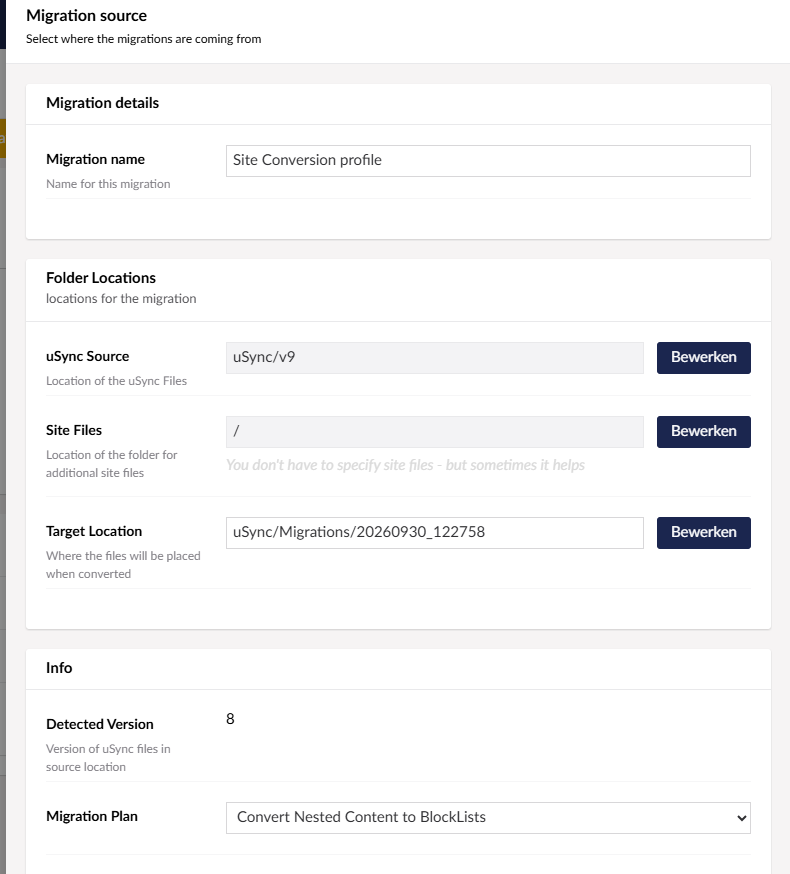
USync Migrations cares nothing about your database it simply works against a set of uSync Config files (uSync\v9) and migrates those to new config files. (usync/Migrations/20260930_1222758) from your screenshot

Bookending the process is the standard usync export of your db content to the workingset of usync/v9 config files.. and then an import of the migrated usync config files.

Hi, can you maybe share your script? I am having similar issues with uSync and migrations. I followed steps from Justin:

The steps I follow are:

  1. Work with a copy of the live database
  2. Upgrade to the latest v13
  3. Install uSync Migrations
  4. Do a full uSync export
  5. Create a new migration and convert the files
  6. Import the schema first (it may require a restart)
  7. Import the content next
  8. Check Nested Content is now Block List

And It converts them into block list but Content in those block list disappears.

Hi @rankovicMilos

Make sure you have ImportAtStartup set to false so uSync does not re-import the non-migrated content after your restart and run the site after migration. Also, check your migration results to see if you had any errors or if the migration was successful.

I don’t know what SQL script @colinsgb has or what it does… it is most likely specific to his setup so may not work for you without being adapted.

Justin

Hi Justin,
Here is my config of uSync

"uSync": {
    "Settings": {
        "RootFolder": "uSync/v13/",
        "Folders": [
            "uSync/Root/",
            "uSync/v13/"
        ],
        "IsRootSite": false,
        "LockRoot": true,
        "StopFile": "usync.stop",
        "OnceFile": "usync.once",
        "LockRootTypes": [],
        "DefaultSet": "Default",
        "ImportAtStartup": "None",
        "ExportAtStartup": "None",
        "ExportOnSave": "All",
        "UiEnabledGroups": "All",
        "ReportDebug": false,
        "AddOnPing": true,
        "RebuildCacheOnCompletion": false,
        "FailOnMissingParent": false,
        "FailOnDuplicates": false,
        "CacheFolderKeys": true,
        "ShowVersionCheckWarning": true,
        "CustomMappings": {},
        "SignalRRoot": "",
        "EnableHistory": true,
        "HistoryFolder": "",
        "DefaultExtension": "config",
        "ImportOnFirstBoot": false,
        "FirstBootGroup": "All",
        "DisableDashboard": false,
        "SummaryDashboard": false,
        "SummaryLimit": 1000,
        "HideAddOns": "licence",
        "DisableNotificationSuppression": false,
        "BackgroundNotifications": false
    },
    "Sets": {
        "Default": {
            "Enabled": true,
            "HandlerGroups": [],
            "DisabledHandlers": [
            ],
            "HandlerDefaults": {
                "Enabled": true,
                "Actions": [],
                "UseFlatStructure": true,
                "GuidNames": false,
                "FailOnMissingParent": false,
                "Group": "",
                "CreateClean": false,
                "Settings": {}
            },
            "Handlers": {},
            "IsSelectable": false
        }
    }
}

Again fresh v13 database with NestedContent. Repeated the same process, still content is not shown
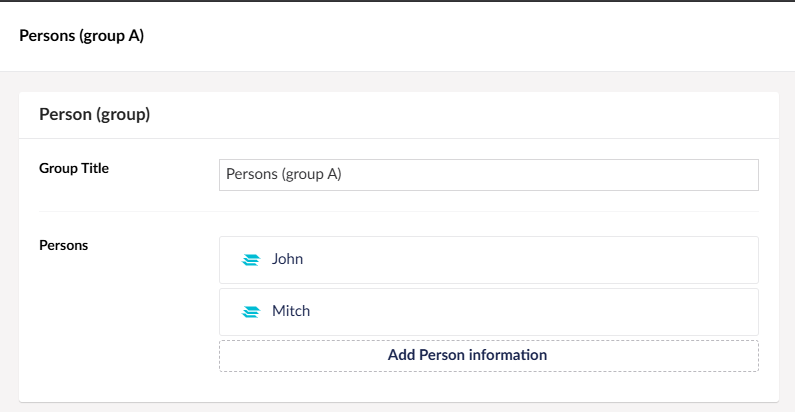
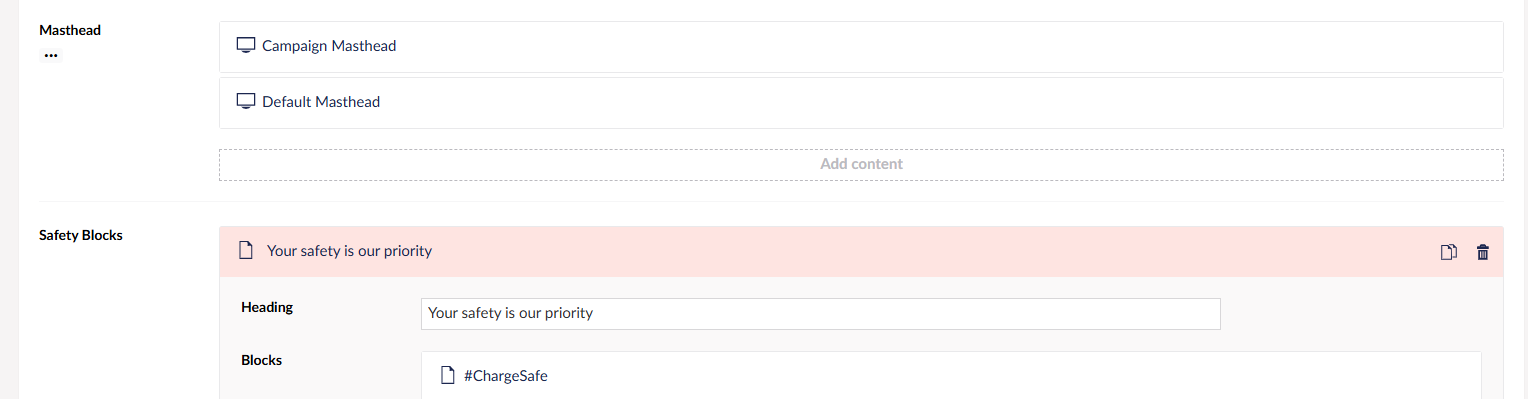
Before migration

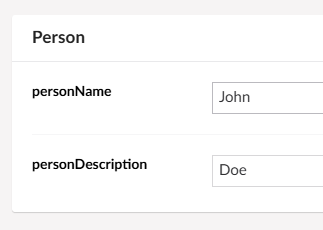
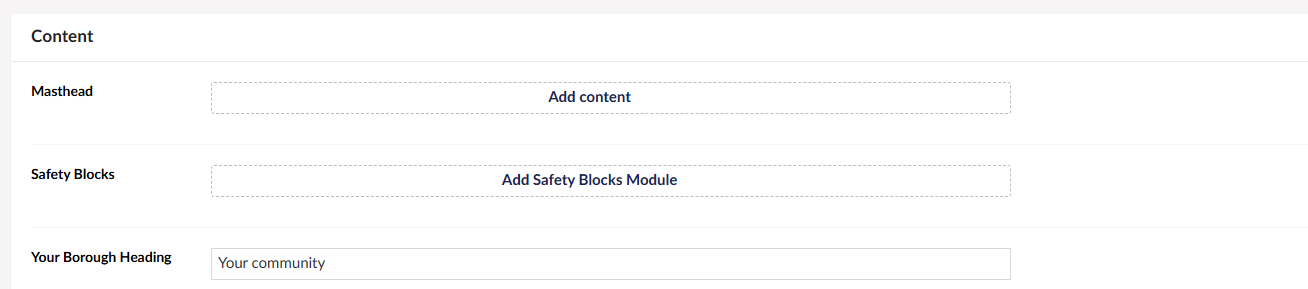
After migration

Hi @rankovicMilos

Do you have any errors after migration if you expand the content results in uSync Migrations?

Justin