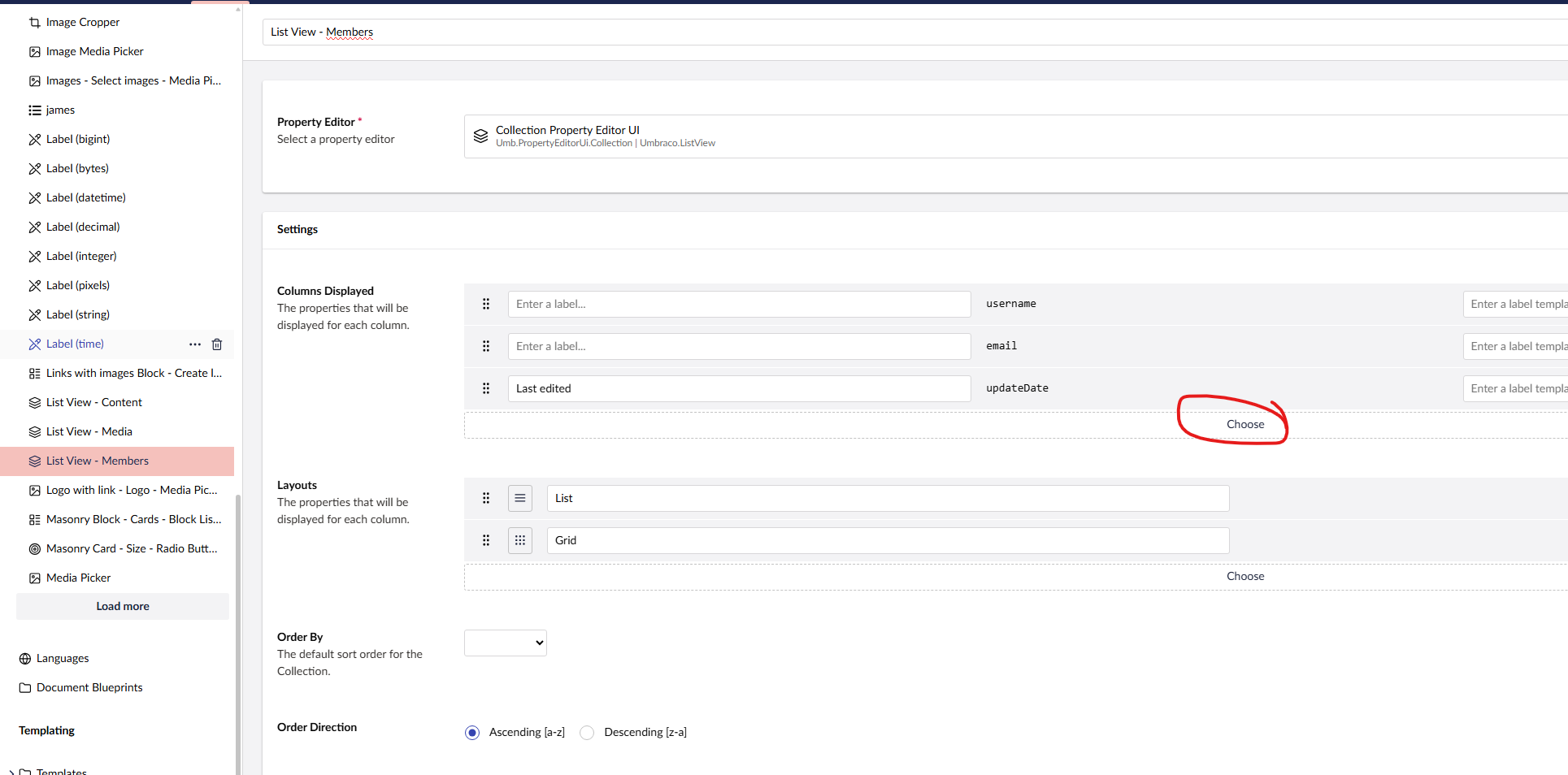
i’m working with Umbraco 16 and i want to display the member group in the member list view. im a bit stuck, dont really know where to start and need some friendly poking in the right direction.
Could not find anything on the forum regarding the topic, so i hope someone can help
However, when you click that button then it leads to a picker where you have to select if you want a document type or a media type, no member types..
Now IF this is driven purely by matching alias’ then you may be able to create a document type with similar properties/alias’ as your membertype and select from that.
Hmm that is interesting.. I am running 16.3.4 site but the content and schema is part of a starter kit. When looking deeper into this it is not actually affecting the member list view at all, and the other two list views are set on the media / content types but the member type has no such section.
When spinning up a fresh v16 latest site I also don’t have it as a default data type.
Looks like this functionality has been removed for members altogether, I would raise an issue on it tbh.