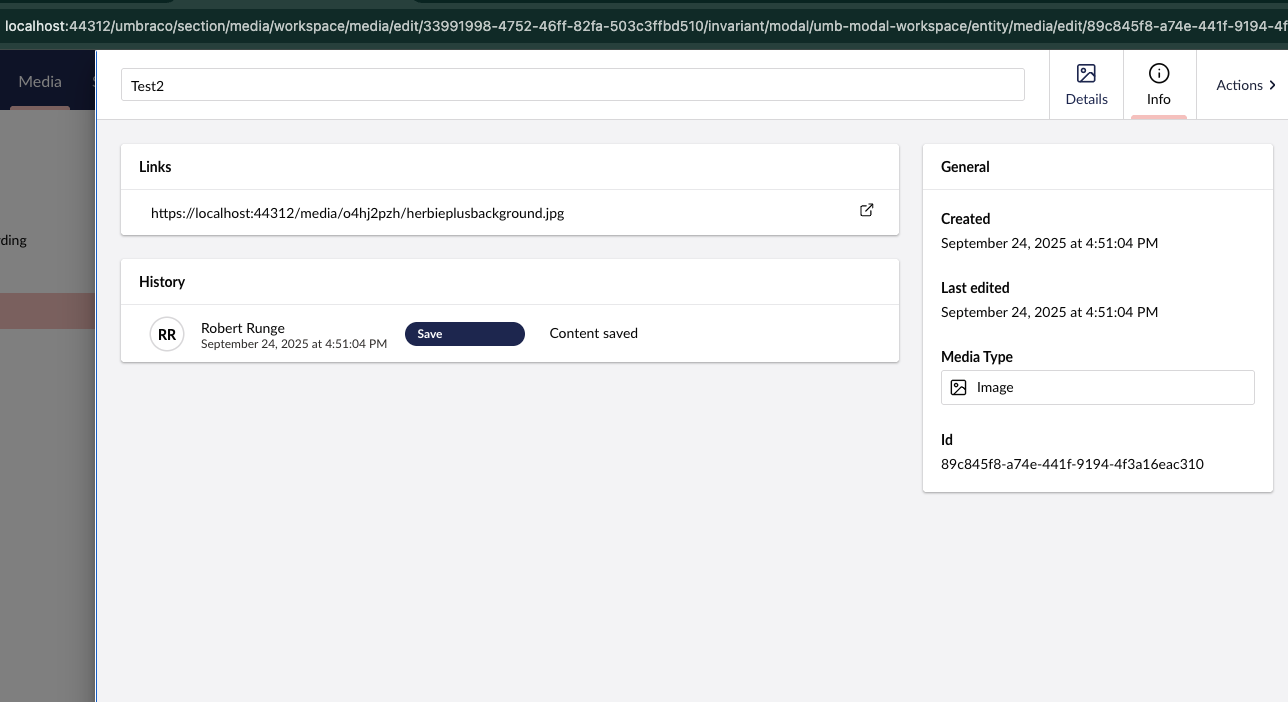
Media URL in Backoffice

Hi there,

I am trying to control what URL is shown in the media-section, when an editor goes to the “Info” tab.
Without luck, I have tried setting this via the setting:
`Umbraco:CMS:WebRouting:UmbracoApplicationUrl`

It seems to use the requesting hostname all the time.

Anyone succeeded in controlling the URL?

The UI says https://localhost:44312/… but the value for UmbracoApplicationUrl is https://umbraco.local/


Umbraco v15.3

/Robert

I think the below would be applicable to Umbraco 15 too.

You would need to set the domain under Culture and hostnames. Right click your site node, select Culture and hostnames (or similar), enter the domain name, save and publish. I think this is what you’re attempting to achieve.

Thanks for the suggestion.

I should have stated, that i have tried changing the hostnames and even omitting the localhost:44312 completely. Still no luck.

Seems strange, could you see if any of the below help

  1. Have you got any middleware setup or any third party plugins? Cleared cache etc.
  2. Do you have any other configuration overriding the default values?
  3. Do you have multiple JSON config files (appSettings.development.json for example) where the setting could be inherited from?
  4. Any load balancing configuration?
  5. Could you try to set “Umbraco”: {
    “CMS”: {
    “WebRouting”: {
    “UseStrictDomainMatching”: true
    }
    }
    } Reference: Web routing | Umbraco CMS
  6. Does this occur on a brand new installation?

Thanks for following up.

I have checked the things suggested. I followed the Umbraco source-code, and i looks like the host used, originates from: UmbracoContext’s property ‘CleanedUmbracoUrl’

This property seems to be using requesting route host name, and not the setting UmbracoApplicationUrl. I might be wrong - but I’ll stop investigating here.