Markdown Editor issue?

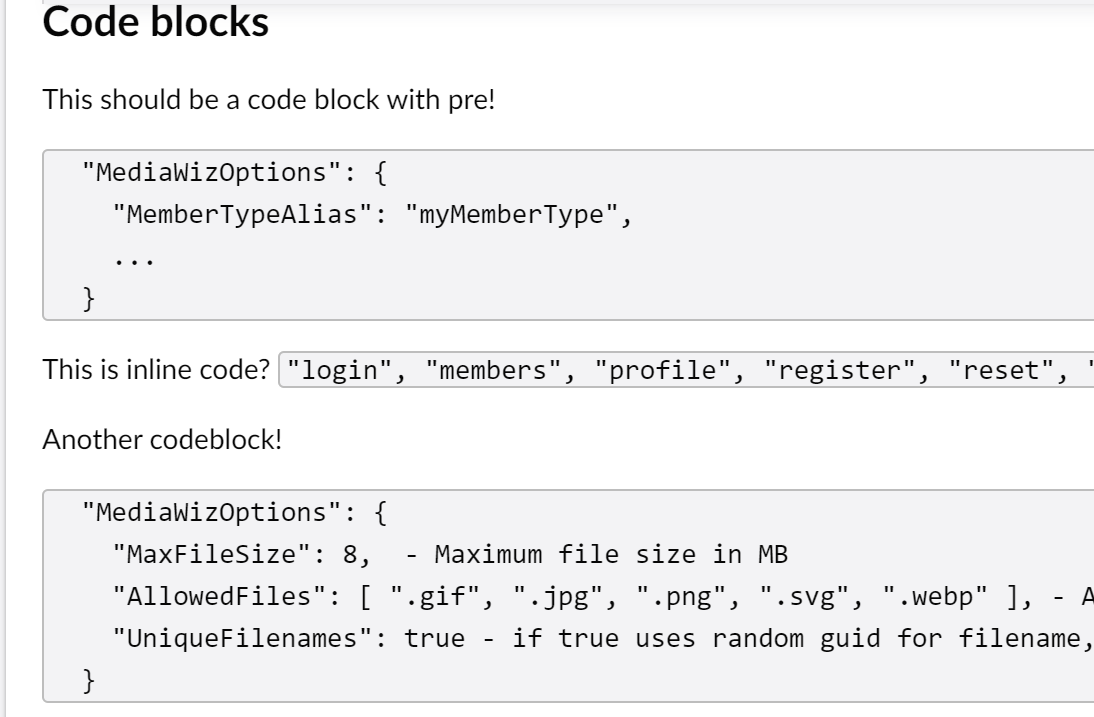
Is this a bug or am I doing something wrong?
I have a markdown editor on a page, it has some code snippets etc. In the backoffice preview everything looks good.

When I try to display it in a view, the code blocks are no longer in <pre></pre> block?
In my View I’m doing

 @{
    var markdownHtml = Model.Value<string>("pageMarkdown");
} 
<div class="markdown-content bg-light w-50 me-auto">
       @Html.Raw(markdownHtml) <!-- Render parsed HTML -->
</div>

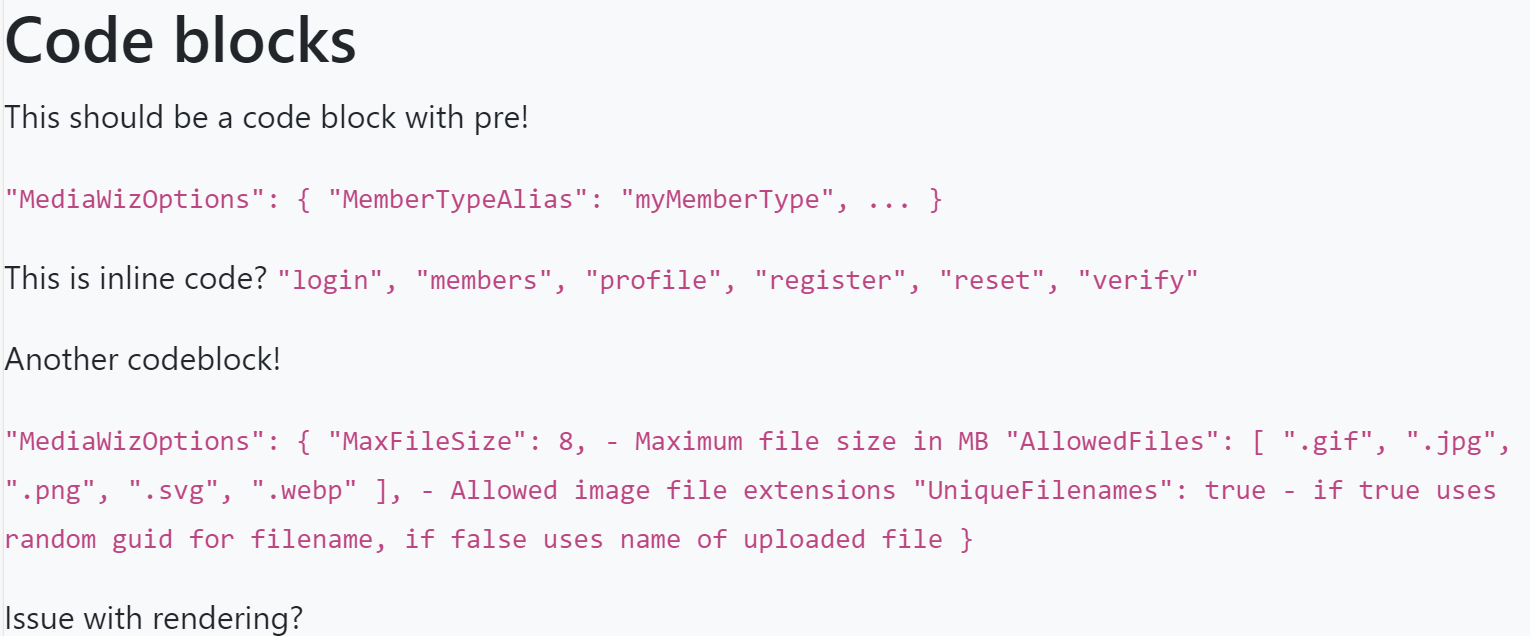
But it renders as

It would be helpful if you could post the source code from right-click → “View source” from your view.

Additionally, I assume you have added some CSS to display it correctly in your view?

I do have some css yes, but the issue isn’t the CSS, the issue is that the code blocks do not get wrapped in pre tags like they do in the backoffice.

<div class="markdown-content bg-light w-50 mx-auto mb-3 mt-3">
            <h2>Code blocks</h2>

<p>This should be a code block with pre!</p>

<p><code>
  "MediaWizOptions": {
    "MemberTypeAlias": "myMemberType",
    ...
  }
</code></p>

<p>This is inline code? <code>"login", "members", "profile", "register", "reset", "verify"</code></p>

<p>Another codeblock!</p>

<p><code>
  "MediaWizOptions": {
    "MaxFileSize": 8,  - Maximum file size in MB
    "AllowedFiles": [ ".gif", ".jpg", ".png", ".svg", ".webp" ], - Allowed image file extensions
    "UniqueFilenames": true - if true uses random guid for filename, if false uses name of uploaded file
  }
</code></p>

<p>Issue with rendering?</p> <!-- Render parsed HTML -->
        </div>

So what happens in the Backoffice is that the raw markdown is parsed through a library called Marked, which transforms the ``` tags to pre+code live. It does not receive any pre-formatted HTML from the backend.

The frontend uses a .NET library called HeyRed.MarkdownSharp. This library does not seem to format with pre+code but only code tags. This library seems to be legacy and they refer to another library called Markdig. We ought to switch out that library, but changing the output format would be quite breaking.

I wonder if the best course of action for you at this moment is to override the markdown editor and use something like Markdig instead that is very extendable.

Could I persuade you to create this as an issue on the Github tracker, too, please? I think we either need to show the same preview in the Backoffice as would be created on the frontend, or at the very least ensure that the Backoffice converter and the frontend converter are configured similarly.

sUre no problem, I will create an issue, may not be till Monday though as we have freinds round for pre christmass dinner :zany_face:

I may even look at trying to override the editor :rofl: :rofl:

Quick and dirty fix for now, I installed MarkDig and just reparsed the source in the view.

var markdownProperty = Model.Properties.Where(p => p.Alias == "pageMarkdown").First();
    string? markdownSource = ((IPublishedProperty)markdownProperty).GetSourceValue() as string;
    var markdownHtml = markdownSource != null ? Markdown.ToHtml(markdownSource) : string.Empty;

Great catch on the library discrepancy! I was wondering why my code blocks looked perfect in the preview but collapsed into a mess on the live site. It’s good to know there’s a PR (#21242) in the works to modernize this. In the meantime, re-parsing the source value with Markdig on the frontend seems like the cleanest way to keep things consistent.