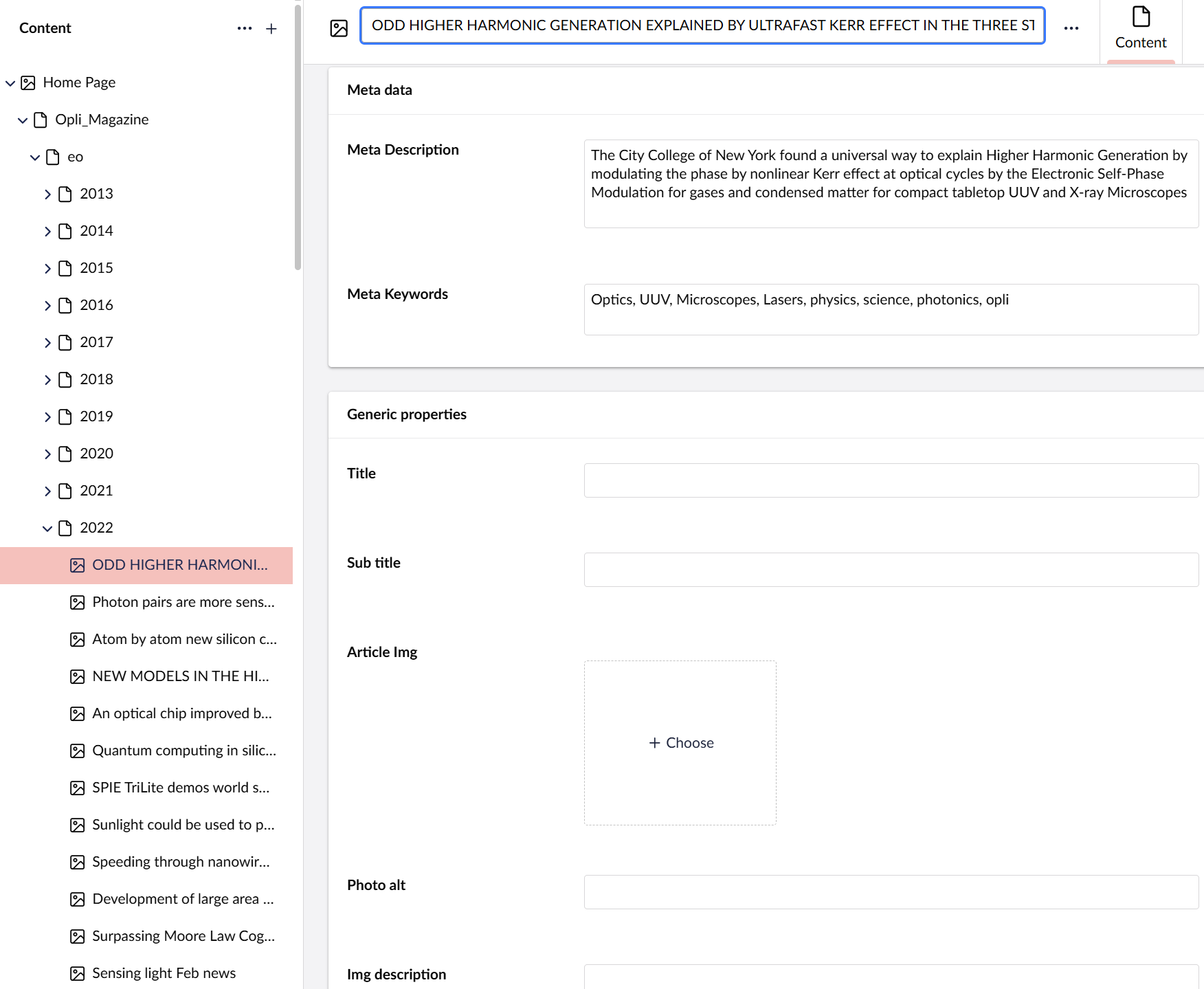
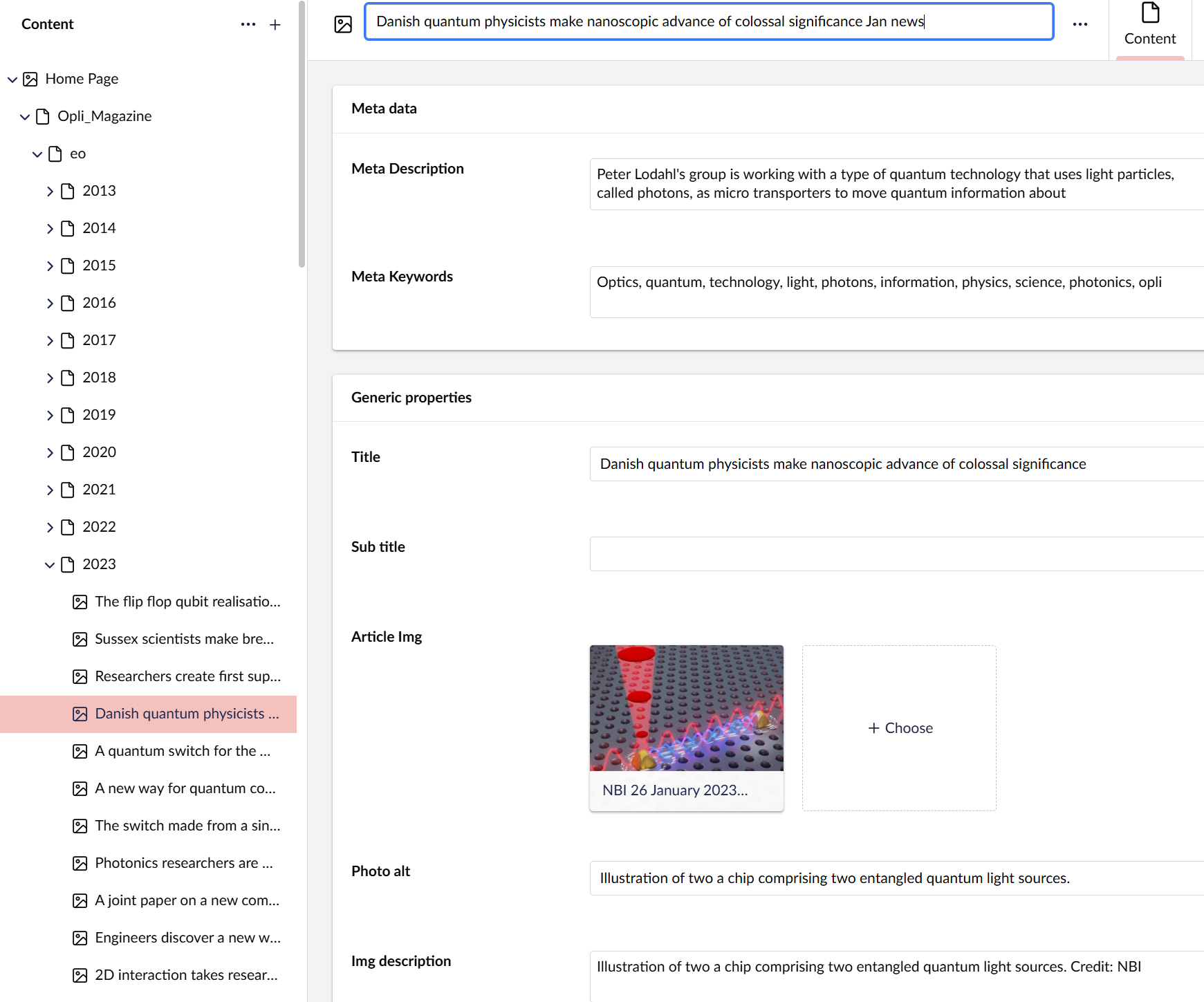
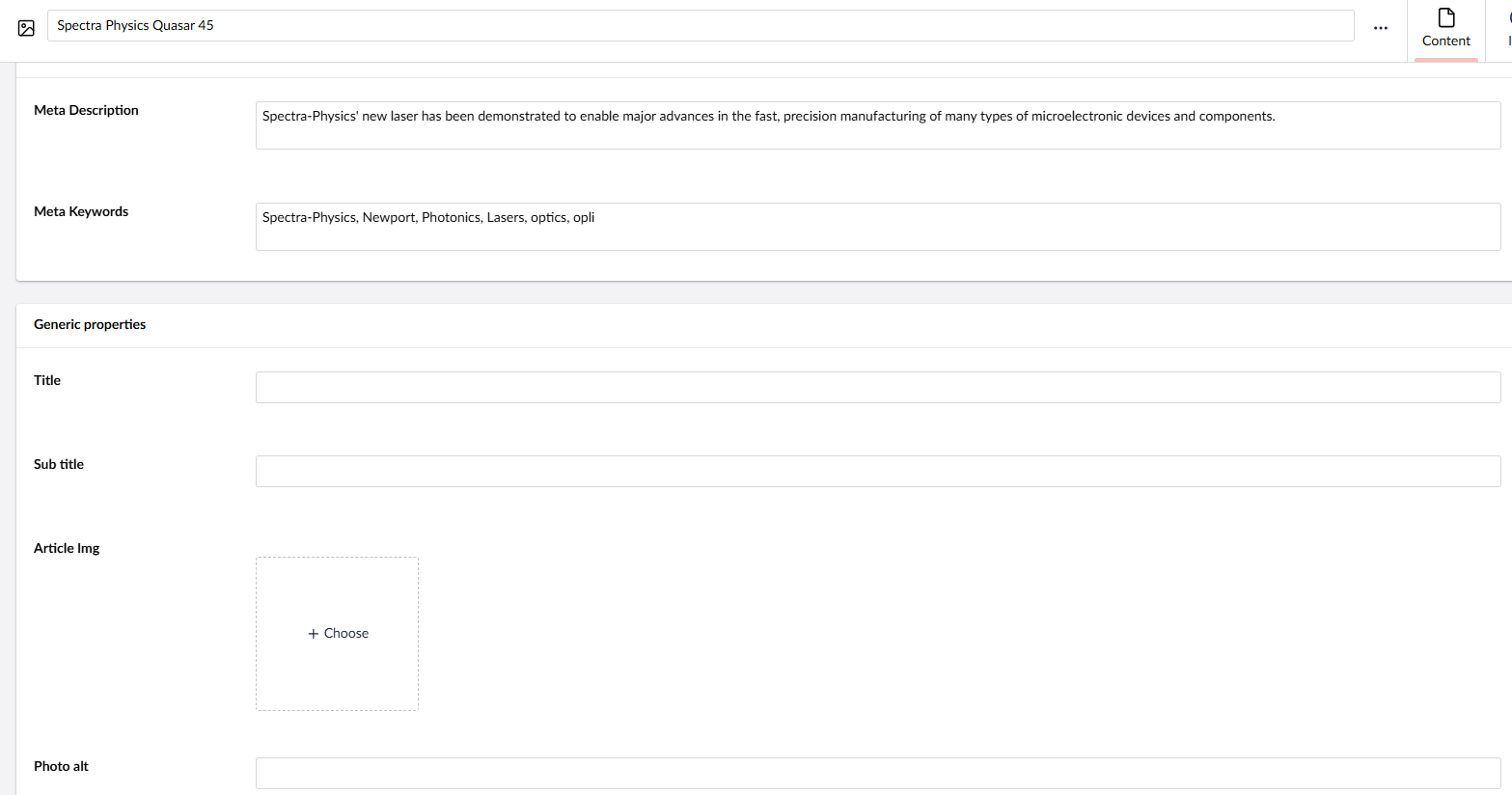
While try to debugging why some sections in my website are unavailable I suddenly realized all items from 2013 to 2022 have not “survived” the upgrade and now are empty …
What’s going on here???
In wordpress wouldn’t happen!!!
I started with (I think) Umbraco 4 back in 2013 and now my website is 17.0.1
There were almost always problems with upgrade. But now - big part of my website disappear !
What’s going on here ???
Is there a way to bring it back? Maybe downgrade??
If you have a long tailed Umbraco from earlier versions, the upgrade notes warn you to check your data types carefully.
These old blogs / pages are they using something that’s been deprecated - perhaps the grid or some package that’s no longer supported?
If you’ve upgraded and carried on using this and only just noticed I think your best bet would be to export these missing pages - usync or writing a custom set of APIs (both in the old site and new) to pull and push the data rather than completely redo the upgrade. Depends on the changes in the CMS - if you have active users / members etc etc.
I’d suggest firstly you create a local copy from your db backup and analyse what properties were being used and if this is the issue. If you can provide details of what properties are empty and their type I’m sure someone can advise better.
I was thinking in the line of macro’s or nested content, or an older media picker that is no longer supported. So that’s why I need to know what it means that ‘things are missing’.
If I try to downgrade locally back to 16.0 I get the following error when try to serve:
An unhandled exception occurred while processing the request.
BootFailedException: Boot failed: Umbraco cannot run. See Umbraco's log file for more details.

-> Umbraco.Cms.Core.Exceptions.BootFailedException: An error occurred while running the premigration upgrade.
The database configuration failed with the following message: The migration plan does not support migrating from state "{72894BCA-9FAD-4CC3-B0D0-D6CDA2FFA636}".
Please check log file for additional information (can be found in 'LoggingSettings.Directory')

-> System.IO.IOException: An error occurred while running the premigration upgrade.
The database configuration failed with the following message: The migration plan does not support migrating from state "{72894BCA-9FAD-4CC3-B0D0-D6CDA2FFA636}".
Please check log file for additional information (can be found in 'LoggingSettings.Directory')
Umbraco.Cms.Core.Exceptions.BootFailedException.Rethrow(BootFailedException bootFailedException)
BootFailedException: Boot failed: Umbraco cannot run. See Umbraco's log file for more details. -> Umbraco.Cms.Core.Exceptions.BootFailedException: An error occurred while running the premigration upgrade. The database configuration failed with the following message: The migration plan does not support migrating from state "{72894BCA-9FAD-4CC3-B0D0-D6CDA2FFA636}". Please check log file for additional information (can be found in 'LoggingSettings.Directory') -> System.IO.IOException: An error occurred while running the premigration upgrade. The database configuration failed with the following message: The migration plan does not support migrating from state "{72894BCA-9FAD-4CC3-B0D0-D6CDA2FFA636}". Please check log file for additional information (can be found in 'LoggingSettings.Directory')
Umbraco.Cms.Core.Exceptions.BootFailedException.Rethrow(BootFailedException bootFailedException)
Umbraco.Cms.Web.Common.Middleware.BootFailedMiddleware.InvokeAsync(HttpContext context, RequestDelegate next)
Microsoft.AspNetCore.Builder.UseMiddlewareExtensions+InterfaceMiddlewareBinder+<>c__DisplayClass2_0+<<CreateMiddleware>b__0>d.MoveNext()
SixLabors.ImageSharp.Web.Middleware.ImageSharpMiddleware.Invoke(HttpContext httpContext, bool retry)
Umbraco.Cms.Api.Management.Middleware.BackOfficeAuthorizationInitializationMiddleware.InvokeAsync(HttpContext context, RequestDelegate next)
Microsoft.AspNetCore.Builder.UseMiddlewareExtensions+InterfaceMiddlewareBinder+<>c__DisplayClass2_0+<<CreateMiddleware>b__0>d.MoveNext()
Microsoft.AspNetCore.Diagnostics.DeveloperExceptionPageMiddlewareImpl.Invoke(HttpContext context)
I have backup maybe from a few months ago, problem is that it’s a news website so many new items since last backup. So if I used last backup will lose recent news.
Any other way to fix it?
Problem is that in my analytics I see sometimes news items from 2013 / 14 / 15 etc. that users still visit.
Try running unsync and output the content on the old site and import those missing articles into the new one?
Definitely test this all locally until you get a process that works.
Failing that - do as I said at the start and build an API on both to push - pull the content back. Should be fairly trivial as the IDs are the same. Storing media is a bit of a pain but easy enough. Depends how many articles you’re talking about.
+50 or so - automate - below that I’d just divide up the job between a few people and have two screens and do a quick copy paste exercise with the old site running on a sub domain.
Would be interested to hear what failed in the upgrade. Have you done a local upgrade test from the backup? Was there anything in the logs that you could raise as a bug. Anything that helps fix the upgrade procedure for others would be a good bug to squash.
I know that for now it’s really not helpful, but when this is over, you need to really reconsider your backup strategy. Especially when updating a major version of a CMS, you should to least make a backup before performing the upgrade.
I always first upgrade locally and then prod. The only time I realized the problem is when I upgraded from 16.0 to 16.4 and then I tried to add a new news item and got an error when tried to published (which I asked here in the forum in a different thread)
Other than this I didn’t encounter errors in the upgrade process
I’ve not heard of this or lost any content in any upgrades. So I’m pretty much guessing - when I suggest importing the content I’m not confirming it’s lost - more just trying to fix your immediate problem of the news articles being missing. The data is possibly in the DB and failing to load in the back end. Are there errors in the console logs when these pages load. Have you tried looking in the database?
There’s potentially a way back from this… with uSync.
First off, do all of this “offline” with clones/copies etc. Don’t try and migrate a production site actually in production. You’re better off creating a new version of the site and deploying it when you’re happy the migration has been successful.
Take a clone of your site’s code from before the upgrade and run it against a copy of the backed up database. Check all the old content is there and working etc. Lets call this site the “backup” site.
Run the upgrade(s) on the backup site. Keep an eye on the logs for errors etc. especially SQL errors. If there are any they’ll need resolving and the upgrade process starting again. Bear in mind that you may need to increase SQL timeouts etc. if there is a lot of content.
Do a full uSync export of the backup site.
Using your original upgraded site, and a clone of the production database, do a full uSync export and make a git commit so you can track what happens next.
Copy the uSync folder from the backup site over the top of the uSync folder of your original site. Take a look at the git changes and look out for any other potential issues with the migration. You might get lucky, you might have some more work to do here.
Run a full uSync import (and say a prayer, if you’re the praying type). If everything went smoothly you should now have a database with both your old backed up content that didn’t migrate, and the newer content that did.
Before you delve into the DB - please note the general community recommendation is to never attempt to update content via the DB no matter how tempting it is unless you know what you’re doing…
But here is a query to view a single page’s content. Replace the guid in the query with a guid that matches a page ID of one of your empty pages.
Might be worth looking at any other content versions there. (Previous versions).
SELECT TOP (1000)
	   upd.[id]
      ,upd.[versionId]
      ,upd.[propertyTypeId]
      ,upd.[languageId]
      ,upd.[segment]
      ,upd.[intValue]
      ,upd.[decimalValue]
      ,upd.[dateValue]
      ,upd.[varcharValue]
      ,upd.[textValue]
  FROM [dbo].[umbracoPropertyData] AS upd
  INNER JOIN [dbo].[umbracoContentVersion] AS ucv
	ON ucv.id = upd.versionId
 INNER JOIN [dbo].[umbracoNode] AS un
	ON un.id = ucv.nodeId
 WHERE un.uniqueid = '4c58c11b-03a9-4323-85e9-3606c84e7801'
  AND ucv.[current] = 1
Having posted that query - I’ve noticed Jason’s comment. I would go that way (as I suggested earlier too but he’s done a much better explanation job!).