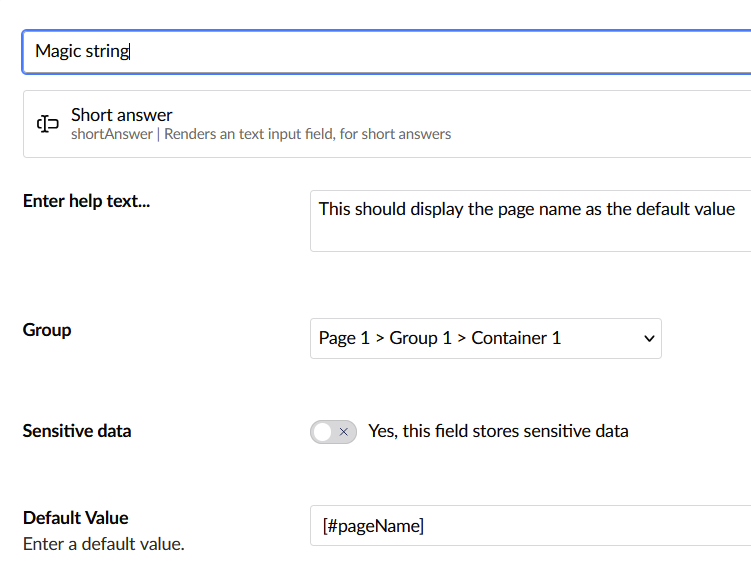
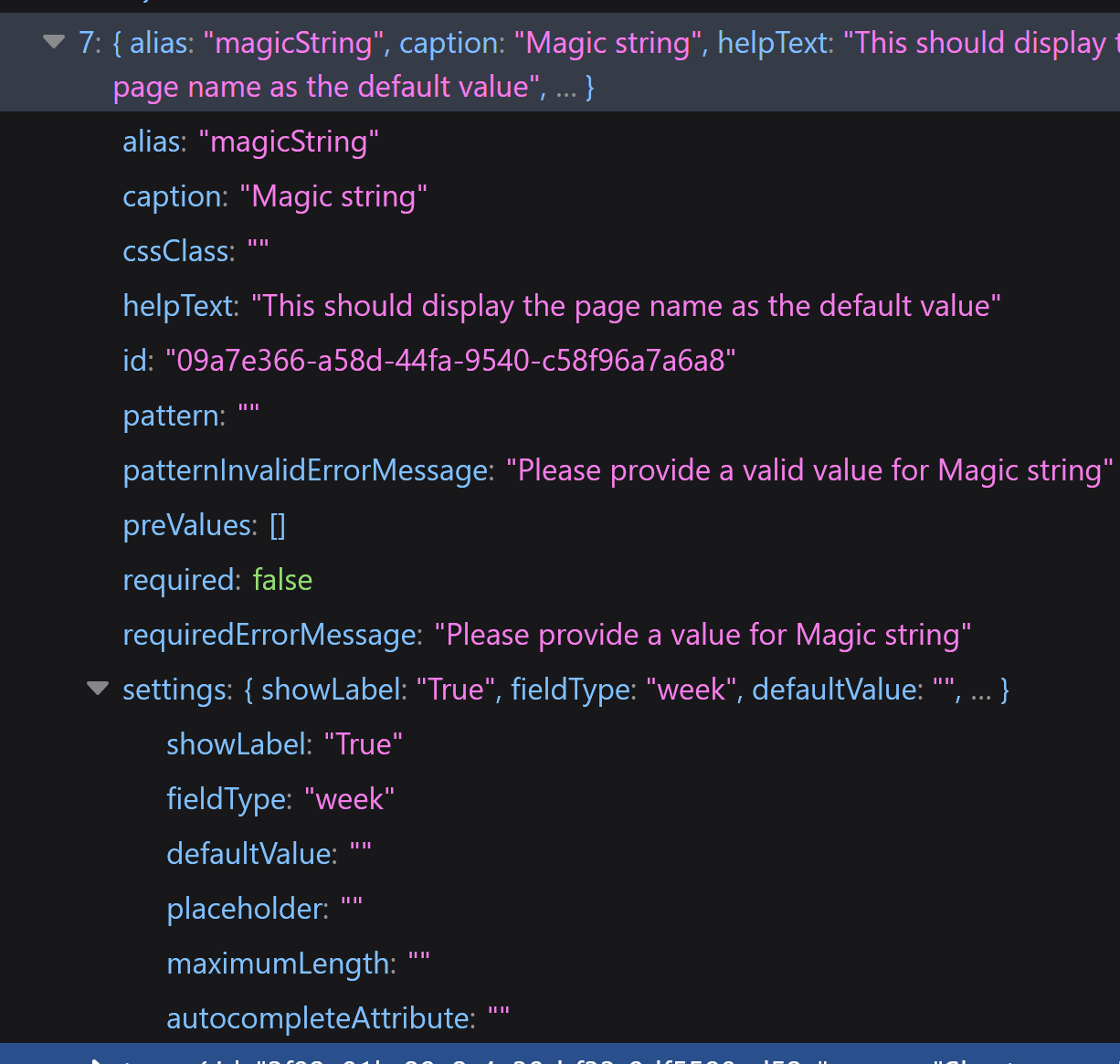
I am working on a headless/ajax version of Umbraco Forms, and now I am testing magic strings. The data I get when using these differs from what the standard Umbraco Forms element outputs, however.
E.g., I have added [@url] as a default value to a field. The value in the headless version is “https://[localhost]/umbraco/forms/delivery/api/v1/definitions/1072c851-e4e8-43e7-bd44-64ec82b06c29”. This is of course the URL that returns the form data.
I also tried using [#pageName]. Works as intended in the SSR module, but returns nothing in the headless version.
Maybe it is obvious to someone why this doesn’t work, but based on the documentation for magic strings I don’t see why it shouldn’t. Unless HttpContext.Request is different in this context.
Hey @LasseGuldhammer long time no see!
I’m sorry I didn’t see this when you initially asked.
@sjvisschers
My understanding is that Umbraco Forms resolves things like page URL and name from the current request context. When the request is routed through Umbraco and associated with a content node, the form can access information about the current page.
When using forms in a headless or AJAX setup, the submission typically goes to a forms-specific endpoint instead of a page route. Because that request isn’t associated with any Umbraco content node, the form doesn’t have a page context to resolve things like the current URL or page name.
My suggestion would be to handle magic strings in the frontend too, when using a headless setup.
I had a chance to test this today and the docs does mention an optional contentId parameter, however it doesn’t help resolve the magic strings. But since this would allow the form to know the context of the current page I’ve raised an issue on their github.