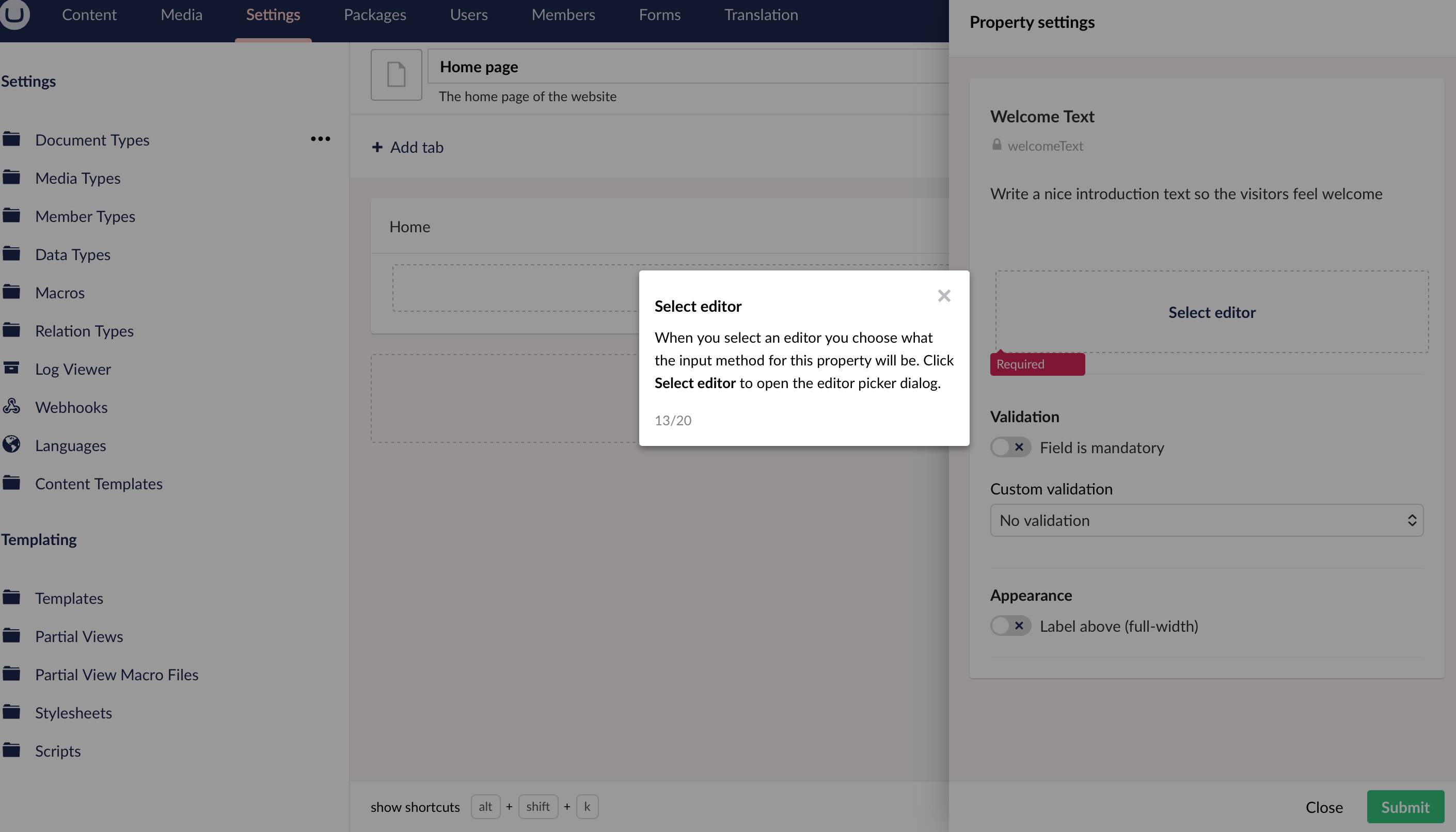
As you can see above, in the second tutorial of Getting Started, I cannot click on Select editor, and there is no Next button to click. Im just stuck here and cannot proceed.
This is my first time exploring umbraco for my website.
As you can see above, in the second tutorial of Getting Started, I cannot click on Select editor, and there is no Next button to click. Im just stuck here and cannot proceed.
This is my first time exploring umbraco for my website.
Hi Adedapo  welcome to Umbraco!
Right now your property doesn’t have a Data Type (editor) assigned to it. That’s why “Select editor” looks unclickable and there’s no Next button.
At the top of the property settings, click Select editor, then choose something like:
Textstring (for a simple text field), or
Rich Text Editor (if you want formatted content)
Once you pick one, you’ll be able to save the property.
for video references: https://youtu.be/Yu29dE-0OoI?list=PLgX62vUaGZsFBcq9eSJ_178rXgn82sJ-T&t=186
all the best
/Bishal
If you are new to Umbraco, I highly recommend not investing the time in Umbraco 13, but instead go with Umbraco 17. 17 is the current Long Time Supported version. 13 is in the security phase and doesnt get any more updates.