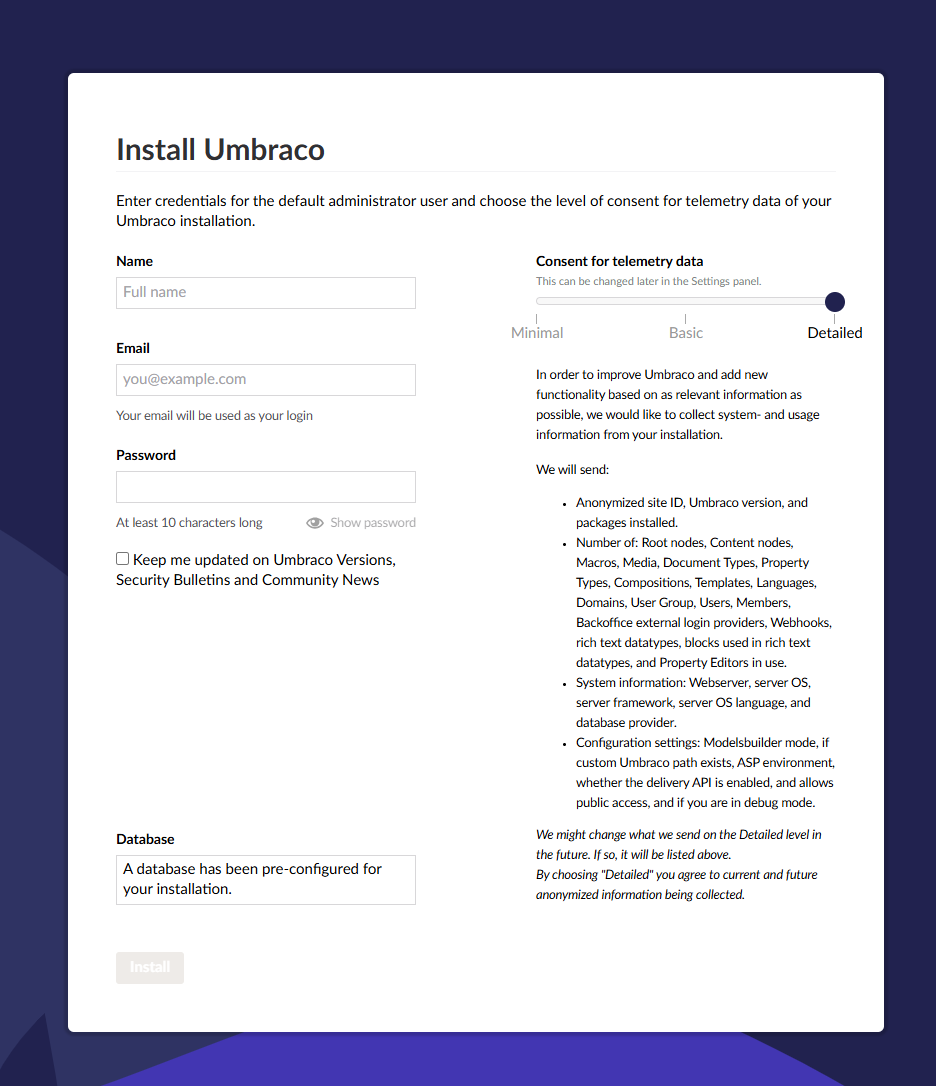
We are trying to set up managed identity for our db, we have managed to get it to work with our staging site. But for our production website where where we have a warmup slot that performs a swap with the live site we are facing problems. for context our warmup (deployment slot) slot is in Azure App service. It looks like this when the site is trying to swap that the slots no longer have access to the DB as this shows up:
Have you assigned the managed identity to the slot also?
Is the connection string set on the web app slot?
Azure treats them both as separate web apps even though your slot is part of the Production web app.
When you click the swap button in the portal are you seeing anything in the Source/target slot changes?
Like this?
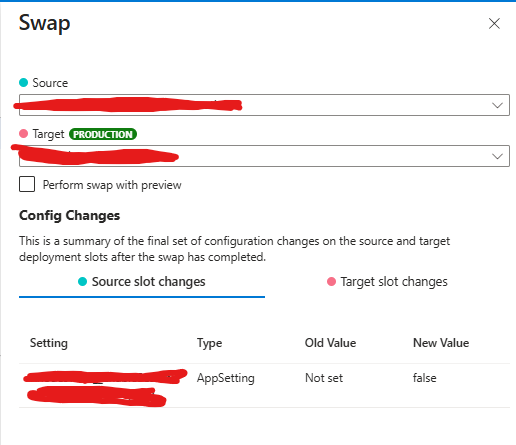
The above screenshot indicates that the two slots (Production and your slot) don’t have the same appsettings. Notice in the screenshot above, the value for this appsetting with become false in the source slot when it swaps. This will then cause the target (Production) to have the appsetting removed when the swap completes.
Both slots have managed identity but still getting the installation wizard.
Connection string is set on the web app slot.
No it doesnt look like that there are app settings but with different values no Not Set
I will add some more details to this problem we are facing.
We do release to the warmup deployment slot and we are able to browse the website.
When we start the swap it somehow gets in to a state where the installation page shows up. After a while this installation page doesn’t show and the website works. The swap will fail because we want to make sure the website is up and running before the actual swap is done, and it’s not because the installation page shows up (not status code 200).
Silly question but are you using the same managed identity for both the slot and web app or separate?
If there are two identities, are they both added to the database? Typically I use one managed identity for both the prod and slot.
Does the user have the correct permissions, this is what I typically set (mi-the-identity-name being the name of the managed identity, I don’t use the ID or object ID):
CREATE USER [mi-the-identity-name] FROM EXTERNAL PROVIDER;
ALTER ROLE [db_datawriter] ADD MEMBER [mi-the-identity-name]
ALTER ROLE [db_ddladmin] ADD MEMBER [mi-the-identity-name]
ALTER ROLE [db_datareader] ADD MEMBER [mi-the-identity-name]
We are not using the same identity fort the different slots. The reason for this is that we only want to have give db_ddladmin permission to the warmup slot.
One of the reasons is that we want the warmup slot to handle db structure changes
The warmup managed identity slot have the correct permissions db_datareader, db_datawriter , db_ddladmin
On staging do you have [db_ddladmin] set?
Maybe try removing it on staging, restart the web app and see if it pops up with the wizard?
Alternatively see if Umbraco works if you grant it [db_ddladmin] on the main slot identity. You can always revoke it afterwards.
We got it to work by setting it it to db_ddladmin… but we are trying to see if we can get it to work with out db_ddladmin during the swap
We got it to work and this is the summary of how we did it
What we did to get it to work:
-
configured Managed Identity for the App Service slots
-
each deployment slot has its own system-assigned managed identity
-
added each slot’s managed identity as a user in the Azure SQL Database
-
assigned the following database roles to each identity:
-
db_datareader -
db_datawriter -
db_ddladmin
-
Initially, we didn’t want to grant db_ddladmin to the production slot, as we assumed the warmup/staging slot could handle all database schema changes ahead of the swap. However, during the slot swap, the warmup slot will use the production slot’s identity to attempt schema checks and migrations, which caused the Umbraco installation wizard to appear (because the production slot didn’t have db_ddladmin), ultimately making the swap fail. Maybe there is a way around this? As we don’t really like giving both slots db_ddlamdmin access from a general principle of least privilege perspective.
TLDR: granting db_ddladmin to the managed identity of both the production slot and the staging/deployment slot resolved this. After that, Umbraco 13 started correctly and no installation wizard appeared during swaps.