I am using Umbraco Forms with a form that has a couple of conditional fields that should only show when a single choice field has a certain value.
Like:
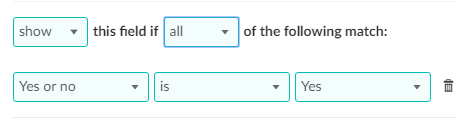
Where Yes or no is a radio button field.
However, the conditional fields never show.
I assume I have set up the form scripts correctly, as per the instruction.
The form scripts are indeed loaded, and I can set a break point in the js code at line 135, method
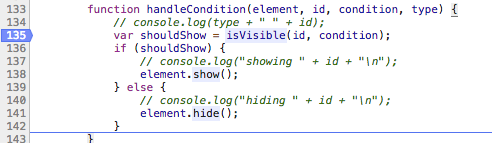
The “shouldShow variable” correctly determines the field should show when the value is Yes.
Still, the conditional field is not rendered…
I’m on Umbraco Cloud using the latest version of Umbraco Forms (not yet 6.0.4. which is scheduled this week).
Any clues?
Thanks in advance!
This is a companion discussion topic for the original entry at https://our.umbraco.com/forum/88819-forms-condition-showhide-doesnt-work