Hi All,
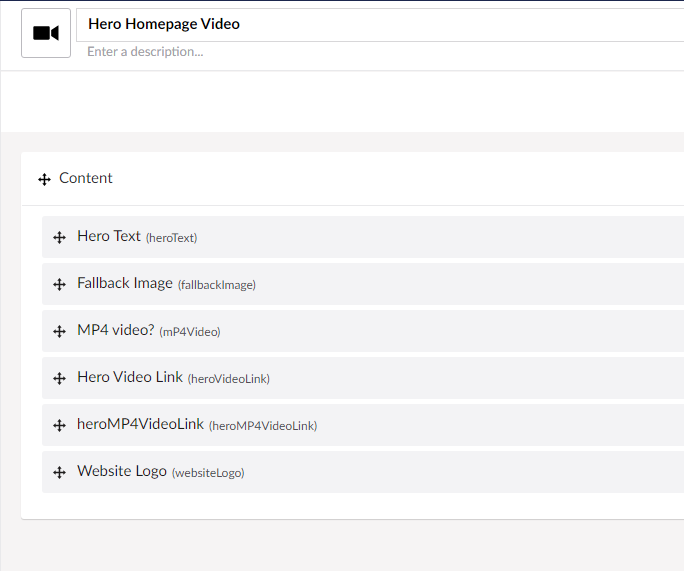
Have a bit of a newbie question, I’m using this excellent package from Maria Lopez Conditional Displayers | Umbraco Marketplace which can show a conditional datatype within the backoffice, I’m using it to show either a YouLink input field or a Mediapicker for an MP4 file. I just need some guidance on how to display the conditonal dsiplay within the code so depending on the backoffice option the frontend shows the correct content, my initial code is below, but any help as always much appreciated 


@inherits UmbracoViewPage<Umbraco.Cms.Core.Models.Blocks.BlockListItem>
@using ContentModels = Umbraco.Cms.Web.Common.PublishedModels;
@{
    var content = (ContentModels.HeroVideo)Model.Content;
    var image = content.FallbackImage;
    var video = content.HeroMP4VideoLink;
    var homePage = (HomePage)Umbraco.AssignedContentItem.Root();
}
<!-- Hero Start -->
<div id="heroVideo" class="section tech-hero-section-5 d-flex align-items-center">

    @if (Umbraco.AssignedContentItem.Id == homePage.Id)
    {
        <div class="header-logo-homepage">
            <a href="/">
                <img src="@(image!=null?image.Url():"websiteLogo")" alt="" />
            </a>
        </div>
    }
    <div class="video-player">
        <div class="video-background">

            <iframe class="js-video-iframe"
                    src="@Html.Raw(content.HeroVideoLink)?autoplay=1&loop=1&modestbranding=1&playsinline=1&color=white"
                    frameborder="0"
                    allowfullscreen="1"
                    title="Saietta Electric Drive">
            </iframe>

            <video style="width:100%; max-height:100%" autoplay loop>
                <source src="@(video!=null?video.Url():"heroMP4VideoLink")" type="video/mp4">
                Your browser does not support the video tag.
            </video>

        </div>
        <div class="video-overlay">
            <div class="hero-content text-center">
                <h1 class="title" data-aos="fade-up" data-aos-delay="800">
                    @Html.Raw(content.HeroText)
                </h1>
            </div>
        </div>
    </div>
</div>
This is a companion discussion topic for the original entry at https://our.umbraco.com/forum/112111-example-of-conditional-display-content-razor